

Horizon Era

Latest Updates

See what's new before you enter the kingdom.

Introducing: the Kingdom System

A brand-new top-tier territory system, separate from City — build a Castle, found a Kingdom, recruit members, and grow it with Bricks, Kingdom Flags, Towers, and Obelisks.

  • Build a Castle from the Build menu (level 4+, 1,000 Refined Oil + 500 Wood + 500 Stone + 500 Iron) — anywhere unclaimed and on land, at least 2km from any other Kingdom's territory.
  • Tap your freshly-built Castle to Create your Kingdom — give it a name, a short tag (shown in front of every member's name, everywhere, including World Chat), and a fully custom banner: a background color plus a two-layer emblem (a shape and a symbol, each its own color).
  • Other players can request to join your Kingdom from its Profile page; as Ruler, accept or decline from the bulletin board inside your Castle, or Kick a member out. Heraldry lets you change your Kingdom's whole identity — name, tag, banner, emblem — any time, for free.
  • Bricks are a new resource, earned automatically while hunting, chopping, tending a sapling, planting, or mining on your own Kingdom's land — members earn more than non-members, and it's boosted further near a Kingdom Obelisk (see below).
  • Convert an already-Hardened Flag into a Kingdom Flag (200 Bricks) once it's near your Castle or an existing Kingdom Flag — Kingdom Flags render with their own real art, tinted in your Kingdom's colors.
  • Upgrade a Kingdom Flag into a Kingdom Tower or a Kingdom Obelisk, each with 5 levels — an Obelisk multiplies how many Bricks nearby members earn (up to 7x at Level 5). Changed your mind? Downgrade back to a plain Kingdom Flag for half of everything spent back.
  • Step inside your Castle (members-only) for a bulletin board — Ruler, member list with online status, Brick totals, and join requests — plus two buildable structures: Brick Storage (donate Bricks, or as Ruler, Tax 10% from every member) and a Brick Furnace (any member can buy Bricks with Food once every 22 hours).
  • Jumping to your Kingdom's Castle or any Kingdom Flag is free for members.
  • This is the first slice of a much bigger system — permissions, rankings, wars, and more are still to come.
  • To celebrate, we're also introducing the "Kingdom Armory" — 17 cosmetic reskins (one for every Weapon, Sub-weapon, and Armor) themed to match. Head to Menu > Latest Event to see the full set and buy any of them with Food.

New: see any player's Friends and Enemies list on their Player Profile

Every Player Profile now shows a real list of who that player is friends and enemies with, not just one at a time — useful for checking a Kingdom-recruit candidate's existing rivalries before inviting them.

  • Open your own Player Profile (Menu > Character) to see a My Friends list and a My Enemies list, each showing who's online.
  • Open ANY other player's profile to see their own Friends and Enemies list the same way — handy for spotting whether a potential recruit is already enemies with one of your own Kingdom members.
  • Tap a name to jump straight to that player's own profile.

Chopping trees is faster, and two new quick-action buttons

Wood now goes straight into your Bag when you chop a tree, same as mining a Cave — no more picking it up off the ground afterward. There's also a new Quick Actions shortcut in the top-right corner for Heal with Berry and Build Flag.

  • Chop a tree and its Wood is credited to your Bag immediately (still 2 per chop) — nothing is left on the ground to walk back for.
  • A new floating button next to the Recenter button (top-right) expands into one-tap Heal with Berry / Build Flag shortcuts — handy when your own character is hard to click in a crowded area.
  • Tap the toggle to minimize it if you'd rather not see it. It only shows up outdoors.
  • Both actions are still available the old way too, from tapping your own character.
  • On a touchscreen, hold down Recenter, Heal with Berry, or Build Flag for a moment to see what each one does — same info you'd get from hovering with a mouse.

New: a rotating gameplay tips banner

Since we don't have a full tutorial yet, you'll now see a small banner above your HUD showing a random gameplay tip every so often — movement basics, safety advice, monster warnings, and a few less obvious mechanics.

  • A new tip appears roughly every 18 seconds — click the × on the banner to skip to the next one early.
  • Don't want to see it? Turn it off anytime in Menu > Settings > "Show gameplay tips."
  • More tips will get added over time as new mechanics ship.

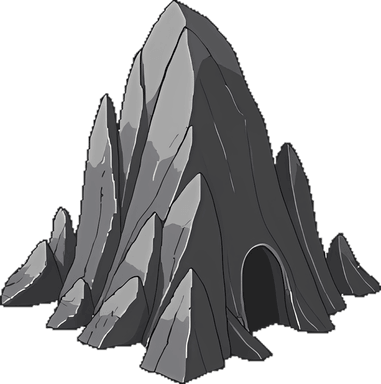
New monster: Stone Golem

A dark, hulking new monster has arrived — once it turns hostile, it will actually pursue you until it's dead, so you can't just step back to break off the fight. There's a real chance it drops Stone.

  • Attacks unprovoked if you wander too close, and then genuinely chases you — it keeps closing the distance instead of giving up once you're a few steps away.
  • It's a bit slower than you, though — if you keep running and avoid taking another hit, it'll eventually lose the trail and you'll get a real chance to Jump away.
  • Best Weapon Set: Sword or Sling, Breastplate.
  • Has a real chance to drop Stone when killed — an alternative to mining a Stone Cave.

New: a brief "Safe" period after Jumping/Visiting or respawning

You're now protected from ambient monster attacks for a few seconds right after teleporting somewhere new or respawning, so you have a moment to look around before anything can hit you.

  • Shows as a green "Safe" indicator with a countdown near your HP bar.
  • Protects you from a nearby monster's own proactive attack (Wolf/Boar/Troodont-style) and from a Troll's Mourning Tree taboo strike — but never from a fight you're already in.
  • Ends instantly the moment you attack anything — starting a fight is choosing to be vulnerable again, even to that very fight's own retaliation.
  • If you need to step away for a while, it's still safest to do it inside a Manor or other indoor space — the Safe period is only a few seconds, not an AFK shield.

Get a Mail notice when your Trade Post listing sells

You'll now get a message in your Mail whenever another player buys something you listed at a Trade Post, showing what sold and how much you earned.

  • Shows up as a message from "Horizon Era Team" in your Mail — same unread bold/red-dot treatment as any other message.
  • Says who bought it, what item and quantity, and how much Gold/Food you received after the Trade Post's tax.
  • Doesn't change how payment works — you already got paid instantly, this just makes sure you notice.

Fixed: mobile couldn't zoom out nearly as far as PC

On phones, zooming all the way out used to show much less of the world than on PC (making distant Flags hard to spot for Jumping) — mobile can now zoom out much further. PC is unaffected.

  • The zoom slider itself didn't change — what counted as "fully zoomed out" on a small screen has been fixed so it shows a proper amount of the surrounding area, just like PC always has.
  • Pinch-to-zoom out on a phone now goes noticeably further than before.

City Coins — City Sewer is now the best farm spot, and Mayors must be real members

City Sewer Dungeon kills, Cavern kills, and Oil Well/Crystal Hut harvesting all now earn City Coins for whichever City they're in — and only actual City House members can be elected Mayor.

  • Killing monsters inside a City Sewer Dungeon now earns City Coins for that City — at 3x the normal rate, making it the best place to farm City Coins.
  • Cavern kills now earn City Coins too, at the normal rate, whenever the Cavern happens to sit inside a City's territory.
  • Collecting, Raiding, or Co-Harvesting Crude Oil/Crystal from an Oil Well or Crystal Hut now also earns City Coins for that City.
  • Anyone can still earn City Coins for a City just by being active in its territory, member or not — that hasn't changed.
  • Fixed: only players who actually own a City House in that City (real members) can now be elected Mayor during the weekly rotation.

City Keys now show up in your Bag

If you helped found a City (as founder, wall-builder, or finisher), your free-travel-forever City Key is now visible in your Bag instead of being invisible bookkeeping.

  • Shows as "City Key - {city name}" in its own strip at the top of the Bag panel, right below your Gold/Food/Feather readout.
  • Doesn't change how it works — jumping to that City is still free forever for you, this just makes it visible.
  • If you were offline when your City finished founding, your key shows up the next time you log in.

Leaving a City now gives a refund

Destroying your City House — the only way to leave a City you've joined — now refunds half of what you spent building it, with a proper confirmation popup.

  • Destroy your City House from its world popup or the Estates panel to leave the City you joined.
  • Now refunds 1 Wood + 500 Gold (half of the build cost, rounded down) instead of nothing.
  • Replaced the old browser confirmation dialog with the game's own themed popup.

Destroy your own Flag or Estate — with a refund

Flags (at any tier — plain, Hardened, or Roc Shrine) and Estates (Log Cabin or Country Manor) can now be voluntarily destroyed, refunding half of what you spent building them.

  • New "Destroy" button on your own Flag or Estate — walks your character there first, then takes about 10 seconds with a progress bar reading "Destroying."
  • Refunds half of every resource you spent on it (Wood, Stone, Leather, Gold), rounded down — covers every tier/addition it had, not just the base cost.
  • A themed confirmation popup shows exactly what you'll get back before anything happens — nothing fires until you confirm.
  • Anything still sitting in your Country Manor's storage room is dropped on the ground right where you're standing, not destroyed — walk over and pick it back up.
  • Destroying your Manor resets its 4 addition rooms (Roc Chapel, Trophy Room, Workshop, Drafting Room) — build a new one from scratch and you'll need to unlock them again.

Pickup All — grab a whole pile in one click

When several different items are dropped together (like a monster kill's Wood and Leather), you can now grab everything in the pile at once instead of clicking each item separately.

  • Click a pile of 2 or more different items on the ground to see a "Pickup All" option above the usual item list.
  • Walks you there once, then picks up the full quantity of everything in the pile.

Roc Chapel and Roc Shrine — save your favorite spots

Country Manors can now build a Roc Chapel, letting you upgrade one of your own Hardened Flags into a named, permanent Roc Shrine you can Jump to for free from anywhere.

  • Build a Roc Chapel in your Country Manor (10 Stone) from the floor-2 door that used to say "Coming Soon."
  • Upgrade the Roc Chapel for more capacity (Stone + Food, cost rises each time) — up to 20 Roc Shrines.
  • Upgrade any of your own Hardened Flags into a Roc Shrine (10 Stone + 10 Wood) and give it a name of your choice — great for bookmarking a Cave, Dungeon, or Troll Hut you want to find again.
  • Shows up in your Estates panel as "Roc Shrine - {name}" with a free Jump button.
  • A Roc Shrine keeps the same territory, Right of Passage settings, and combat defenses it had as a Hardened Flag — it's just permanently upgraded, with its own name, its own world sprite, and its own place in your Estates list.

Fixed: Caverns and Monks were impossible to find

A math bug meant Caverns and Monks could never actually spawn in the world — fixed, and existing explored areas have been backfilled.

  • Caverns and Monks were never just rare — a bug in the spawn-density formula made them mathematically impossible to spawn at all, on both regions, since they were introduced.
  • Fixed the formula so they can genuinely spawn now (still meant to be rarer than a Troll Hut).
  • Already-explored areas have been backfilled with the Caverns/Monks they should have had all along — no need to find brand-new territory.

Attack multiple monsters at once

You can now Hunt a second (up to a fourth) monster without waiting for the first one to die — your character fights them one at a time while all of them can hit back.

  • Click Hunt on another monster while already fighting one — your character cycles through everyone queued, one attack at a time, up to 4 monsters at once.
  • Every monster you're currently fighting can retaliate each round, not just the one you're actively swinging at — watch for damage from multiple directions.
  • If a monster near you turns hostile because you attacked its packmate, you'll now automatically start fighting it back too — no extra clicking needed.
  • Killing one monster while others are still queued keeps the fight going automatically against the rest.

Water Travel improvements: Buoy art, build timers, and fixes

Buoy finally has real art and matches your Flag's color, Make a Raft/Build a Buoy now walk to the spot and take a few seconds to build, and a few real bugs are fixed.

  • Buoy now renders as a real flag-shaped marker tinted in your own Flag color — no longer invisible.
  • Buoy now shows its own access-radius circle, so you can see how far it lets you go without a Raft.
  • Make a Raft and Build a Buoy now walk you to the spot first (like every other build action) and take about 10 seconds, with a progress bar — no more needing to click right next to yourself.
  • Fixed: your Raft now correctly disintegrates when you Jump or Visit somewhere on land, not just when walking there.
  • Fixed a few land/water precision issues near real coastlines that could wrongly block movement or a Raft from disintegrating.

Water Travel: Rafts and Buoys

Water is no longer freely walkable — you now need a Raft or a Buoy to cross it, matching real Parallel Kingdom rules.

  • Click an empty spot with no entity on it for a new menu — Make a Raft (3 Wood, 3 Crude Oil, 2 Silk) or Build a Buoy (5 Wood, 3 Crude Oil).
  • A Raft lets you cross onto nearby water immediately, but disintegrates the moment you step back onto land — it's a one-time crossing.
  • A Buoy is a permanent structure built on water — anyone within its reach can enter the water around it, no Raft needed. Keep it private, or open it to other players the same way you can with a Flag.
  • A Raft alone only reaches so far from shore — a nearby Buoy extends how far out you can go, so a chain of Buoys can reach much further into open water.
  • Watch your HUD for an "On a Raft" indicator while one is active — and look down, you'll see it floating right under your character while you're on the water.

Mourning Sprites scatter when their tree is chopped

Chopping down a Mourning Tree now scatters any Mourning Sprites living around it instead of leaving them at the now-empty spot.

  • Every Mourning Sprite in that tree's colony relocates to a new spot nearby the moment the tree comes down.

Quick Build Flag from your own character

Tap your own character for a faster way to build a Flag — no need to open Menu > Build first.

  • Stand where you want the Flag, tap your own character, and tap Build Flag right there.
  • Shows exactly what's missing if you can't afford it yet, or if the spot isn't valid.

Fixed monsters getting stuck at 0 HP without dying

Monsters that should have died from a hunt hit no longer occasionally get stuck alive at 0 HP — they now die reliably every time.

  • Under the right timing (e.g. hitting a monster right as something else also damaged it), a monster could end up at 0 HP but stay alive and visible instead of dying.
  • Fixed for both outdoor hunting and dungeon monsters.

See how long an offline player has been away

Players List and Player Profile now show "last online X ago" for offline players, not just an Offline dot.

  • Check another player's Players List row or their Profile — if they're offline, it now shows exactly how long ago they were last active (e.g. "48m ago", "3h 20m ago", "2d 5h ago").
  • Shown as real visible text, not just a hover tooltip, so it's readable on mobile too.

Fixed monsters teleporting during combat

Monsters attacked from range no longer teleport toward you in jumps — they walk over properly, and their retaliation timing now matches what you see on screen.

  • A monster closing the distance after a ranged attack (Shuriken, Crossbow, Longbow, Sling, Blowdart) now walks smoothly toward you instead of jumping in steps.
  • Fixed monsters — most noticeably Dragon — visually arriving right next to you but taking several extra seconds to actually deal retaliation damage.
  • Fixed Larva (and other monsters) occasionally relocating right as you were about to land your first hit on it.

Bag panel: category tabs and a currency strip

The Bag panel now has category tabs (Gear, Backpacks, Materials, Consumables) and shows your Gold/Food/Roc Feathers right at the top — easier to find what you're looking for once your bag fills up.

  • New tabs above your item list — All, Gear, Backpacks, Materials, Consumables — each showing how many items you have in it.
  • Search and sort still work within whichever tab you've picked.
  • A small strip at the top of the Bag now shows your Gold, Food, and Roc Feathers at a glance, alongside your bag weight.

Poison Metal and the No Eyes Monster

A second Special Metal — Poison Metal — is craftable at the Workshop, and its raw material comes from a new Cavern monster: the No Eyes Monster. Watch out for its bite.

  • Poison Metal (10 Refined Oil + 1 Violet Heart + 2 Iron, Metallurgy Level 2) infuses into a Weapon, Sub-weapon, or Armor for a real poison effect: a landed hit has a chance to poison the target, dealing damage over time instead of a one-off hit.
  • Violet Heart, Poison Metal's own ingredient, always drops from a No Eyes Monster — a tough, mostly-stationary monster found in small groups inside Caverns.
  • The No Eyes Monster attacks if you get too close, and its own bite poisons YOU right back — real damage that keeps ticking for a minute, even after you've killed it. If that poison alone finishes you off, it permanently lowers your max HP by 5, so don't let it linger.
  • Best weapon set against it: Axe and Breastplate.
  • A poisoned monster now shows a real status icon above its HP bar in both renderers, including the new default WebGL one.

Smoother rendering is now on by default

The faster WebGL renderer for the outdoor world is now on by default — no more toggling it on yourself. Turn it off in Menu > Settings if your device has trouble with it.

  • The outdoor world now renders via WebGL by default instead of the old renderer — noticeably smoother, especially on mobile.
  • Every feature that renderer was missing (HP bars, status icons, your character's full equipped gear, chop/mine progress bars, and more) is now there too.
  • Menu > Settings still has the toggle — switch it off if you'd rather use the older renderer on your device.

Menu panels are more consistent, and close when you Visit

Every menu panel now looks and behaves the same way, closes properly after you Visit/Relocate/Accept a Visit invite, and gets a bigger, nicer layout on desktop.

  • Visiting anywhere from the Estates panel (including a City Ticket destination), relocating to your real-world position, and accepting a Visit invite from Mail now all close the panel immediately, so you can see where you ended up.
  • Settings, Community, Latest Update, and Latest Event now match every other menu panel's look — and can now be closed by clicking outside them, not just by re-opening the menu.
  • On a PC browser, every menu panel now opens as a properly sized, bordered window instead of taking over the whole screen — mobile is unchanged.

Jumping to any Flag is now free

Roc Feathers no longer get spent on Flag jumps at all — your own Flag or anyone else's, it's free.

  • Jump now costs 0 Roc Feathers, whether it's your own Flag or another player's.
  • Feathers are still spent on Visiting an actual structure — Estate, City House, Trade Post, and City Center all keep their existing Feather cost.
  • Right of Passage tolls (Gold, set by a Flag's owner) are unaffected — those still apply exactly as before.

Manor storage Take now matches outdoor Pickup

Clicking a stored item in your Manor now opens a menu with a Pickup option, and your character walks over to it automatically — just like picking something up outdoors.

  • Tapping an item in your Manor's storage room now opens a small popup with a Pickup option, instead of taking it instantly.
  • Choosing Pickup walks your character over to the item first if you're not already standing next to it, then picks it up — the exact same click-then-walk-then-pickup flow outdoor ground drops already have.
  • Also fixed the broken item icons in the Info popup for Spider Sword, the Monster Tokens, and the Hats — they now show their real pixel-art image instead of a missing-image placeholder.

Meet Monk — a rare wanderer with Hats to trade

Horizon Era's first NPC: a rare, powerful wanderer who trades Monster Tokens for cosmetic Hats — plus Horizon Era's first real Hat equip slot.

  • Monk is a new, rare world entity (about as rare as a Cavern) — generally peaceful, but genuinely difficult to fight: attacking it lands a real hit, but it strikes back hard and immediately relocates far away, so it's never truly defeated.
  • Hunting a Stag or a Mourning Sprite now also drops a Monster Token for that species, every time.
  • Walk up to a Monk and Trade 100 Monster Tokens for a themed Hat — a Stag Hat or a Mourning Sprite Hat.
  • Horizon Era's first real Hat equip slot — equip one from your Bag and it shows on your character (and every other player's view of you) right away.
  • Your own Character panel and other players' profiles now show whatever Hat is equipped, alongside Weapon/Sub-weapon/Armor.

Item names now show upgrade tier and infusion

A Sword you've upgraded and infused now reads as something like "Honed Sword +15" everywhere it appears — and you can now see another player's full equipped gear from their profile.

  • An upgraded and/or infused Weapon, Sub-weapon, or Armor now shows its full name (metal + tier) in your Bag, on the ground, in Manor storage, and at a Trade Post — not just as separate numbers next to a plain item name.
  • That name follows the item wherever it goes, including into another player's Bag if they pick it up.
  • Another player's profile now shows their real equipped Weapon/Sub-weapon/Armor — including upgrade tier and infusion — not just an icon.

Dungeons come alive, and indoors are truly safe again

Dungeon monsters now wander and Cavern's Troodont attacks on approach, you can Exit a dungeon mid-run, and a couple of real bugs that let outdoor combat leak into safe indoor spaces are fixed.

  • Dungeon monsters (City Sewer and Cavern) now wander around their room instead of standing completely still.
  • In Cavern, ordinary Troodont will now attack you if you get too close — the same behavior it has outdoors — while Troodont King and every City Sewer monster stay non-aggressive unless you strike first.
  • You can now Exit a dungeon at any point mid-run by tapping your own character, not just after fully clearing it.
  • Fixed the Workshop room: double-click to walk around now works correctly, and exiting always lands you right at the Workshop door on floor 2.
  • The Workshop now remembers your exact position — if you disconnect while inside, you'll reappear right where you left off.
  • Fixed a real bug where your HP could change from outdoor monster combat while you were safely inside a Manor, Workshop, Trade Post, or City Center.
  • Fixed the floating "+HP" heal text not appearing (or appearing in the wrong place) while indoors or inside a dungeon.

Infused gear — Shields, and a real color fix

Honed Metal's glow now reads correctly (silver-steel, not red), follows your gear everywhere it goes, and Shields can be infused too.

  • Fixed Honed Metal's color — it's a polished silver-steel ingot, not the red/maroon it originally shipped as.
  • Infused gear now shows a colored glow outline instead of recoloring the whole item, so the item's own look stays intact.
  • That infused look now follows your gear everywhere: your Bag, dropped on the ground, stored in your Manor, listed and sold at a Trade Post, and on every other player who sees you wearing it.
  • Fixed a real bug along the way: an upgraded Weapon/Armor that got dropped or stored and picked back up was silently losing its +tier combat bonus (even though the UI still showed the tier) — it now survives the round trip correctly.
  • Sub-weapons (Shield) can now be Infused too — Shield counts as Armor-type gear, so it gets the same defensive effect an infused Armor piece does.

Workshop and Honed Metal — infuse your gear with Special Metals

Country Manors can now build a Workshop, where you can infuse Honed Metal into a Weapon or Armor for a real combat effect.

  • Craft Honed Metal (25 Refined Oil + 10 Stone + 3 Iron, requires Metallurgy Level 2) — the first of Horizon Era's Special Metals.
  • Build a Workshop in your Country Manor (20 Stone + 20 Wood) from the floor-2 door that used to say "Coming Soon."
  • Walk up to the Workbench inside a built Workshop and Infuse 3 Honed Metal bars into an owned Weapon or Armor.
  • An infused Weapon gets a chance on a hit to weaken the target's defense; an infused Armor gets a chance when you're hit to weaken the attacker's attack — both wear off after a short while.
  • An infused item's sprite now shows a subtle color tint on your own character.
  • More Special Metals are coming as they get added.

New skill: Metallurgy

A new Metallurgy skill is now trainable in the Skills panel — smelting Iron Ore has a chance of yielding double Iron, and dumping a +0 Weapon, Sub-weapon, or Armor has a chance of giving you Iron Ore back.

  • Metallurgy is a new 3-level skill (1 Skill Point per level) in the Skills panel.
  • Smelting Iron Ore now has a 20%/40%/60% chance (by level) of yielding double Iron instead of the usual 1.
  • Dumping a +0 (never upgraded) Weapon, Sub-weapon, or Armor now has a 1%/2%/3% chance (by level) of also giving you back 1 Iron Ore.
  • This is the first step toward introducing new Metal crafting materials — the actual Metals themselves are coming in a future update.

Logout now asks for confirmation, and a back-button display bug is fixed

Logout now shows a proper confirmation before signing you out, and the mobile back button no longer looks like it logged you out.

  • Tapping Logout in the Menu now asks you to confirm before actually signing you out — no more accidental logouts from a stray tap.
  • Fixed a display bug where pressing your browser's back button could show an empty login page even though you were still fully logged in — it now correctly takes you straight back into the game instead.

Attack, burn, and repair other players' Flags — plus a new Enemy system

Flags now have real HP — attack, ignite, and burn down another player's Flag, or repair your own. Enemies are now automatic when you fight, and Make Peace lets you call a truce.

  • Attack another player's personal Flag with your equipped weapon — Hardened Flags can only be attacked once every 22 hours, but unhardened Flags can be attacked as often as you like.
  • Once a Flag's HP drops to half, it can no longer be hacked directly — ignite it instead (20 Crude Oil) to start it burning down. Unhardened Flags burn in seconds; Hardened Flags take a full day.
  • As the owner, Repair your own Flag to heal it — repairing is faster than burning, but your Flag takes double damage from attacks while under repair.
  • Attacking someone (or their Flag) now automatically makes you Enemies — this also breaks any existing Friendship between you. Visit their Profile and tap Make Peace to call a truce.
  • A Flag whose owner hasn't logged in for a month shows as Abandoned; after two months, anyone can Take Over it for the same cost as building a new one.
  • Friend and Enemy actions have moved onto the Player Profile page — tap a player's name anywhere to view their profile and manage the relationship from there.

Oil Well and Crystal Hut: Raiding and Co-Harvesting

Other players can now Raid your Oil Well or Crystal Hut for a share of its stored resource, or buy from it directly if you set a price.

  • Raid another player's claimed Oil Well or Crystal Hut to instantly steal about half of whatever's currently stored — no fight needed, just walk up and tap Raid.
  • Each Oil Well/Crystal Hut can only be raided by the same attacker once every 24 hours.
  • As the owner, set a Gold-per-unit price on your own Oil Well or Crystal Hut to let other players buy Crude Oil or Crystal directly from it — each buyer is capped at up to half of what's currently stored. Clear the price to stop offering it.

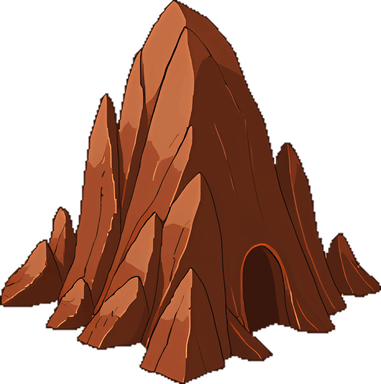
Cavern now costs a Torch to enter, needs level 3+, and is bigger in the world

Entering a Cavern now costs 20 Refined Oil + 1 Wood (a Torch) and requires level 3+, matching every other dungeon — and its world sprite is noticeably bigger, no longer looking like a small pebble.

  • This was a bug, not a change of heart — Cavern shipped without the entry cost/lockout/level requirement other dungeons already had, and it's now been corrected to match.
  • Entering costs 20 Refined Oil + 1 Wood, the same as the City Sewer Dungeon.
  • Once you've cleared or entered a specific Cavern, you'll need to wait a week before entering that same one again.
  • Entering any dungeon (City Sewer or Cavern) now requires level 3+.
  • The Cavern's own sprite in the world was too small for what it actually leads to — resized to match the City Sewer's scale.

New dungeon: Cavern, home of the Troodont King

A rare cave entrance now spawns out in the world, leading to a 5-room dungeon guarded by Troodonts and their King.

  • Caverns are rare — rarer than a Troll Hut — and only show up once one is within your active Flag's reach.
  • Inside: an Entrance room guarded by Troodonts, branching left and right into two more rooms, then up into two final chambers. One path leads to an ordinary room; the other hides the Troodont King and his personal guard.
  • Clear every Troodont in a room before its doors open — including the door back the way you came.
  • The Troodont King won't attack unless you strike first. Defeat him for a chance at a Troodont Scale.
  • Collect 5 Troodont Scales and give them to a Troodont King you haven't yet attacked to unlock the Troodont Doctrine skill (its full bonuses are coming in a future update — for now it can be trained, and levels are banked for when the effects arrive).

Oil Well, Crystal Hut, and Worker Golem popups now show their owner

Clicking a claimed Oil Well, a Crystal Hut, or a Worker Golem now shows whose it is.

  • Reads "Your X" for your own, or "{name}'s X" for someone else's — same style Flags already use.
  • Shown to any player, not just the owner, so it's easier to tell whose structure or Golem you're looking at in a shared City.

Monster difficulty dots — some areas are now tougher than others

Some monsters now show a small colored dot marking how tough the area was when it was first explored.

  • Gray means a low-gear area, yellow means average, red means a high-gear area was scaled tougher.
  • A monster with no dot is unaffected — this is purely informational, anyone can still fight any monster regardless of its dot.
  • If a differently-geared player explores an already-discovered area, a second (smaller) batch of monsters at their own difficulty can appear alongside the existing ones, so a shared area can show more than one dot color over time.

New skill: Hunter's Eye

A new skill — a chance to expose a monster's weakness, making it take extra damage from everyone until it dies.

  • Level 1: 3% chance on a hit to apply Exposed Weakness, a 1.5x damage debuff that lasts until the monster dies.
  • Level 2: 6% chance, same 1.5x debuff. Level 3: 9% chance, upgrading the debuff to 2x.
  • Once applied, the debuff benefits any player fighting that monster, not just whoever landed the hit that exposed it.
  • Doesn't work on Bosses.
  • Works with any weapon, outdoors or in the City Sewer Dungeon.
  • Spend Skill Points on it from Menu > Skills, same as any other skill.

New skill: Scavenge

A new gathering skill — a chance to find a bonus material whenever a monster you kill drops something.

  • Level 1: 5% chance of also finding 1 Wood or Great Fern Sap whenever a monster you kill drops an item.
  • Level 2: 10% chance, and the bonus pool grows to also include Leather and Iron Ore.
  • Level 3: 15% chance, and the bonus pool grows to also include Sulfur and Stone — the first way to get Sulfur at all.
  • Only triggers on a kill that already drops something, and only for a kill you land yourself (not Cleave splash kills).
  • Spend Skill Points on it from Menu > Skills, same as any other skill.

Trade Post and City Center now remember where you were

Both interiors now stay persistent across logout, and you can see other players browsing them with you.

  • If you log out while inside a Trade Post or City Center, you'll be right back where you were the next time you log in — no more popping back outside.
  • While inside, you're now fully hidden from the outside world, the same way your own Manor already protects you.
  • You can now see other players who are also inside the same Trade Post or City Center, moving around live — not just their own listings/board activity.

Fixed: real-world locations wrongly detected as water

Relocating to your real-world position, and building near a coastline, should now correctly recognize dry land far more often.

  • Fixed a coordinate bug that could make a real-world location register as water even though it was clearly on land — this mainly affected players in the Americas.
  • Relocate, Build Flag, Build Estate, Build City House, Found a City, Build a City Building, and Plant Sapling now also double-check against real map data before rejecting a spot as water.

New skill: Cleave

A new melee skill — a chance for your hit to also splash damage onto other nearby monsters.

  • Works with Sword, Axe, Dagger, Brass Knuckle, Spear, or Staff — ranged weapons get no benefit from it at all.
  • Level 1: 5% chance to also hit up to 3 other nearby monsters for 50% damage. Level 2: 10% chance, up to 4 monsters. Level 3: 15% chance, up to 5 monsters.
  • If a splashed monster dies, you get full EXP, Gold, and loot for it, same as killing it directly.
  • A splashed monster that survives can still fight back if it's an aggressive species.
  • Works the same way outdoors and inside the City Sewer Dungeon.
  • Spend Skill Points on it from Menu > Skills, same as any other skill.

Jumping to your own Flag is now free

Jump no longer costs Roc Feathers when you're teleporting to a Flag you own.

  • Jumping to any of your own Flags is now completely free — 0 Roc Feathers.
  • Everything else stays the same: jumping to someone else's Flag, or visiting your own Estate/City House/Trade Hub, still costs Feathers as before.

Floating +item icons for picking up, mining, and harvesting

Gaining an item now shows a small floating icon and quantity, the same way EXP and Gold already do.

  • Picking up a ground item, mining a Cave, harvesting a Berry/Sap, crafting, smelting, and claiming an item reward from Mail all now show a small floating icon + quantity above your character.
  • If several rewards happen at once (like a kill granting EXP and Gold together), they now appear one at a time instead of stacking on top of each other, so the numbers are always readable.

Spiders now roam the outdoors, not just the City Sewer

Spiders can now be found out in the open world in small groups, not only inside the City Sewer Dungeon.

  • Spiders won't attack unless provoked — wandering near one is safe, but hunting it makes it fight back.
  • They're usually found in small groups, same as Crawlers.
  • Drops Silk. Dagger and Shield are the best gear to use against them.

First-ever swag: the Spider Sword, in Menu > Latest Event

Horizon Era's first limited swag item is here — a one-of-a-kind cosmetic Sword, buyable once per account for 400 Food.

  • Open Menu > Latest Event and expand "Limited Swag: Spider Sword" to see it and buy it.
  • It's a purely cosmetic reskin of the ordinary Sword — same attack, weight, and upgrade behavior, just a different look.
  • Costs 400 Food, one per account. Once bought, it's sent straight to your Mail — open it and claim the reward to add it to your Bag.

Choose your character's appearance — Male or Female

New players can now pick a Male or Female character at registration, with a live preview so you see exactly what you're choosing.

  • The Create Account page now has a Character section showing both options side by side, each with a real preview of what your character will actually look like in-game.
  • This is a one-time choice made at registration — there's no way to change it afterward yet.
  • Every existing character keeps their current (Male) appearance — nothing changes for accounts that already exist.

Reset Skills — freely redistribute your Skill Points

A new Reset Skills button lets you refund every spent Skill Point and start your skill build over, free of charge.

  • Open Menu > Skills and look for the Reset Skills button — it only appears once you've actually spent at least one Skill Point.
  • Resetting refunds every spent point and brings all your skills back to Level 0, so you can freely try a different build.
  • Any equipped Weapon/Sub-weapon/Armor that needed one of those skills to wield (like a Crossbow needing Archery) gets automatically unequipped, since the skill's back to Level 0.
  • Gear that only needed a skill to CRAFT (like a Sword needing Blacksmithing) stays equipped either way — only wielding requirements are affected.

World Chat now opens straight to the newest message

Opening World Chat now jumps straight to the latest message instead of leaving you at the top, needing to scroll down.

  • Tapping World Chat to open it now automatically scrolls to the newest message, just like it already does when a new message arrives while it's open.

New Flags now match your existing Right of Passage settings

Building a new Flag now automatically starts as Normal or Public (with the same toll) to match your other Flags, instead of always resetting to Normal.

  • If your other Flags are already set to Public with a toll, a brand-new Flag now starts Public with that same toll too — no need to change it by hand every time.
  • The same goes for Normal — a new Flag matches whichever of Normal/Public your other Flags currently use.
  • Private Flags are unaffected either way — they're still set one at a time and never copied to (or from) a new Flag.
  • The Flag Settings popup (tap your Flag → Settings) now also explains the full Right of Passage mechanic — Private, Normal, and Public — in one place, and the Build menu's Flag info button mentions the new inheritance behavior too.

City Ticket — visit any of the 3 biggest Cities for a flat 2 Feathers

Your Estates panel now lists the 3 biggest Cities, visitable for a flat 2 Roc Feathers no matter the distance, even if you're not a member.

  • A new "City Ticket" section in the Estates panel always shows up to the 3 Cities with the most members.
  • Visiting any of them costs a flat 2 Roc Feathers, no matter how far away it is — and you don't need to be a member of that City to visit.
  • This ranking updates automatically as Cities gain or lose members, and only counts Cities on your own server region.

Menu icons fixed, and City bulletin boards show a Mayor election countdown

Every Menu tile now shows its own correct icon, and a City's bulletin board now tells you exactly when the next Mayor election happens.

  • The Menu grid's 9 category icons (Character, Inventory, Build, Craft, Skills, Estates, Players, Mail, Community) now each show their own distinct icon instead of a tiny jumbled thumbnail of all 9 at once.
  • A City's bulletin board now shows a live countdown to the next Mayor election, so you know how much time you have left to earn City Coins and try to become the next Mayor.
  • The bulletin board also now shows the City's total City Coins earned by everyone, right above the leaderboard.

Less item clutter on the ground

Monsters fighting each other in the wild now drop items much less often, and any item left on the ground now lasts a full week before disappearing.

  • When monsters fight each other in the wild (not you), they now drop materials like Wood or Leather only 1% of the time, and weapons/armor/backpacks only 2% of the time — down sharply from before.
  • Fighting a monster yourself is unaffected — your own kills still drop loot exactly as before.
  • Items left on the ground now stick around for 7 days before disappearing, up from 3 — since the world is far less cluttered now, there's less need to clear things out quickly.
  • As a one-time cleanup, existing Leather and Mourning Berry piles that had already built up on the ground were cleared out.

Leatherworking now grants real combat bonuses vs. Stag, Wolf, and Boar

Leatherworking's defense, attack, and double-Leather bonuses vs. Leather-dropping monsters are now live, plus Sling and Leather Armor are confirmed unlocked.

  • Level 1 now grants +1 defense against Stag, Wolf, and Boar (the monsters that drop Leather).
  • Level 2 now grants +1 Attack against the same monsters.
  • Level 3 now gives a 20% chance of getting double Leather when one of these monsters drops any.
  • Sling and Leather Armor were already fully craftable but still listed as "coming soon" in the Skills panel — that's now corrected.

Skill benefits are now easier to read as a bullet list

Each skill level's benefits now show as separate bullet points instead of one dense paragraph.

  • Opening a skill's Details now shows each level's benefits as its own line instead of one run-on sentence — much easier to scan at a glance.

Blacksmithing now actually makes your gear last longer

Blacksmithing Levels 1/2/3 now really do slow down gear wear 1.5x/2x/3x, not just repair costs.

  • Training Blacksmithing now slows down how fast your equipped Weapon, Sub-weapon, and Armor lose condition from combat — 1.5x slower at Level 1, 2x at Level 2, 3x at Level 3.
  • This was previously listed as "coming soon" even though gear durability itself was already live — it's now fully wired up.

Skills panel redesigned: grid layout, level dots, and full benefit details

Skills are now shown as a grid of cards with glowing dots for unlocked levels, plus a Details button for every level's benefits.

  • Each skill now shows as a card with a row of dots — gray by default, lighting up gold as you spend skill points on it.
  • A new Details button on every skill opens a full breakdown of what each level grants, including levels you've already unlocked — no more losing track of what an earlier level actually gave you.

Tap a name in World Chat to view their profile or report them

World Chat names are now tappable, opening a small menu with View Profile and Report Message.

  • Tap any sender's name in World Chat to open a menu with View Profile and Report Message options.
  • This replaces the old inline "report" text link — reporting is now reached through the same menu as viewing a profile.

City Center is now walk-in, with a bulletin board

Enter your City Center and check the bulletin board for the Mayor, founding history, and City Coin standings.

  • City Centers can now be entered and walked around, not just visited from outside.
  • A bulletin board on the left wall shows who's currently Mayor (or if the position is vacant), the City's 3 founders, and every player's City Coin standing.

Flags now show their type, and colors are easier to tell apart

Flag labels now say Public, Normal, or Private, and each type renders in a distinct shade.

  • A Flag's popup now reads "Your Public Flag", "Your Normal Flag", or "Your Private Flag" (and the same for other players' Flags) instead of just "Your Flag".
  • Flag colors now have 4 clearly distinct shades from darkest to lightest: City Flags (darkest), Private Flags, Normal Flags, and Public Flags (lightest).
  • Black is no longer a color you can choose for your own Flags — it's reserved for City Flags. If your Flag color was already set to black, it's been reset to the default.

Slower monster respawns, less ambient loot clutter

Monsters take longer to respawn after being killed, and monster-vs-monster kills drop items less often.

  • Monsters (Wolf, Troodont, Stag, and everyone else) now take 10-15 minutes to respawn after being killed, up from 5-10.
  • Dragon respawns even slower — 15-20 minutes — since it's the toughest, most rewarding monster in the game.
  • When monsters fight each other in the wild, they now drop items less often: 15% chance for a Weapon or Armor, 15% for a Backpack, and 10% for materials like Leather or Berries.

Sell your weapons and armor

Every Weapon, Sub-weapon, and Armor item can now be sold for Gold from the Bag panel, not just resources.

  • A new Sell button appears next to Condition/Repair on every Weapon, Sub-weapon, and Armor item in your Bag.
  • Sell price scales with that item's own upgrade tier and current condition — a well-upgraded, well-maintained piece is worth more than a worn, unupgraded one.
  • Selling your currently-equipped item unequips it automatically.

Flag access: Public/Normal now apply to all your Flags at once

Setting one Flag to Public or Normal now updates all your other open Flags too, and the Jump button is honest about whether you can actually get there.

  • Setting any Flag to Public now makes all your other Normal Flags Public too — one action instead of toggling each one by hand.
  • Same the other way: setting a Flag back to Normal makes your other Public Flags Normal too.
  • Private Flags are untouched by this — they're still opted out individually, and setting a Flag to Private only ever affects that one Flag.
  • Fixed the Jump button showing up on other players' Private Flags (which could never actually work) and on Flags you don't have passage to — it's clearer now about when a jump will actually succeed.

Fixed: invisible world for players far from Malaysia

Players outside Southeast Asia (especially the US) could lose sight of their character and the whole world after relocating.

  • Fixed a rendering bug where relocating to your real-world position far from Kuala Lumpur (most of the US, and other distant regions) could make your character, monsters, trees, and everything else stop rendering.
  • This was a display-only bug — your position was always saved correctly, so nobody actually lost progress or got stuck; a fresh Relocate now displays properly too.
  • Thanks to the player who reported this — if you ran into it, try Relocate to Real-World Position again from the Estates panel.

Trade Post — real player marketplace

Walk into a Trade Post and Buy or Sell with other players for the first time.

  • Enter any Trade Post and walk to the Cash Register to open Buy or Sell.
  • Sell an item for Gold or Food — a 5% tax is taken from your proceeds when it sells, and you can cancel for free within 1 hour of listing.
  • Buy anything listed at that Trade Post, browsable by category (Weapons, Armor, Backpacks, Resources, and more).
  • Also fixed: monster-vs-monster kills now only have a 25% chance to drop loot (down from guaranteed), and every ground item despawns after 3 days — both aimed at cutting down on item clutter piling up in busy areas.
  • Wood from chopping any tree is now 2 per chop, up from 1.

Menu panels go full-screen

Fixed a flicker when opening items from the Menu, and made every panel consistent.

  • Inventory, Character, Build, Craft, Skills, Estates, Players, and Mail now open as full-screen pages, matching the Menu itself.
  • This also fixes a flicker some players saw when tapping a Menu item — caused by the old small popup replacing the full-screen Menu in one jarring jump.
  • Fixed a follow-up bug where opening a Mail message's detail (or a player's profile from the Players List) appeared to do nothing — it was opening behind the panel, not in front of it.

Community Discord

Horizon Era now has a Discord — join to give feedback and suggestions.

  • New Menu > Community button, replacing the separate Support Us and Credits buttons with one combined panel.
  • Join the official Discord straight from that panel to report bugs, share feedback, or suggest new features.
  • Support Us (Ko-fi) and Credits & Attribution are still there too, just one tap further in.

Mail redesign

Inbox is now Mail, with a clearer look at what's new and what's waiting to be claimed.

  • Renamed Inbox to Mail. Starting a new conversation with another player now happens from their profile, not from a Compose button in Mail.
  • Unread mail stays bright and bold with a red dot; mail you've already opened dims out so you can spot what's new at a glance.
  • Mail carrying an unclaimed reward now shows a small Gold icon right in the list, before you even open it.

Gravestones

Fallen adventurers now leave something behind.

  • Dying in the world leaves a gravestone at the spot where you fell, with an epitaph naming what killed you.
  • Your gravestone stays for 24 hours — a new death replaces your old one instead of piling up.
  • Click a gravestone to read its epitaph, just like any other landmark.

Gear Wear & Repair, plus the Larva

Weapons and armor don't last forever anymore — but you can fix them.

  • Equipped Weapons, Sub-weapons, and Armor slowly wear down with combat use and break permanently at 0% condition.
  • Repair with Halvar's Resin (now craftable) or, with Blacksmithing, pay Gold for a full repair.
  • The Larva is a new slow-wandering, hard-skinned monster — the only source of Larva Meat, one of Halvar's Resin's ingredients.

Mourning Tree Saplings

Grow your own Mourning Tree from a single Berry.

  • Plant a Mourning Berry to start a Sapling, then Tend it regularly to keep it healthy.
  • A neglected Sapling gets sick, and eventually dies if it's ignored for too long.
  • Five cumulative days of healthy tending matures it into a full Mourning Tree with its own Berry.

The Dusk Tree

A new, more dangerous tree has appeared in the wild.

  • The Dusk Tree slowly damages any player or monster who lingers too close to it.
  • It still drops Wood like any other tree when chopped.
  • Watch your HP if you're gathering near one.

Chat Moderation Tools

You can now report bad behavior in World Chat.

  • Report an inappropriate World Chat message, or another player's status message, directly from Chat or their Profile.
  • Reports are reviewed by the team, who can mute repeat offenders from World Chat.
  • A mute only blocks chat sending — muted players can still play normally.

Easier Start for New Players

New adventurers now get a head start.

  • Every new player starts with a free Sword — no crafting required.
  • A daily Food gift arrives in your Inbox once per day, resetting at midnight Malaysia time.

Troll Hut

A new landmark has appeared across the kingdom.

  • Visit a Troll Hut to fully heal, buy Roc Feathers in bulk at a discount, or purchase a Mourning Elixir to boost your HP regen for 24 hours.
  • Troll Huts are rarer than Caves and guarded by a small band of Trolls.

Flag Access & Right of Passage

More control over who can travel through your territory.

  • Normal, Public, and Private Flags are now available.
  • Public Flags can use an owner-wide travel toll, while Normal Flags support player-specific passage grants.
  • Players can request, accept, decline, and revoke Right of Passage from the Inbox.

City Founding & Territory

Cities now have a fuller founding and territory flow.

  • City Foundations now have three stages: Found City, Add Walls, and Finish City Center.
  • A City ends up with exactly 10 ownerless City Flags, including generated filler territory when needed.
  • City Info now records the founder, wall builder, and finisher.

City Sewer Dungeon

The first multiplayer dungeon is now playable.

  • Shared rooms support additive monster spawns, combat, traps, and room progression.
  • Spider Queen, dungeon loot drops, pickup, weekly lockouts, and run persistence are included.
  • Dungeon runs resume after refresh and support completed-run exits.

Oil Wells & Worker Golems

Resource automation and relocation tools are ready for testing.

  • Oil Wells, Crystal Huts, Research Labs, and Worker Golem harvesting are available.
  • Golems retain their Crude Oil harvesting progression across restart and reassignment.
  • Players can relocate to their real-world position without automatically spawning a Flag.

Log in

Forgot password?

No account? Register