

Developer Journal

Updates & Devlog

Every system, feature, and fix shipped to Horizon Era — the exact same changelog players see in-game from Menu > Latest Update.

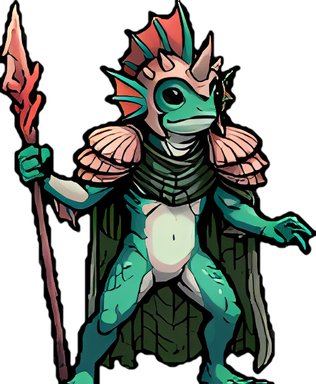
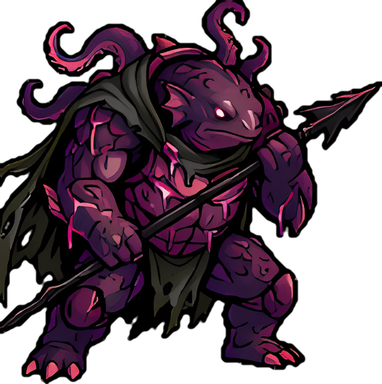
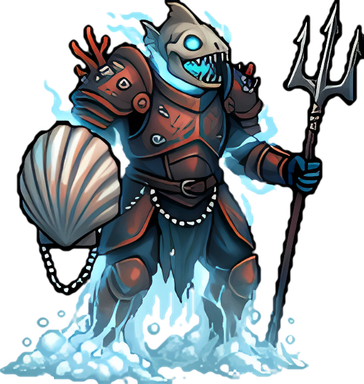
Lorelei, a Tide Warden and a Drowned Soul
Latest

Creatures of the Deep: Lorelei, the Drowning Song

The Queen of the Sirens has risen. One in the whole world at a time, announced to everyone, built for a crew — and she leaves Siren's Tear Shards for all who help bring her down. Her Tears make Siren Metal, which silences monsters.

✦ New Features · 7⚖ Balance Changes · 1

New Features

  • ✦Lorelei, the Drowning Song: a world boss. Only one in the world at a time, out at sea near a coast, always at least Epic strength — bring a crew. Everyone gets a pop-up and a System chat line when and where she rises. If nobody brings her down she sinks after 4 hours. There's no fixed timer for her return: the more players are online, the sooner she comes back, and she rises near where players are — so every part of the world gets its turn. System chat warns when the sea grows restless.
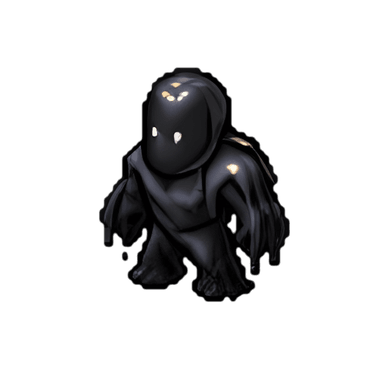
  • ✦Her Royal Song Enthralls everyone within 200 m every 15 seconds (Wax Earplugs block it). Three Tide Wardens guard her and come for whoever attacks her.
  • ✦The Soul Feast: every 30 seconds two Drowned Souls rise and drift toward her. Each one that reaches her — and each player who dies near her — heals her 10% and feeds her. Fed 3 times, she shows her True Form: attack x1.5, her song every 6 seconds, fallen Wardens rise again, and no more souls come.
  • ✦Fair loot for the whole crew: her EXP and Gold are shared by damage like any kill, and she leaves 12 Siren's Tear Shards (up to 20 when many helped), split by how much each hunter helped — damage to her and her court, and every soul you stop counts big. At least 5% of the effort earns one Shard or more and the Song Breaker Badge.
  • ✦Siren's Tear: craft 6 Shards into one Tear. Shards can be traded, so a crew can pool them.
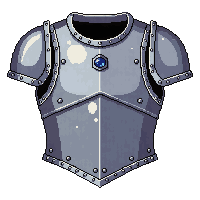
  • ✦Siren Metal (Metallurgy Level 3: 1 Siren's Tear + 2 Pearl + 1 Iron; infusing takes 3 bars) — a sea-blue Metal that silences, never stuns. Weapon, Hush: 20% on a hit to Hush the monster for 6 seconds — it calls no pack and uses no abilities (no song, no explosion, no summons, no slide), though it still fights — and its defense drops by 2 for 30 seconds. Armor or Shield, Echo: 15% when hit to Hush the attacker for 4 seconds and drop its attack by 2 for 30 seconds. Half the chance against bosses and Tide Wardens, 5% against Lorelei herself.
  • ✦World boss pop-ups can be turned off in Settings → Pop-up notifications → World bosses (the System chat line stays).

Balance Changes

  • ⚖More sea monsters out on open water: Tidekin, Brineclaw, Burstsquid and Blighted Tidekin packs now live in many more places, and Sirens are twice as common. A Buoy trail far from shore should no longer feel empty.
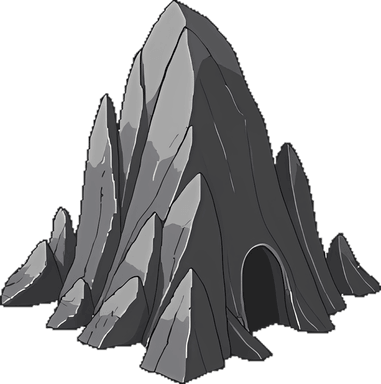
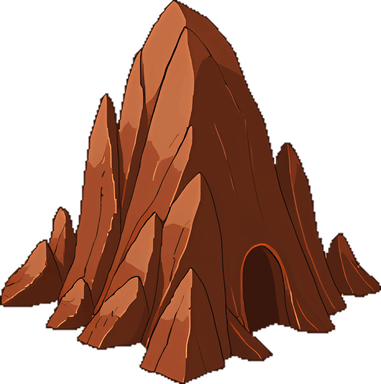
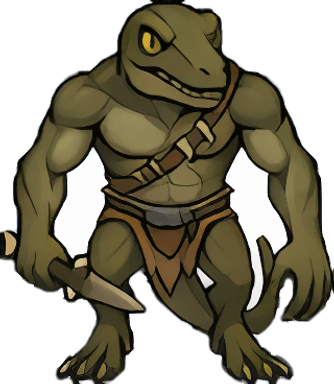
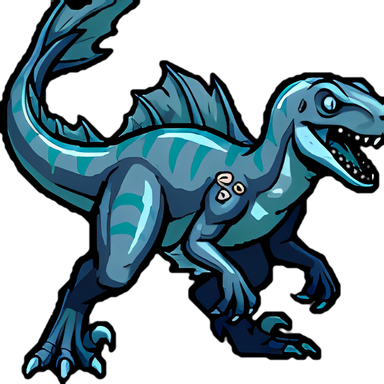
A Cave field and its Troodont guards

Cave Fields and the Explorer Map

Caves no longer sit in every corner of the map. They gather in rare Cave fields, dozens together and guarded by Troodonts, that you have to go out and find. Explorers can now record the places they find on an Explorer Map.

✦ New Features · 2⚖ Balance Changes · 3✚ Quality of Life · 1✓ Bug Fixes · 2

New Features

  • ✦Explorer Map (Explorer Specialization): open the Compass, type a name under the map and record the spot you stand on for 10 Refined Oil (7 from Explorer Level 3, 4 at Level 5). It goes into your Map Atlas and shows on the Compass map, where you can set it as your waypoint to find your way back.
  • ✦A new Maps tab on every Profile lists that player's Territory Maps and Explorer Maps. Other players see the names and dates only — where each map is stays private to its owner, who also gets a View on map link.

Balance Changes

  • ⚖Caves now gather in Cave fields: small areas, about 2 to 3 km across, holding dozens of Stone and Iron Caves together, with fields roughly 20 km apart. Outside a field a lone Cave is rare, about one in every 30 square km. Some Stone Caves have Troodont guards, so a field full of them is a good spot but a dangerous one. Troodonts still roam everywhere else too.
  • ⚖The sea works the same way: Pearl Caves and Sulfur Deposits gather in their own fields out on the water.
  • ⚖Caves you've claimed always stay. Unclaimed Caves outside the fields have been cleared away.

Quality of Life

  • ✚A Cave inside someone else's Buoy or Flag land now shows Visit greyed out with the reason (for example, a Private Buoy), instead of letting you tap it and fail.

Bug Fixes

  • ✓The Wolfhead Hood no longer makes your character bald: your fringe shows under the hood and long hair hangs below it.
  • ✓Take Over on an abandoned Flag or Buoy: the button now shows how many days are left until the owner has been gone 60 days, instead of failing when you tap it.
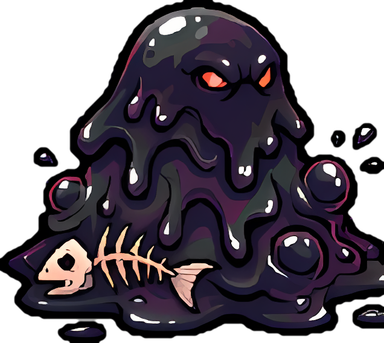
A Tar Slick and a Siren

Creatures of the Deep: Tar Slicks and the Siren's Song

Phase two of the sea monsters: the slippery, corrosive Tar Slick and the Siren, whose song pulls travellers in. Bring Wax Earplugs. Lorelei, the Queen of the Sirens, comes next.

✦ New Features · 3⚖ Balance Changes · 3

New Features

  • ✦Tar Slick: a pool of living tar that sits still until something attacks it. Every hit that doesn't kill it slides it 15 to 30 m away — sometimes up onto the beach — and you walk after it automatically. A Shield Charge or a stun pins it in place. Corrosive: its hits wear your armor and Shield 5 times faster, and your weapon wears 3 times faster hitting it. Ignores Taunt. Drops 1 or 2 Crude Oil.
  • ✦Siren: every 12 seconds she sings, and players within 120 m may be Enthralled for 6 seconds: -30% defense, and you're pulled toward her and can't walk away (Jumping still works). Her charm catches male characters every time and lasts longer; the drunker you are, the shorter it lasts. Sometimes drops a Pearl.
  • ✦Wax Earplugs (Alchemy Level 1: Great Fern Sap + Leather): use them from your Bag and no Siren song can reach you for 30 minutes. Putting them in also breaks a charm that's already on you.

Balance Changes

  • ⚖Monsters in stronger areas hit harder again — the last update eased them off too much. They now sit halfway between before and after it: in an Epic area, a Wolf hits matching armor (no Shield) for about 11 (it was 15 before the last update, 6 after). Dragons keep the softer climb from the last update: an Epic Dragon still hits matching armor for about 22 (41 before it).
  • ⚖A Shield and body armor no longer add up — the Shield page always said so: against each attack, whichever of the two blocks more is the one used. Wearing both used to make almost every monster hit for 1. A Shield now matters against the monsters it's strong against (Wolf, Dragon, Tar Slick and others in the Bestiary): an Epic Wolf hits a Shield wearer for about 6 instead of 11. The same rule applies in the Proving Grounds, and to a War Golem or Lich that copies your defense.
  • ⚖Every sea monster now has the best gear shown on its card: the right weapon deals extra damage and the right armor or Shield blocks extra damage (see each one in the Bestiary).
Tidekin, Blighted Tidekin, Brineclaw and Burstsquid

Creatures of the Deep: Phase One

The open sea finally has monsters of its own: the peaceful Tidekin, the Blighted Tidekin spreading through them, Brineclaw packs and the explosive Burstsquid. Tar Slicks, Sirens and their queen Lorelei come next.

✦ New Features · 5▲ Improvements · 3⚖ Balance Changes · 2✓ Bug Fixes · 3

New Features

  • ✦Tidekin: peaceful sea folk living in pods. They never attack first, but hit one and the whole pod comes to help. Taunt only pulls a Tidekin you've already hit. Sometimes drops a Pearl.
  • ✦Blighted Tidekin: Tidekin twisted by the deep. They attack anything that comes close and are at war with the Tidekin: every Tidekin a Blighted kills rises again as a Blighted. Clear them near a pod and the pod survives (the Tidekin fight back too); leave them and they take over the water. Sometimes drops Dark Essence.
  • ✦Brineclaw: small sea raptors in packs of 5 to 8 that swarm anyone who comes too close.
  • ✦Burstsquid: quick little squids in loose groups. Nearly dead, every hit may make one explode — 3 times its attack to everyone within 40 m, and only half its Gold and Pages for its hunters. Finish it fast, or hit it from range.
  • ✦Brineclaw and Burstsquid drop no items, but they pay the most Gold of any sea creature.

Improvements

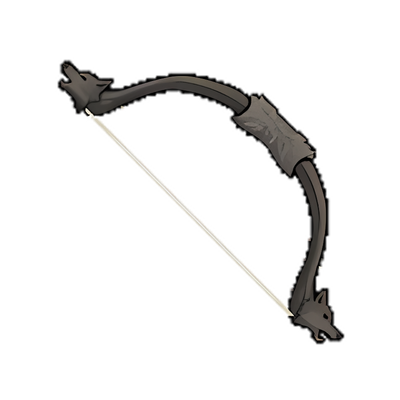
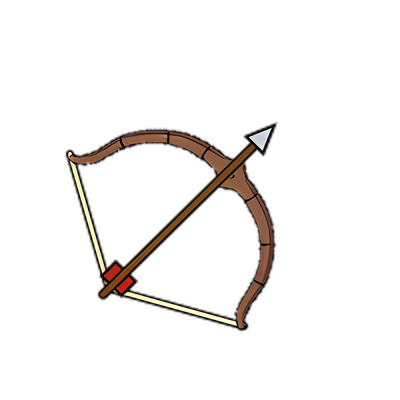
  • ▲Longbows are now held at about the size of a Crossbow — they used to reach from head to knee and cover your face.
  • ▲Hollow Night: hunting a Pumpkin Wisp or the Hollow Horseman together now shares its Candy by damage between everyone who hit it, like its Gold — before, only the killing blow got any.
  • ▲Chat: the All tab now says plainly that it's read-only and that you write by tapping a channel on the left (or the shortcut to your last channel).

Balance Changes

  • ⚖Monsters in stronger areas still hit harder the higher their level, but much less steeply than before. An Epic Dragon used to take a +24-armor player without a Shield down in 3 hits (42 damage each); it now does about 23, and a matching Shield blocks almost all of it. Wolves, Trolls and the other common monsters ease off the same way.
  • ⚖War Golems are much tougher: they now defend with your full defense (was 60%) and have twice the HP at every level — 200 at +1 up to 1,000 at +6. Golems you already have got the extra HP too.

Bug Fixes

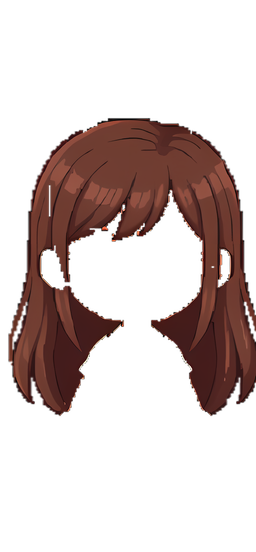
  • ✓Long hair no longer covers the Wolfhide Jerkin's fur pauldrons.
  • ✓The ponytail hairstyle left an empty gap under the right ear — it's filled in now.
  • ✓Personal Flags built on water before the land and water update are now Buoys, so you no longer need a Raft to move around on them.
The Monster Token sets, refitted

A New Craft Menu, Inscriptions on Your Profile and Longer Work Lists

Show your inscribed gear on your Profile and in chat, a Craft menu that opens on categories, more jobs you can line up, and Guard Towers that pay you for their kills.

✦ New Features · 3⚖ Balance Changes · 1✚ Quality of Life · 1✓ Bug Fixes · 7

New Features

  • ✦Show off your Inscriptions: a player's Profile now shows the inscribed name on their worn weapon, Shield and armor — tap it for the full record. In your Bag, inscribed gear has a View Stats button, and sharing one in chat shows its name with View stats for everyone.
  • ✦A new Craft menu: it opens on the categories, each showing how many recipes it has and how many you can make right now, plus your last few crafts for a one-tap repeat. Inside a category, what you can make comes first, and "Ready now only" hides the rest.
  • ✦Longer work lists: picking a Berry, Flower, Sap or Thistle, Tend, Lichen and Harden a Flag can now wait in line too, next to Chop, Mine, Dig Up and Pick Up. Platinum members can line up 10 instead of 5.

Balance Changes

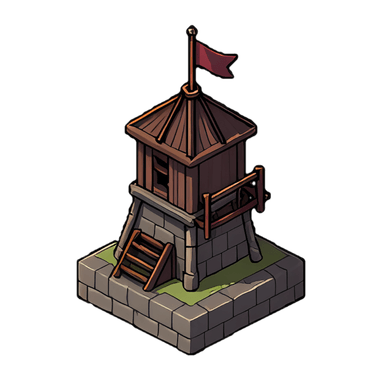
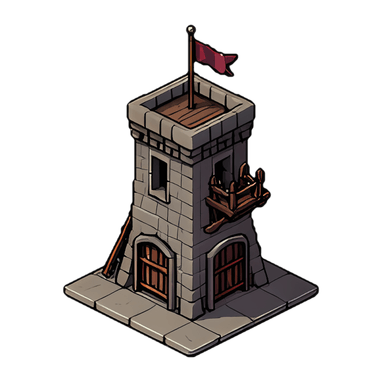
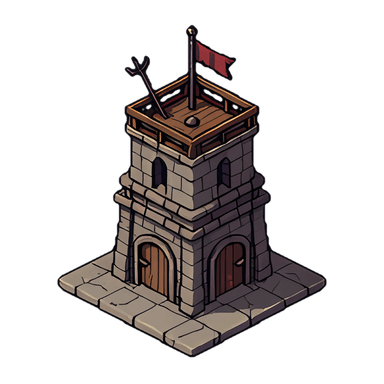
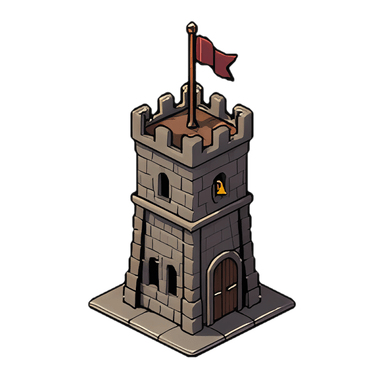
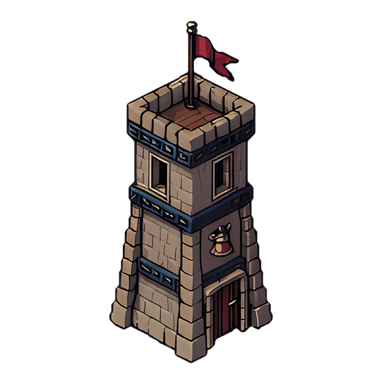
  • ⚖Guard Towers now pay their owner 40% of a monster's Gold when the tower lands the kill (no Pages), and the monster drops loot at 40% of the usual chance — before, tower kills paid nothing and dropped very little.

Quality of Life

  • ✚Craft rows are shorter: a skill or Workshop line only shows when you're still missing it.

Bug Fixes

  • ✓Two players on separate torches in one dungeon: when the other player landed the last kill on your monsters, your run never finished — no Traveling Merchant, no completion Pages. It now finishes for you too.
  • ✓Hunting Party members attacking the same dungeon monsters could get an error on a swing.
  • ✓A Traveling Merchant could vanish from the torch holder's screen right as it appeared.
  • ✓After Make Peace, a player's Flags no longer claim you still have their Right of Passage — Request Passage is back.
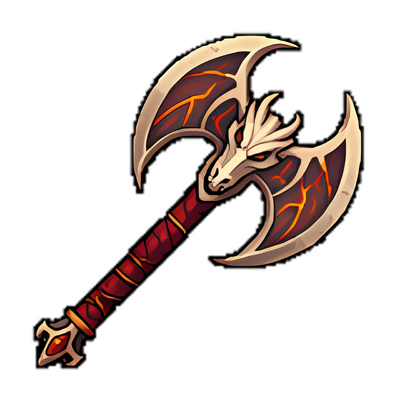
  • ✓The Howling Longbow is held by its string like every other bow (it hung below the hand), and a Gem on the Dragonbone Axe now sits on the handle instead of covering the dragon's face.
  • ✓Wyrm Mask: your own eyes (and eye colour) now show through its eye holes — it had a second pair painted on — and its horns are bigger. The Wolfhead Hood sits a little lower on the forehead, and the Crested Helm's raptor skull now faces forward.
  • ✓Long hair no longer covers the Ember Breastplate's shoulder spikes.
Packrunner, Cave Raptor and Wyrmforged sets

Monster Token Sets, Magnetic Boots and Fewer Phone Crashes

Three new Monster Token sets, Magnetic Boots and Midas Gloves, players on their own torches seeing each other in dungeons, a much lighter Pickup, and fewer phone crashes.

✦ New Features · 10▲ Improvements · 5⚖ Balance Changes · 4✓ Bug Fixes · 9

New Features

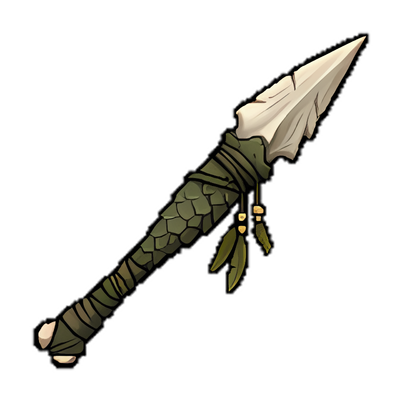
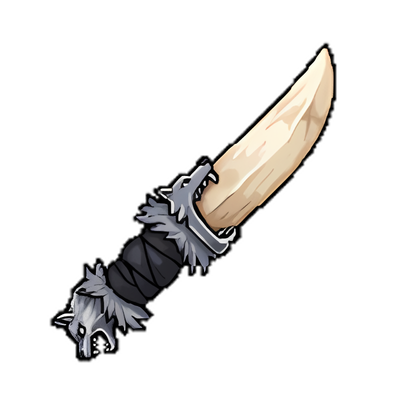
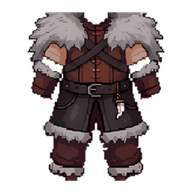
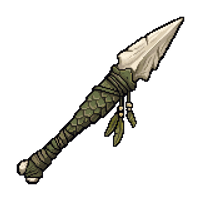
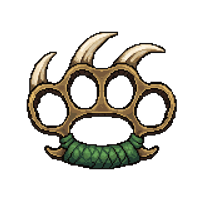
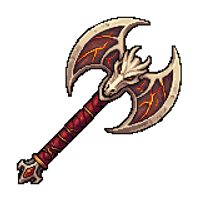
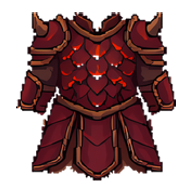
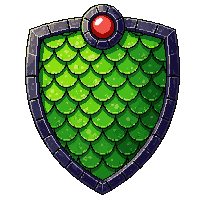
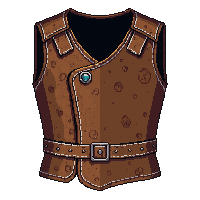
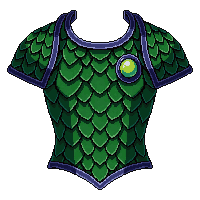
  • ✦Three new Monster Tokens: every Wolf, Troodont and Dragon you kill drops one. Trade 100 at a Monk for a piece of its set — Wolf: Wolfhead Hood, Fang Knife, Howling Longbow, Wolfhide Jerkin; Troodont: Crested Helm, Talon Spear, Raptor Claws, Scaled Tunic; Dragon: Wyrm Mask, Dragonbone Axe, Wyrmscale Shield, Ember Breastplate. Same stats as the ordinary item, a whole new look.
  • ✦Magnetic Boots (Platinum Members craft them, anyone can wear them: 2 Platinum, 3 Leather, 4 Silk, 2 Iron Slag): walk near plain +0 Weapons, Shields and Armor on the ground and they're Dumped for their Gold by themselves — no Pickup, no Bag space. Upgraded gear, gear with a Metal or Gem and Limited Swag are never touched. 400 items a pair.
  • ✦Midas Gloves (Leatherworking Level 3: 4 Silk, 3 Leather, 250 Gold): every Dump pays 20% more Gold, rounded down per item. They work with Magnetic Boots too.
  • ✦The Compass map now shows everything in Estates: your Roc Shrines, Guard Towers, War Camp, Armories and every City you've visited. Visit your Manor, City House, visited Cities, War Camp, Shrines and Towers straight from the map.
  • ✦Explorers can tap any open spot on the Compass map and make it their waypoint.
  • ✦Pickup All in dungeons: tap a drop next to others and pick them all up in one go.
  • ✦Line up pickups too: tap drops while you Chop, Mine or Dig Up and they're picked up in turn.
  • ✦Chat: write in a channel's own tab and it goes there — All and System only read, so no more lines in the wrong channel. The bell on a channel mutes it out of All. Settings "Show chat times" adds the time to every line.
  • ✦New players start with 6 Wood, 6 Leather and a Starter Backpack (it can't be traded or dropped).
  • ✦A Wiki table of every gear upgrade step, with running totals (Crafting & Skills).

Improvements

  • ▲Picking things up, chopping, mining, crafting and smelting now send back only the Bag items that changed instead of your whole Bag — with a big Bag that was hundreds of kilobytes per tap. Pickup should answer on the first tap now.
  • ▲Phones: the game no longer needs a sudden extra 1-2 GB of memory a little while into chopping or hunting — the cause of many "Aw, Snap" crashes on Android.
  • ▲Several busy background jobs on the server were made far lighter, which should cut the short freezes some of you felt as rubber banding.
  • ▲A Weekly Trophy Hat someone else has won since is now only a little faded instead of grey and see-through, and this week's winner's Hat glows gold. Settings "Show tarnished Weekly Hats" turns the fading off.
  • ▲Swapping weapons in the middle of a Hunt (a Quick Slot from ranged to melee, for example) keeps the Hunt going and walks you in if the monster is now out of reach.

Balance Changes

  • ⚖The game can be played in one tab or device at a time: opening it somewhere else asks the old one to step aside ("Play here" takes it back).
  • ⚖Jumps and Visits now have a short pace limit, like attacks and chopping already do.
  • ⚖Visiting a Cave costs 2 Roc Feathers (was 1), the same as a Jump to someone else's Flag. A Cave inside someone else's land needs that land's Right of Passage.
  • ⚖Dig Up now also works on land nobody has claimed (never on someone else's land). Replanting still needs your own land.

Bug Fixes

  • ✓Players on separate torches in the same dungeon couldn't see each other or each other's Skeletons and minions.
  • ✓A Druid couldn't equip a Staff from the Bag without Oiyoi Martial Art, though Druid Training allows it.
  • ✓Magnetic Boots now pick up every pile along your walk, not only the ones near where you stop.
  • ✓A player who Jumped away kept standing where they had been on other players' screens.
  • ✓A Mine in your work list stopped the list from carrying on.
  • ✓A melee player sharing a monster with an archer saw it in the wrong place and couldn't hit it.
  • ✓A Guard Tower could get stuck shooting a monster left at 1 HP for 0 damage. Its damage numbers now have their own colour (they looked like Gold).
  • ✓Dropping an item while inside the Workshop put it in your Manor's storage by the door; Drop and Store are now off inside the Workshop.
  • ✓A legendary monster could appear weaker than the Epic level it should have.
Wolf Token
Wolfhead Hood
Fang Knife
Howling Longbow
Wolfhide Jerkin
Troodont Token
Crested Helm
Talon Spear
Raptor Claws
Scaled Tunic
Dragon Token
Wyrm Mask
Dragonbone Axe
Wyrmscale Shield
Ember Breastplate
Magnetic Boots
Midas Gloves
Shrines on the Compass
War Camp on the Compass
Inside a City House

Shield Charge, Inscriptions and Visiting Homes

A new Shield Charge skill, named gear that keeps a record of its fights, Manors and City Houses you can open to visitors, and lining up your Chop and Mine jobs.

✦ New Features · 5⚖ Balance Changes · 4✓ Bug Fixes · 3

New Features

  • ✦Shield Charge (Combat skill, 1 Skill Point per level): with a Shield and no ranged weapon, tap a monster and choose Shield Charge. You dash at it 1.75x as fast (Level 3: 2.5x) and it's Engaged — it can't move away, though it still fights back — for 5 seconds after you arrive (Level 2: 10). Cooldown 40 seconds; at Level 3 it's 30, and ready again at once if the monster dies while still Engaged. Works in dungeons too.
  • ✦Inscriptions: give a +20 weapon, armor or Shield its own name in your Workshop (Inscribe tab, 100 Platinum). No two items in the world share a name. The item then keeps a record — damage dealt or taken, kills on land and water, Gold and Pages earned, debuffs, times broken — shown in your Bag and on a Trade Post listing, never on the ground. Renaming keeps the record; removing it is free but loses it.
  • ✦City House room: tap your City House and choose Enter. You can change Gloves and Boots inside your own City House.
  • ✦Visitors: tap your Manor or City House to choose who may walk in — Private, Normal (your Right of Passage holders) or Public. Manors start Private, City Houses Public; Enemies never get in. Visitors can walk and look (Trophy Room too), but not touch your storage, and you can Kick Out anyone.
  • ✦Line up your work: while you Chop, Mine or Dig Up, tap up to 5 more targets and they're done one after another. Clear the list from the strip above the bottom bar; walking yourself, being hit, a Jump or going inside clears it too.

Balance Changes

  • ⚖Jumping to another player's Flag (their Roc Shrines and Guard Towers too) now costs 2 Roc Feathers. Your own Flags, your Kingdom's and City Flags stay free.
  • ⚖Gloves and Boots now go on and come off only in your own Country Manor or City House — not in someone else's.
  • ⚖A Thistle you dug up and replanted on your land now stays when you pick it and grows a new flower about 6 hours later. Wild Thistles still go when picked.
  • ⚖Becoming Enemies with a Kingdom now also ends your passage on its Flags; after making peace, ask again.

Bug Fixes

  • ✓A Hunting Party host trying to Jump while a follower is still fighting is now told at once, instead of jumping and snapping back.
  • ✓Monsters another player Taunted now walk at the right speed on your screen too, instead of crawling and then jumping ahead. When two players Taunt the same monsters, they go to whoever taunted last.
  • ✓Manor storage only works while you're inside your own Manor.
Shield Charge
Engaged

Friends, Mail Tools and Easier Menus

A Friends list, a list of who's online, more actions on a chat name, Mail you can pin and clear in one go, and a batch of smaller fixes to menus you use every day.

✦ New Features · 8✚ Quality of Life · 4

New Features

  • ✦Menu → Friends: your friends, online ones first. Tap a name for their Profile, or ⋯ for Message, Send Gold or Invite to Hunting Party.
  • ✦Tap "x online" in chat to see everyone online now, with the same actions.
  • ✦Tap a name in chat for Message, Send Gold and Invite to Hunting Party, besides View Profile, Report and Block.
  • ✦Mail: tap a player's name in a conversation to open their Profile, ☆ to keep a conversation at the top, and Select to delete many at once (unclaimed rewards are never deleted).
  • ✦Hunting Party and Invite Here invites can carry a short message (up to 120 characters).
  • ✦Your Kingdom's passage list: members with the Surveying permission see every player who holds the Kingdom's passage on the Castle bulletin Board, with their toll — change it or Revoke there.
  • ✦Your City Keys now show on the Compass map, with a free Visit.
  • ✦New Cave Claim Default in Flag Settings: choose whether Caves you claim start Normal, Public or Private.

Quality of Life

  • ✚Trophy Room pedestals: the item list now has the Bag's tabs, puts identical items in one row ("Backpack x24") and opens Backpacks by tier with their capacity.
  • ✚Estates: your Roc Shrines and Guard Towers have the full-width Visit button again, with a small Rename beside the name.
  • ✚Settings → Hide the Craft bar with Crafting Gloves, for when the 1-second items flash past.
  • ✚The Hunting Party panel, the Castle Board and the Wiki now explain the rules you asked about: who shares a monster's Gold, the Kingdom building cap, the Gold Store, the daily Food gift and more.
War Golems

War Golems: Armories, Fusing and the War Camp

Train your Worker Golems into Axeman and Archer War Golems at an Armory, take up to 5 into battle, fuse them up to +6, and travel far with them through your own War Camp.

✦ New Features · 6▲ Improvements · 4✓ Bug Fixes · 2

New Features

  • ✦Armory: build one near your own Oil Well (3 Wood, 3 Stone, 50 Crude Oil). Tap it and choose Make Axeman or Make Archer — your nearest idle Worker Golem walks in and trains for 24 hours. Tap the Armory again when it's done to let it out.
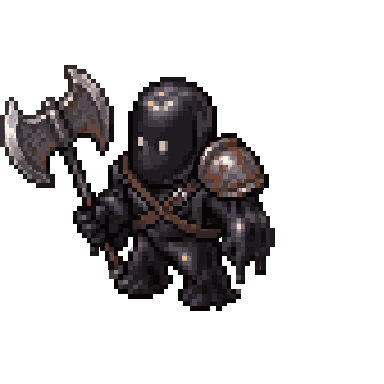
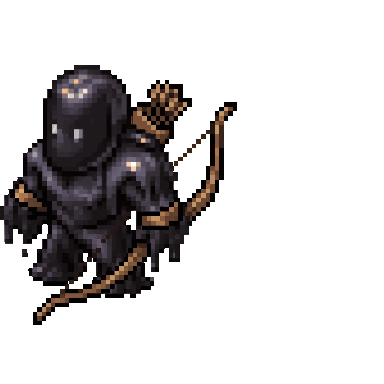
  • ✦Axeman Golems fight up close and Archer Golems shoot from up to 200 m. Tell up to 5 to Follow you and they fight whatever you hunt, with 60% of your own attack and defense. They heal a little every few seconds, and they help inside dungeons too.
  • ✦Fusing: put two War Golems of the same type together to make one stronger Golem, up to +6 — more HP, more attack, faster healing, and more often going for the weakest target first.
  • ✦War Camp: one per player, on your own land, your Kingdom's land or empty land (200 Crude Oil, 100 Crystal, 3 Iron). Visit it from Estates and your following Golems come along. With a Compass, call any Golems you left behind back to it.
  • ✦Research Lab: a new Armory Limit track lets you own up to 5 Armories.
  • ✦Guard this spot: leave a War Golem on guard and it attacks your declared Enemies who come near (players Level 10 and up). Other players Level 10 and up can attack your guards — attacking one makes them your Enemy.

Improvements

  • ▲War Golems follow short trips only. After a long Jump they wait where they were — use your War Camp, your City Center or your Kingdom's Castle to bring them along.
  • ▲War Golems that follow you still fight monsters only — fighting other players with them comes later, with open-world PvP.
  • ▲Guard Towers now also shoot monsters near them when no Enemy is in range — the ones that attack on sight, anything chasing a player, and anything a player is fighting. A monster you're fighting is never finished off by the tower, so the kill and its reward stay yours. Peaceful animals are left alone, and tower kills drop little.
  • ▲Library owners now get a Mail and a System chat line when someone pays their Study or Parchment fee.

Bug Fixes

  • ✓Hunting Party: after joining, you can now see your host right away, outdoors and inside dungeons and buildings.
  • ✓After a Jump or Visit, players standing at the landing spot now show where they really are.
Worker Golem
→
Axeman Golem
Archer Golem
Armory
War Camp

Fair Relocate, Poison in Dungeons and Fixes

Relocate now follows real travel, Poison and Fire finally hurt monsters inside dungeons, the Oil Refinery takes up to 999 at once, and a batch of fixes from your reports.

▲ Improvements · 1⚖ Balance Changes · 2✚ Quality of Life · 5✓ Bug Fixes · 2

Improvements

  • ▲The first step of our anti-cheat work: the server now keeps an eye on movement and on monster encounters itself, instead of only trusting each game. Nothing changes for normal play.

Balance Changes

  • ⚖Relocate is still free, now once every 30 minutes. It has to match real travel: up to 300 km from where you last Relocated (or signed up) at any time, plus about 800 km for every hour since, roughly a flight. After 18 hours you can Relocate anywhere again. If it's too far, the game tells you when you can.
  • ⚖Relocate never puts you on another player's or Kingdom's land. If your real position is inside theirs, you arrive at the nearest open land instead. Your own land, your Kingdom's land and City land are fine.

Quality of Life

  • ✚The Oil Refinery now refines up to 999 at once (it was 99).
  • ✚Forging a Gem now shows what you got even inside a dungeon or your Manor, and the result is also written in System chat.
  • ✚Dig Up and Plant now check first, so "not your land" (or no Shovel, or a full Bag) shows at once instead of after the whole 20-second dig.
  • ✚If a Relocate is refused, the reason now also shows right under the Relocate button in your Estates list.
  • ✚A pinned chat now stays open after you accept an invite from it.

Bug Fixes

  • ✓Poison Metal and Fire Metal now actually hurt monsters inside dungeons. Before, the status icon showed but no damage was done. The last hit is always yours, so kills, loot and boss rewards work as before. The Dojo is left as it is.
  • ✓Tapping Info on a Decoration, a Sign or a Statue no longer breaks the page.

Sulfur Deposits and Fighting Over Cave Claims

Rare Sulfur Deposits now appear out in the water, and claimed Caves can be fought over: attack a claim, set it on fire, and if the owner doesn't repair it in time, the Cave is free again.

✦ New Features · 4

New Features

  • ✦Sulfur Deposits: rare yellow rocks out in the water (bring a Raft). Mine one for 1 Sulfur, then it rests for 6 hours, just like a Stone or Iron Cave. Troodont Doctrine can double it. Sulfur is what the Brass Knuckle is made from.
  • ✦Sulfur Deposits belong to the same family as Stone and Iron Caves: Take Control (2 Wood) to claim one, and choose who may mine it (Normal, Public or Private).
  • ✦Claims can now be fought over. Tap someone else's claimed Stone Cave, Iron Cave or Sulfur Deposit and choose Attack claim to bring its 200 HP down to half, then Ignite it with 20 Crude Oil. If the owner doesn't Repair it, the claim burns down in 30 seconds and the Cave is free for anyone to claim. The Cave itself never goes away.
  • ✦Attacking or igniting a claim makes you and the owner Enemies, and the owner gets a notice. A damaged or burning claim shows its HP bar (and flames) over the Cave.

Group Hunting Bonus, a Travel Chat and Moving Trees

Hunting together now pays: everyone who hits a monster shares its Gold, with a big group bonus. Invites have their own Travel channel, Troll Huts pay out Roc Feathers, and a Shovel can move trees onto your land. Plus Craft categories, timers for Chop, Mine and Build, and more.

✦ New Features · 2▲ Improvements · 4⚖ Balance Changes · 8✚ Quality of Life · 11✓ Bug Fixes · 4

New Features

  • ✦Travel chat: a new chat channel just for invites. Every "Come to my location" and Kingdom invite card now goes there, so Global, Trade and the other channels stay easier to read. Each location invite shows how many Roc Feathers it would cost you to go.
  • ✦Move your trees: with a Shovel, Dig Up a fully grown Mourning Tree, Great Fern, Dusk Tree, Oleander Bush or Thistle that stands on land you control (your own Flag's or your Kingdom's). It goes into your Bag, and you can Plant it again, fully grown, anywhere on your land. Each dig uses the Shovel a little; its Berry, Sap or flower grows back after planting.

Improvements

  • ▲Log In, Create Account, Forgot Password and Reset Password now use the game's wood-and-gold look.
  • ▲On phones the login box now sits at the top (Latest Updates below it), the sign-up page scrolls all the way down on small screens, and tapping a box no longer zooms the page on iPhone.
  • ▲Password reset emails now come from noreply@horizoneragame.com and greet you by name.
  • ▲Supporting the game now happens through the Shop: Food packs and Platinum Membership. The old tip jar is gone.

Balance Changes

  • ⚖Strong, Vicious and Epic monsters hit a bit less hard: each level above Timid now adds 1 attack instead of 1.5. Their HP is unchanged.
  • ⚖Boots last two and a half times longer: about 25 km a pair instead of 10 km.
  • ⚖The Scavenger's Lantern now also doubles the Chi you get for finishing the Dojo.
  • ⚖Philostratus and Summoned Trolls now grow with you: they attack and defend with 60% of your own weapon and armor (a Troll keeps its own gear when that's better). Their health is unchanged, so they stay weaker than you, but an Epic monster no longer flattens them in one hit.
  • ⚖Pearl Caves can no longer be claimed: they belong to everyone, and anyone with Aquarian Inscriptions can dive any Pearl Cave (each player once every 6 hours per Cave). Pearl Caves that were claimed are open to everyone again. Stone and Iron Caves can still be claimed with Take Control.
  • ⚖Killing a monster together now pays everyone who hit it. Its Gold and Pages are split by how much damage each of you did, so the last hit no longer takes it all. Only players still nearby and outdoors get a share. Drops still go to whoever lands the kill. Dungeons already worked this way.
  • ⚖Group hunting bonus: a monster killed by a group is worth more Gold. 2 players get 50% more, 3 get 95% more, 4 get 135% more, 5 get 170% more, 6 or more get 200% more. The group is everyone who hit that monster, or your Hunting Party members who are fighting nearby, whichever is bigger.
  • ⚖Destroying a Troll Hut now pays 300 Roc Feathers, split by damage between everyone who helped bring it down. The Feathers go straight into your Bag.

Quality of Life

  • ✚Invites to a Hunting Party now show how many Roc Feathers joining would cost before you accept.
  • ✚The Jump button on Flags, Buoys and Castles is now called Visit.
  • ✚Rename your Roc Shrines and Guard Towers any time, free: tap Rename next to them in your Estates list.
  • ✚Your Summoned Troll now keeps what you give it: it only picks up gear for an empty slot and never swaps out a piece it already wears (a valuable +0 swag item could get dropped for a stronger plain one). Tap it and choose Take Back Gear to put everything it wears straight back in your Bag, or Take off one piece to free just that slot.
  • ✚WebGL rendering is switched back on for everyone with this update and is now marked as recommended in Settings. You can still turn it off there if your device can't run it.
  • ✚New players now start with their Sword already in hand.
  • ✚The Craft page now has categories: Weapons, Armor & Shields, Gloves & Boots, Metals, Potions & Drinks and Tools. Searching still looks through everything.
  • ✚Each recipe on the Craft page has an info button that opens the item's details.
  • ✚Right after a kill, tapping Attack on another monster that's out of reach now walks you over to it, instead of telling you to move closer.
  • ✚Chopping, Mining and Building now show a timer bar above the bottom bar, like Crafting, so you know when you're done and safe to Jump. It has a Cancel button too.
  • ✚Taunt is now in your own character's menu inside dungeons as well.

Bug Fixes

  • ✓Teleporting right as your combat timer ran out could move you and then snap you back, starting the safety timer for nothing. Your game now waits a moment longer before it lets you teleport, and a refused Visit always puts you back exactly as you were.
  • ✓With Rolly's Serum active, Mourning Trees, your natural healing and a Warden's aura now heal you all the way to your raised Max HP. They used to stop at 100.
  • ✓After you dive at a Pearl Cave, its Dive button now greys out and shows how long until you can dive there again, instead of looking ready and then refusing. Mine does the same while a Cave is still recovering.
  • ✓The Phoenix's Bestiary entry no longer contradicts itself: Fire Metal's burning effect never catches on a Phoenix.

Fairer Monster Aggro, Feeding Your Trolls and Safer Taps

Monsters still hit just as hard, but walking past them is fairer: they notice you before they bite, they attack from a little closer, and no more death loops after a respawn. Plus: feed Berries to your Summoned Trolls, see what each Philostratus does, and confirm before Grease or Bury.

✦ New Features · 1▲ Improvements · 2⚖ Balance Changes · 5✚ Quality of Life · 6✓ Bug Fixes · 6

New Features

  • ✦Feed Berry: tap your own Summoned Troll and choose Feed Berry to heal it by 25 HP with a Mourning Berry from your Bag. The button shows its HP. Trolls still pick Berries off Mourning Trees by themselves too.

Improvements

  • ▲Each Philostratus now shows an icon under its health bar for what it does: Mourning Tree heals your other Philostratus nearby, Dusk Tree can Poison what it hits, Great Fern can weaken a monster that hits it.
  • ▲When a Dusk Tree Philostratus poisons a monster, the Poisoned icon now shows on the monster straight away.

Balance Changes

  • ⚖Monster damage is unchanged. What changed is how they start a fight.
  • ⚖Aggressive monsters now notice you first: the first moment you come into their range they turn and walk at you, and the bites start about 2 seconds later. Walking past one now costs you one hit less, and you see it coming. If you're already fighting, there's no warning.
  • ⚖Aggressive monsters now attack from a little closer (70 instead of 95), so you can walk past them with a bit more room.
  • ⚖Stone Golems give up the chase sooner. Walk away and a Golem now loses you in about 25 seconds instead of following you across your whole circle.
  • ⚖After you respawn you are safe for 15 seconds (was 8), so you have time to walk away or Jump. Attacking ends it at once, as before.

Quality of Life

  • ✚Greasing a Golem now asks you to confirm before it spends 10 Refined Oil, and shows how slow that Golem has become.
  • ✚Grease Slowed Golems: tap your Oil Well to grease every slowed-down Golem on it at once (10 Refined Oil each). Golems already at full speed aren't charged.
  • ✚Items lying in your Manor or Kingdom Warehouse now show their weight, and how much room your Bag has left, before you pick them up.
  • ✚Drop several Backpacks at once: when you have more than one Backpack of the same tier, Drop asks how many.
  • ✚Burying an item with a Shovel now asks you to confirm first, so a mis-tap no longer buries your loot (or uses up your Shovel).
  • ✚Monster Tokens (Stag, Mourning Sprite and Stone Golem) can now be Dumped for 10 Gold each.

Bug Fixes

  • ✓Dying no longer traps you in a loop: monsters you Taunted and a Stone Golem that was chasing you now let you go when you die, instead of attacking again as soon as you respawn.
  • ✓Larvae no longer hit you from a distance. A Larva used to be in a different spot than where you saw it walking, so it could bite while it still looked far away. It now moves in short steps you can see, and never wanders right on top of a player.
  • ✓A Mourning Tree Philostratus's healing no longer undoes damage another Philostratus has just taken.
  • ✓Claiming an Oil Well no longer makes your Bag look empty (with 0 Roc Feathers) until you refresh.
  • ✓On some phones and browsers (like Firefox on Android) the chat box, crafting bar and tips no longer slide underneath the bottom bar.
  • ✓Upgrading an Oil Well, an Oil Well's or Crystal Hut's storage, or buying Research Tech no longer leaves an empty "x0" item in your Bag. Any that are already there disappear the next time you load the game.

Minions in Dungeons and Smaller Fixes

Philostratus and Summoned Trolls now fight beside you in dungeons, and a handful of smaller fixes: travelling from your Manor, quieter Skeleton health bars, clearer chat tags and a tidier Estates list.

✦ New Features · 1✚ Quality of Life · 5✓ Bug Fixes · 1

New Features

  • ✦Philostratus and Summoned Trolls now come into dungeons with you. They follow you from room to room and add their own hit to each of your attacks, just like Skeletons. A monster that survives strikes back at them, so keep an eye on their health. The Dojo is unchanged.

Quality of Life

  • ✚Skeleton health bars now only show when a Skeleton is hurt.
  • ✚On the All chat tab, each line now shows its full channel name (Kingdom, City, Area…) instead of a single letter, and the message box tells you who will read it, so a Kingdom line is never mistaken for a public one.
  • ✚The Estates list now groups your Cities by state and country.
  • ✚Stopping Co-Harvesting on an Oil Well or Crystal Hut now asks you to confirm first.
  • ✚Buried Treasure finds are now also kept in the System chat.

Bug Fixes

  • ✓Travelling from inside your Manor (to a City, Flag, Trade Post and so on) no longer leaves you looking at your Manor's rooms after you arrive.

Starter Food for New Adventurers

New players no longer get stuck on their first levels: they start with Starter Food, which pays for Level Ups, and get a daily Starter Food gift for their first 5 days.

▲ Improvements · 5

Improvements

  • ▲New players now start with 200 Starter Food instead of 200 Food. Starter Food pays for Level Ups and is used before your regular Food.
  • ▲For your first 5 days, your daily gift is 240 Starter Food. You get it once you've earned 100 Pages that day, at any level. Before, the gift only began at Level 5, and reaching Level 5 took more Food than a new player had.
  • ▲Starter Food can't be traded, sold or spent on anything else, so it can't be farmed by extra accounts. Whatever you don't use stays yours for later Level Ups.
  • ▲Your Starter Food shows in green next to your Food, and the Level Up button tells you when it's paying.
  • ▲Players who already have an account are not affected: the daily Food gift is unchanged.
Ready for Epic Hunting

Tougher Monsters, Harder Dungeons, Stronger Successors

Strong, Vicious and Epic monsters now hit harder and have more HP, dungeons now grow with your gear, and Zagharu and Phoenix are now Epic, so upgraded gear finally makes a difference. Also: a Kingdom's Successor holds every permission, and the Initiating permission works.

▲ Improvements · 5⚖ Balance Changes · 11✓ Bug Fixes · 6

Improvements

  • ▲The Successor a Ruler names now holds every Kingdom permission (at Grant level) for as long as they stay Successor, so they can help run the Kingdom.
  • ▲The Initiating permission now works: the Ruler, the Successor and anyone given Initiating can accept or decline join requests from the Castle's bulletin board and invite players from their Profile.
  • ▲Join-request Mail now goes only to members who can answer it. When someone other than the Ruler answers, the Ruler gets a note saying who did.
  • ▲The Storekeeper permission can now be given from the Permissions window. It was wrongly shown as Coming Soon.
  • ▲The Hollow Night event card now shows the Peddler's items with their prices only. Trade with him inside his Trade Post.

Balance Changes

  • ⚖We've made Strong, Vicious and Epic monsters tougher. Until now every monster from Strong up hit an equally-geared player for only 1 damage, so upgrading your gear barely mattered. Timid monsters are unchanged.
  • ⚖They hit harder: +1.5 Attack for every level of the area above Timid (about +2 to +12 in Strong areas, +14 to +21 in Vicious areas, +22 and up in Epic areas).
  • ⚖They have more HP: Strong ×1.25, Vicious ×1.5, Epic ×1.75. Monsters already out there got the same boost, so a full-HP monster is still full.
  • ⚖What this means: if your armor and Shield are upgraded to match the area, their hits stay small. If you hunt above your gear, or use a ranged weapon without a Shield, expect to take real damage, especially in groups. Upgrading your gear now pays off.
  • ⚖Dungeons now grow with you too. Until now every dungeon monster had the same fixed strength no matter who came in, so dungeons got easier with every upgrade. Now they match the gear of whoever holds the Torch, with a minimum per dungeon: City Sewer at least Strong, Roc Nest a tougher Strong, Cavern at least Vicious, Grove at least Epic. The Dojo is unchanged.
  • ⚖Kills inside a dungeon now pay EXP and Gold for its strength, like monsters outside. Epic dungeon monsters also drop their loot 1.5 times as often. The Pages for finishing a dungeon stay the same.
  • ⚖Troodonts in the Cavern now defend each other like they do outside: hit one and some of the pack around it may join in.
  • ⚖Zagharu and Phoenix are now always Epic: at least as strong as a level 23 Epic area, and stronger when they appear in a tougher one. They have more HP and pay more EXP and Gold. How often they appear is unchanged, and each one still drops exactly one Feather.
  • ⚖Your Skeletons, Lich, Philostratus and Summoned Trolls now help you fight a Zagharu or Phoenix you're hunting. Before, they stood back.
  • ⚖Every monster now shows its strength, dungeon monsters included: the coloured dot and the name ("Epic Spider") appear inside dungeons too. Pumpkin Wisps and Hollow Horsemen take the strength of the monsters around them, HP included, and the Dojo's Dummies are marked Vicious (they are exactly as tough as before).
  • ⚖This is a first step and we'll keep tuning. Tell us how it feels in Discord.

Bug Fixes

  • ✓Gloves can't be changed while a Chop, Mine, Craft or Smelt is running. Swapping gloves in the middle of a task gave you the 1-second timer without using up the glove.
  • ✓Carnivore Lilies and Thistles now appear in the world. A mistake meant they never spawned anywhere. Look for them in a few spots in every region.
  • ✓A Hunting Party now meets monsters at the host's level. Monsters near the party used to follow a lower-level member's gear and came out Timid.
  • ✓Jumping somewhere new now brings monsters of your level there right away. Before, if you'd been checked in the last 30 minutes somewhere else, the new spot only had whatever earlier visitors had left.
  • ✓A taunted Carnivore Lily no longer jitters toward you on screen. It never actually moves.
  • ✓Dojo rooms are no longer empty. Once someone had cleared a room in a Dojo, it stayed empty for everyone after them, so you paid the Torch and found nothing to fight.
Hollow Night

Hollow Night Has Begun

Our Halloween event is here until November 7: hunt Pumpkin Wisps, Trick-or-Treat at every City, and trade Hollow Candy for decorations you keep forever.

✦ New Features · 5

New Features

  • ✦Pumpkin Wisps now turn up near players, and the rare Hollow Horseman roams too. Both drop Hollow Candy straight into your Bag.
  • ✦Trick-or-Treat: a carved pumpkin sits beside every City Center. Knock once per City per day for Candy — or a trick!
  • ✦The Hollow Peddler visits one Trade Post for an hour every day (03:00-04:00 UTC). Everyone gets a notice saying where. Trade your Candy for a Pumpkin Pile, Jack-o'-Lantern, Haunted Tombstone, Witch's Cauldron, Hollow Banner or Scarecrow.
  • ✦Decorations go on land you control, like a Statue: take them down to move them, and watch out for Enemies with Crude Oil.
  • ✦Find it all in Menu → Latest Event → Hollow Night. The event ends November 7 (23:59 Malaysia time); the Candy goes, the decorations stay.
A Hunting Party

Hunting Parties, Stacking Gloves and Easier Taps

Hunting Parties follow you everywhere (dungeons too), Gloves and Boots stack, Flags and buildings open wherever you tap them, and Taunt works inside dungeons.

▲ Improvements · 12

Improvements

  • ▲Tap anywhere on a Flag, Tower or building to open its menu — the foot of a City Flag, the top of a Tower, the roof of a Tavern. Before, only a small spot in the middle worked. A monster or item standing in front still gets the tap first.
  • ▲A Flag or Buoy outside your circle now shows only what you can do from there (Jump, Settings, Repair, Info), with a note saying to Jump closer to upgrade, destroy or attack it.
  • ▲Buy / sell posts in Trade chat list your Backpacks once per upgrade level with a count, so you can post several at once. The post shows how many are still in your Bag.
  • ▲Taunt now works inside dungeons: every monster in your room comes for you, and you get Taunt's extra Defense against them. Bosses stay where they are.
  • ▲The Gold, EXP and Roc Feathers you earn now also show in the System chat tab, next to the items you pick up.
  • ▲On a computer, a new pin button at the top of the chat keeps it open when you tap the world.
  • ▲The Conan the Librarian Helm now counts different students: a player who studies at several of your Libraries in one week counts once.
  • ▲Resetting your password now logs out every other device signed in to your account.
  • ▲Hunting Parties: whoever accepts your Invite to Hunting Party follows you wherever you Jump, Visit or enter a building — the only way to show friends your Manor. You can Jump once everyone is out of combat. Leaving or being removed keeps you where you are.
  • ▲Your Hunting Party goes into dungeons on your torch: you pay once, there's one set of monsters, the loot and boss drop go straight into your Bag, and only you get the weekly lockout. Followers go to whichever room you enter.
  • ▲A Hunting Party shares its Enemies: if anyone in it becomes someone's Enemy, the whole party does.
  • ▲Gloves and Boots now stack in your Bag: pairs of the same kind become one stack shown in % (five pairs = 500%) that you wear as one, with no more swapping pairs. Drop, sell, store or list them one pair at a time, even while you wear the rest.
The Carnivore Lily

Gloves, Boots, the Carnivore Lily and Shade Metal

Craft Leather Gloves and Boots, beware the rare Carnivore Lily, brew Rolly's Serum, and forge Shade Metal to stop your enemies from healing.

✦ New Features · 7

New Features

  • ✦Leather Gloves (Leatherworking Level 2: 4 Silk + 3 Leather): chopping, mining, crafting and smelting take 30% less time, and you still earn Pages. 100 uses.
  • ✦Boots (Leatherworking Level 1: 1 Great Fern Sap + 4 Silk + 3 Leather): walk faster. They wear down as you walk — about 10 km a pair.
  • ✦Leatherworking makes Gloves and Boots wear 25% slower at Level 1 and 50% slower at Level 2. Neither can be repaired, and you can only put them on or take them off inside your Country Manor. When a pair wears out, the next pair in your Bag goes on by itself.
  • ✦Carnivore Lily: a rare, man-sized flower that attacks anyone who comes near — and its roots hold you in place while it bites. Kill it or Jump away. It drops Carnivore Lily Petals.
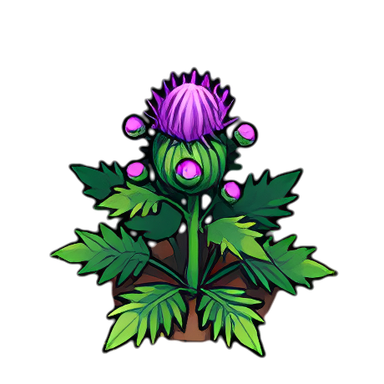
  • ✦Thistle: a rare purple-flowered plant found anywhere on land. Picking it takes the whole plant.
  • ✦Rolly's Serum (Alchemy Level 1: 1 Carnivore Lily Petal + 1 Great Fern Sap + 1 Thistle): +100 Max HP for 1 hour. It wears off if you die.
  • ✦Shade Metal (Metallurgy Level 2: 2 Carnivore Lily Petals + 2 Dark Essence + 2 Iron): a black Special Metal. In a Weapon, each hit can Shade the target — no healing of any kind for 15 seconds. In Armor or a Sub-weapon it Shades whoever hits you. The weaker the target (or you), the likelier it is.

Quieter Chat Tabs and Visit Invites That Expire

Unread messages are counted once, no matter which tab you read them on, and Visit invites now last 15 minutes.

▲ Improvements · 4✓ Bug Fixes · 3

Improvements

  • ▲A chat tab with new messages now shows a small red dot instead of a number. The closed chat bar still shows the total.
  • ▲Your own messages now stand out: your name is white and your lines sit on a faint gold band.
  • ▲The channel list down the side of the chat can be folded down to just its coloured dots — tap « at the top. It stays folded next time.
  • ▲Visit invites now last 15 minutes. After that the invite shows "expired", so an old invite can no longer drop someone into your Manor days later.

Bug Fixes

  • ✓A message read on one chat tab no longer stays "new" on another. Reading a channel's tab also clears it from All, and reading All clears every channel.
  • ✓Sending a message in a channel now marks that channel as read, so the conversation you're replying to no longer shows up as new.
  • ✓Much lighter on phones if you own lots of Flags or have visited many Cities: your faraway Flags and Caves now load only when you scroll the map over to them, instead of all of them being sent every few seconds. This should stop the "Aw, Snap" page some players saw on Android.

A New World Chat: Trade, Help and Cards

World Chat has been rebuilt: new Trade and Help channels, tabs with unread counts, and cards — show an item, post what you're buying or selling, or invite players to your location.

✦ New Features · 9▲ Improvements · 3

New Features

  • ✦New Trade and Help channels for everyone. Each channel has its own colour and letter tag, and the box beside the text field picks where you send.
  • ✦A tab for every channel down the left side of the chat — All, Global, Area, City, Kingdom, Trade, Help, and System at the bottom. Pick a tab and you're talking in that channel. A red number shows what's new on each tab.
  • ✦Area Chat now works everywhere: outdoors it reaches the players around you, and indoors everyone in the same room — your Manor (with your visitors), a Trade Post, a Castle, a dungeon room. Inside a Tavern it's the Tavern Chat.
  • ✦Area messages pop up in a speech bubble over the speaker's head, outdoors and indoors.
  • ✦Tap "+" to post a card: an item from your Bag (with its upgrade, Metal and Gem), a buy or sell post in Trade with the price in Gold or Food, an invite to your location, or an invite to your Kingdom.
  • ✦Sell posts check the seller's Bag: once the item is gone they show "No longer available", and the seller can close a post. Trading itself still happens by dropping the item or at a Trade Post.
  • ✦Tap Accept on a "Come to my location" card to travel there for Roc Feathers by distance, like a Location Invite.
  • ✦Share any item from your Bag, or use Link in chat, Sell post and Buy post from an item's Info.
  • ✦The System tab lists the items you get and your notices.

Improvements

  • ▲On phones the chat opens as a sheet just above your HUD; on computers it sits at the bottom-left, beside or above the HUD, and never covers it.
  • ▲Becoming Enemies now cancels any Right of Passage between the two players, both ways. After making peace, passage has to be requested again.
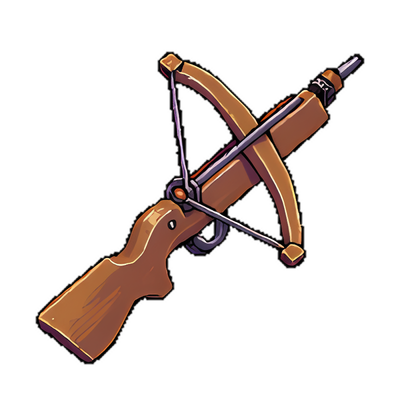
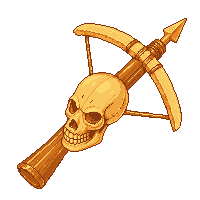
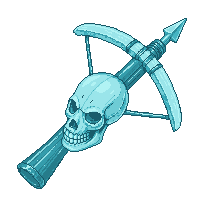
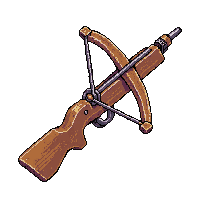
  • ▲The Skull Crossbow's skull now has a full set of teeth, and its tip is a golden bolt instead of a barrel.
Statues

Statues: Show Off Your Trophy Hats

The Statue from the Traveling Merchant can finally go up: put one of your Trophy Hats on a stone statue on your own land for everyone to see.

✦ New Features · 5

New Features

  • ✦Erect Statue now works: tap it on the Statue — or on any Trophy Hat — in your Bag while you stand on land you control (your own Flag's or your Kingdom's).
  • ✦It uses 1 Statue, 3 Stone and the Trophy Hat you choose, which stands on the statue for everyone to see. Only Trophy Hats (the Weekly Trophy Hats and the King Score Hat) can go on a Statue.
  • ✦When someone else wins that Hat's title, your statue's Hat turns grey, just like the Hat itself.
  • ✦Take your Statue down any time: the Statue and the Hat come back to your Bag (the Stone is used up).
  • ✦Like a Sign, a Statue can't be attacked, but one of your Enemies can set it on fire. After 25 hours it burns down and the Statue and Hat come back to your Bag.
The Trophy Room

The Trophy Room Is Open

Show off your best items: your Country Manor's Trophy Room now has real pedestals, and whatever you put on them appears on your Profile.

✦ New Features · 5✚ Quality of Life · 1

New Features

  • ✦The Trophy Room door upstairs in your Country Manor now opens a real room. Build it for 10 Stone + 5,000 Gold (already built? just walk in).
  • ✦It comes with 1 pedestal. Each extra pedestal costs 175 Food, up to 14 in total.
  • ✦Walk up to a pedestal and pick any item from your Bag to display. It stays in your Bag and works as normal.
  • ✦Your displayed items now show on your Profile's Trophies tab, with their upgrade, Metal and Gem, for every player to see.
  • ✦Friends visiting your Manor can walk into your Trophy Room and look at your pedestals.

Quality of Life

  • ✚An item stays on its pedestal while it's in your Bag or dropped on the Trophy Room's own floor. Selling, listing, using up or dropping it anywhere else takes it off — your Bag shows a "Pedestal" tag on every displayed item so you always know.

Every Territory Is Now the Same Size

Personal, City and Kingdom territories now all claim the same circle — and your active circle grew a little, just like in the original game.

⚖ Balance Changes · 4

Balance Changes

  • ⚖Every territory is now the same size: personal Flags, City Flags, Buoys, Kingdom Flags and Castles all claim the same circle (the size Kingdom land already had). Personal Flags, City Flags and Buoys grew to match.
  • ⚖Your active (dotted) circle is a little bigger than a territory, so you can always step just outside one — everyone's active circle is about 12% wider.
  • ⚖New Flags — your own included — can't be built inside any existing territory, so the next Flag in a trail goes near the edge of your active circle. Every Flag you already have stays exactly where it is.
  • ⚖Where two territories overlap, the land belongs to the nearest one. The 5% Public land bonus now goes to the owner of that nearest territory.

Trade Post Price Guide, a Golden Skull Crossbow and Fixes

Not sure what to charge? The Trade Post now shows what your item has actually sold for lately, so you can price it right.

✦ New Features · 3▲ Improvements · 2✓ Bug Fixes · 2

New Features

  • ✦When you list an item, the Sell form shows what that exact item (same upgrade, Metal and Gem) has sold for per unit over the last 30 days, in Gold or Food, plus the cheapest one listed right now.
  • ✦Once an item has a few sales from different buyers, a "Use" button fills in the suggested price per unit for you. You can still set any price you like.
  • ✦If your price is far above or below recent sales, the form tells you, and a ▲/▼ shows whether the price went up or down this week.

Improvements

  • ▲The Skull Crossbow has a new look, picked by players: a golden skull set in the middle of the crossbow, golden bone limbs and string, and a burnished grip. Every Metal now recolours it.
  • ▲New setting: "Enter sends chat". Turn it on to send World Chat messages with your keyboard's Enter key — on phones too. It starts on with a keyboard and off on phones.

Bug Fixes

  • ✓The Traveling Merchant no longer hides behind the dungeon entrance — he now waits a short walk away from it, always inside your circle.
  • ✓On phones, your Quick Slots no longer cover World Chat's Send button or channel picker.

The Traveling Merchant and Dungeon Lanterns

Complete a dungeon and a Traveling Merchant waits outside for you with rare goods — Journals, Flag Dyes, Signs, Name Change Scrolls and the very rare Lantern Case for the new Dungeon Lanterns.

✦ New Features · 7✓ Bug Fixes · 3

New Features

  • ✦Traveling Merchant: the moment you complete a Cavern, Grove, Roc Nest or Dojo (not the City Sewer), a Merchant appears outside the entrance for 5 minutes. Only you can buy from them. They carry 1 to 3 items, and the rare ones don't show up often.
  • ✦Journal (100 Food): +1% Pages, City Coins and Bricks per level, up to Level 10 (75 Food per upgrade). Stacks with the Inspiration Tonic.
  • ✦Flag Dye (250 Food): recolour all your Flags, Buoys and your name on your Profile. New colours: Orange, Dark Green and Pink. Your first colour change is free; after that each one uses a Dye of that colour. Back to White is always free.
  • ✦Sign (100 Food, rare): place it on land for 1 Wood with your own message. Only your Enemies can set it on fire — it burns 25 hours, then returns to your Bag.
  • ✦Name Change Scroll (600 Food, rare): pick a new name. Your old one stays on your Profile as "Formerly known as".
  • ✦Statue (400 Food): Erect Statue arrives with the Trophy system.
  • ✦Dungeon Lanterns: turn a very rare Lantern Case (your Level × 1,000 Gold, or found in Gold buried treasure) into one of 6 Lanterns at your Workshop. Wear it in the new Lantern slot to use it instead of a Torch for 15 dungeon runs: Adventurer's (no Refined Oil), Champion's (+2/+2 vs monsters), Goldsmith's (+50% Gold), Librarian's (double Pages), Mason's (+50% Bricks and City Coins) or Scavenger's (double drops).

Bug Fixes

  • ✓Entering a dungeon now updates your Bag straight away (the Refined Oil and Wood used to stay until you reopened it).
  • ✓The Traveling Merchant now always stands right beside the dungeon's entrance.
  • ✓If the game was already open when an update went live, a banner now asks you to Refresh — an old tab couldn't show new things like the Merchant.
Traveling Merchant
Journal
Flag Dye
Sign
Name Change Scroll
Statue
Lantern Case
Adventurer's
Champion's
Goldsmith's
Librarian's
Mason's
Scavenger's

Fixes From Your Reports

A Skeleton Mask that fits your face, this week's Bricks on the Castle Board, an option to hide your Kingdom tag, and fixes from your reports.

✚ Quality of Life · 3✓ Bug Fixes · 10

Quality of Life

  • ✚Trade Post: each item shows its cheapest price in Gold and in Food separately.
  • ✚Castle Board: the Members table can now show This Week's Bricks donated and earned (reset every Monday 00:00 MYT) or the totals Since Joining (reset only if a member leaves).
  • ✚Settings: new “Show my Kingdom tag” option. Turn it off and other players see just your name, without your Kingdom's [TAG] in front. Your Kingdom still shows on your Profile.

Bug Fixes

  • ✓Mail: on PC a conversation now opens at the newest message with the reply box in view (it used to open at the top).
  • ✓Ricochet: a Troll hit by your Ricochet no longer joins your fight, so a stray arrow doesn't end your peace with the Trolls.
  • ✓Full Beard: no more odd shape around the mouth, and the beard no longer covers the top of your shirt.
  • ✓Library Blueprints can no longer be listed at a Trade Post. Any that were already listed have been sent back to their owners by Mail.
  • ✓Estates: the Closest Trade Hub row now shows its City's name.
  • ✓The Spider Queen's Info now lists what she drops.
  • ✓A rare “Action failed” when using Halvar's Resin during a fight is fixed, and using several Resins at once now repairs for each one.
  • ✓Skeleton Mask: now covers your whole face down to the chin, instead of sitting small in the middle of it.
  • ✓Proving Grounds: the Practice Dummy's stats now open beside the Dummy, so the top lines are no longer hidden behind the chat bar.
  • ✓Phones: when you sell Food or Platinum at a Trade Post, the listing box now moves above the keyboard every time, not just the first time.

Smarter Gloves and Clearer Building Menus

Worn-out gloves swap to your next pair by themselves, and building menus only offer Enter when you can actually walk in.

✚ Quality of Life · 3

Quality of Life

  • ✚Gloves: when a pair wears out you automatically put on your next pair of the same kind, the one with the fewest uses left. A batch of crafting carries on with the new pair.
  • ✚Quick Slots: a slot set to Mining, Chopping or Crafting Gloves now follows that kind of glove instead of one pair, so it keeps working after a pair wears out and always picks the pair with the fewest uses left. The slot picker lists each kind of glove once.
  • ✚City Centers, Trade Posts, Castles, City buildings, Kingdom buildings, your Manor and dungeons outside your circle no longer show Enter. Visit or Jump closer first, and the menu says so.
A few of the new looks

The Barbershop Is Open

Mayors can now build a working Barbershop: pick a new skin tone, hairstyle, hair colour, facial hair and eye colour for your character.

✦ New Features · 5✚ Quality of Life · 1✓ Bug Fixes · 4

New Features

  • ✦Barbershop: tap a City's Barbershop and choose Enter Barbershop to walk inside, then sit in the Barber's chair. Pick your look on a live preview of your own character, then pay 450 Food for the new look. Other players in the shop see you there. Anyone can use any City's Barbershop — you don't have to live there.
  • ✦6 skin tones, 17 hairstyles (from Buzz Cut and Mohawk to Twin Tails and Dreadlocks), 11 hair colours, 6 eye colours, and facial hair for male characters: Stubble, Mustache, Handlebar, Goatee or a Full Beard.
  • ✦Rosy cheeks are now optional: untick them at the Barbershop.
  • ✦Every new look pays the Barbershop's City 1,000 City Coins (it doesn't count toward your own Mayor race).
  • ✦Your hairstyle stays when you wear a Hat: anything that would stick out above the Hat is trimmed to fit, so every style works with every Hat.

Quality of Life

  • ✚Tap your own character to open your Compass (when you have one).

Bug Fixes

  • ✓Players who enter a dungeon, Trade Post, Tavern, Castle or their Manor no longer stay standing on everyone else's map.
  • ✓Another player's new Hat, Mask or Gem now shows right away instead of after a reload.
  • ✓The Bag's Drop button is now off inside the Tavern, the Proving Grounds and dungeons. Items dropped there used to land outside the building, where you couldn't see them.
  • ✓Item and Gold safety: tapping the same action many times very fast can no longer count it more than once. If two of your actions clash you'll see "That item just changed — try again" and nothing is lost.
The Skull Crossbow, strung the right way round

Full-Strength Monsters, Fairer Travel and Chat Fixes

Monsters now spawn at their full HP, travel costs near the US East Coast are fixed, the Dojo plays properly with friends, and chat behaves — plus Block, a Craft search and every gear's Metal looks in the Wiki.

✦ New Features · 5⚖ Balance Changes · 4✚ Quality of Life · 5✓ Bug Fixes · 8

New Features

  • ✦Block a player: tap their name in chat, or open More in a Mail conversation. You stop seeing their chat and messages, and they can't message you. Unblock the same way.
  • ✦Try it on: every weapon, shield, armor, Hat and Mask's Info now shows your own character wearing it (with everything else you have on). Find it under the Info button in your Bag, and the new Preview buttons in Latest Event and at the Monk — so you can see swag before you buy it.
  • ✦Infused Looks in Info: open it to see the item with every Gem and Metal, and tap any look to try that combination on your character.
  • ✦Craft search: type in the box at the top of the Craft menu to find a recipe.
  • ✦The Wiki's Item Catalogue now shows every weapon and armor in every Infused Look — a table of each Gem (Diamond, Ruby, Emerald, Amethyst, Topaz) with each Metal (Honed, Poison, Dead, Ice, Fire).

Balance Changes

  • ⚖Monsters spawn at full HP. Monsters in stronger areas were being born with only their base HP (about 40% of their real max) — they now start full, so Strong, Vicious and Epic monsters are as tough as their level says. Monsters already out there have been healed up too.
  • ⚖Epic monsters are now always stronger than Vicious ones (they also give more Gold and Pages). Some older Vicious areas had grown tougher than new Epic ones; Epic now starts above them.
  • ⚖Dragons now match the area's level (and its Timid / Strong / Vicious / Epic label) like every other monster, instead of always spawning at the weakest level.
  • ⚖Skeletons heal a little every second while you wear any Dead Metal item (weapon, shield or armor), faster at higher levels — instead of snapping back to full HP. Swapping weapons no longer heals them instantly.

Quality of Life

  • ✚Chat no longer jumps to the bottom while you're scrolled up reading; it follows new lines again once you scroll back down.
  • ✚Switching chat channel keeps your cursor in the message box (PC).
  • ✚On phones, the Enter key no longer sends your chat message — tap Send. (No more half-finished messages.)
  • ✚A monster your Ricochet hits joins your fight and comes after you, like any monster you attack.
  • ✚Estates lists the two busiest Trade Hubs with their City names, instead of the three biggest Cities.

Bug Fixes

  • ✓Travel costs across the US East Coast: places on either side of central Pennsylvania (e.g. Clearfield and Salisbury) were charged as if they were on opposite sides of the planet — up to 100 Feathers. They now cost what their real distance says.
  • ✓The Compass waypoint arrow pointed the wrong way for places just across that same line.
  • ✓Mail conversations showed new messages at the top; they now appear at the bottom, newest last.
  • ✓Two players in the same Dojo room no longer double its Dummies and Guardians; Guardians stop piling into one spot, and fleeing Dummies stay on the floor instead of walking into the walls.
  • ✓Place names now come in English (a City Foundation in Alexandria showed up in Arabic).
  • ✓A monster stuck at 0 HP with only an Info button no longer shows.
  • ✓The Skull Crossbow's bow and string were backwards — the string now pulls back toward the trigger, is easier to see, and the little scope is gone.
  • ✓No more empty dotted box in your off hand when it's empty.

The Great Library of Alexandria

Introducing: Cartography, the Compass and Libraries

A new Crafting skill, Cartography, lets you map the world: a Compass with a worldwide map and a waypoint arrow, Map Marker Kits for your Map Atlas, a Shovel to bury and dig up items, and Signal Flares that warn you when your land burns. Libraries arrive too — study for Pages and buy Parchment — with Blueprints from the Great Library in Alexandria.

✦ New Features · 8✓ Bug Fixes · 1

New Features

  • ✦Cartography (Crafting skill, costs 1 / 1 / 2 Skill Points). Level 1: craft a Compass and Map Marker Kits, and recycle maps for Parchment. Level 2: craft a Shovel, and your Compass lasts longer. Level 3: craft Signal Flares, and your Compass lasts longest.
  • ✦Compass (40 Refined Oil + 10 Wood + 10 Iron Slag): open a map of the whole world from your Bag with your estates, maps, Worker Golems and lit Signal Flares. Pick one as your waypoint — an arrow on the edge of your circle points the way. It wears a little on each day you use it (about 30 days of use).
  • ✦Map Marker Kit (1 Acorn + 5 Oleander Flowers + 2 Parchment): inside a dungeon it records the route to your room (a Dungeon Map shows the next room to take); outside it records every Flag you can visit within 25 km (a Territory Map). Or tap a building and choose Mark Location. Maps go into your Map Atlas in the Bag.
  • ✦Shovel (10 Refined Oil + 10 Wood + 10 Iron): bury any item on the ground so nobody can see it, and dig up buried items near you — anyone's. Mark the spot well!
  • ✦Buried Treasure: little dirt mounds with a chest poking out, hidden all over the world and moving every few days. Dig them up with a Shovel. Bronze ones are for everyone; Silver (Cartography 2) and Gold (Cartography 3) hold better prizes — Pearls, Dark Essence, Violet Hearts, Gem Dust and Parchment.
  • ✦Signal Flare (10 Refined Oil + 5 Wood + 10 Gyront Shells): set one up on land; only you can see it. When one of your buildings within 10 km is set on fire or burns down it lights up for 3 days, and those notices carry its name.
  • ✦Library: buy Blueprints at the Great Library in Alexandria (500 Food, Visit from Estates), then build one on any City Flag (+ 10 Stone + 5 Wood). Anyone can study there for Pages (20 Food) — once per Library and once a day, and each new Library gives more — and buy 1 Parchment a day for 5 Food. The owner can add a Gold fee and keeps it.
  • ✦New Weekly Trophy Hat — Conan the Librarian Helm: for whoever has the most other players study at their Libraries each week.

Bug Fixes

  • ✓The Gem on the Zagharu Breastplate (and the plain Breastplate and every Kingdom / Zagharu / Stone Golem armor) now sits in the middle of the chest instead of a little to the side, on your character and in the Bag.

Epic Monsters, Oleander Potions, and Fairer Travel

Epic monsters arrive with better loot, the rare Oleander Bush brings two new Alchemy potions, Estates travel now costs Feathers by distance, monsters come back to hunted-out Flags much faster, and Troll Huts are now rare.

✦ New Features · 5⚖ Balance Changes · 3✚ Quality of Life · 7✓ Bug Fixes · 3

New Features

  • ✦Epic monsters (red dot): areas where players with +23 gear or Oiyoi Level 23+ hunt now get Epic monsters. Like every monster they're scaled to the gear of the players around, and they drop their loot 1.5 times as often.
  • ✦Oleander Bush: a rare bush with blue flowers, found anywhere on land. Pick its Oleander Flower — it flowers again 6 hours later. It can't be chopped.
  • ✦Inspiration Tonic (Alchemy Level 1): +10% Pages for 1 hour, plus +10% Bricks on Kingdom land and +10% City Coins on City land.
  • ✦Anti-Poison (Alchemy Level 2 — Alchemy now has a second level): immune to poison from Dusk Trees, Poison Metal and the No Eyes Monster for 1 hour, and it cures poison you already have.
  • ✦Both potions keep working even if you die. Drink them from your Bag; the HUD shows how long is left.

Balance Changes

  • ⚖Visiting a City from Estates now costs Roc Feathers by distance (about 1 per 100 km, at least 2). Before, every City Ticket and Visited City cost 2 from anywhere in the world. A City you hold a City Key for is still free, and Jumping to Flags is still free.
  • ⚖The Largest Trade Hub is now always 2 Feathers from anywhere, and has its own row in Estates.
  • ⚖Troll Huts are now rare — about as rare as the Monk. A Hut you destroy will usually not come back. Huts already in the world stay until someone takes them down.

Quality of Life

  • ✚Items lying on the same spot in your Manor or Kingdom Warehouse now show as one icon with the total ("x54") instead of a stack of "x1"s, and you can choose how many to take.
  • ✚The same goes for piles of single items on the ground: pick up just the amount you want.
  • ✚Tap a name in your Passage Book to open that player's Profile.
  • ✚The Estates menu now closes when you travel from it.
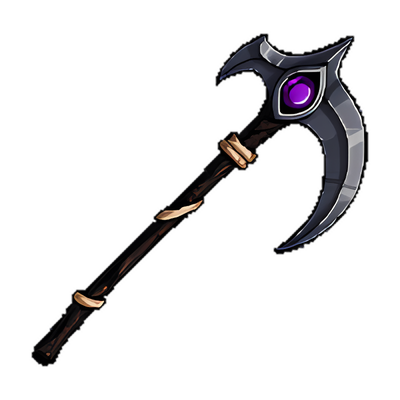
  • ✚The Reaper Sickle's blade now hangs down, like a proper reaper's scythe.
  • ✚The Skeleton Mask fits the face better — no more jaw hanging below the chin.
  • ✚Grim Reaper Outfit + a Mask: the hood's shadow used to come down so far that only the Mask's chin showed. Now the eyes stay in the shadow, the nose sits in a softer shadow, and the mouth and cheeks show.

Bug Fixes

  • ✓Monsters around your Flags come back much faster after you clear them. A Flag you hunted out could stay empty for a day or more — now an area nobody is standing in fills up again in one go.
  • ✓On some PCs the red Aggressive dot took about 45 seconds to turn green, and respawning took about 45 seconds too. The game now corrects for a computer clock that runs slow or fast.
  • ✓Putting on a new pair of Gloves halfway through a Chop or Mine no longer uses up one of their charges for that action.

Halloween: Reissued Limited-Time Swag

Four Halloween items are back for one month in Menu → Latest Event: the Grim Reaper Outfit, Skeleton Mask, Skull Crossbow and Reaper Sickle. On sale until November 2.

✦ New Features · 6

New Features

  • ✦Grim Reaper Outfit (600 Food) — acts exactly like a Tunic. Put on a Hat and the hood comes down; wear a Mask with no Hat and the hood falls over your eyes.
  • ✦Skeleton Mask (400 Food) — a Mask-slot item, so it goes on with any Hat.
  • ✦Skull Crossbow (400 Food) — acts exactly like a Crossbow.
  • ✦Reaper Sickle (400 Food) — acts exactly like a Staff.
  • ✦All cosmetic, Metals recolour them, no limit per account — extras can be sold at a Trade Post. Bought items arrive in your Mail to claim.
  • ✦On sale from today until November 2, 2026, 23:59 Malaysia time. More Halloween swag — Horizon Era originals — opens a week before Halloween.

Less Data, Calmer Crowns, and Fixes

The game uses less mobile data, Max HP lost to No Eyes poison now comes back, Send Gold leaves a note, Oiyoi hits count on Troll Huts, and you can turn off the pulsing on Platinum cosmetics.

▲ Improvements · 6⚖ Balance Changes · 9✚ Quality of Life · 1✓ Bug Fixes · 2

Improvements

  • ▲Less mobile data: live updates from the server are now compressed, and a run of failed actions (like attacking a monster that just died) no longer reloads the whole area each time.
  • ▲Max HP lost to No Eyes Monster poison now comes back, 1 point every hour.
  • ▲Sending Gold now leaves a Mail from the sender ("I sent you 500 Gold"), so you can see who it was from and reply.
  • ▲Crossbows in your hand are smaller, to suit the new characters.
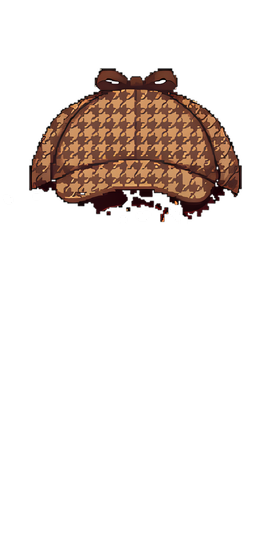
  • ▲The Deerstalker now has a sharp new icon in your Bag, the Wiki, profiles and Rankings, like the other Weekly Hats.
  • ▲Every armor, Platinum Hat and Mask now shows the same picture in your Bag, the Shop, the Trade Post and the Wiki as on your character — no more old icon for new-look gear. Gems sit in the same spot too.

Balance Changes

  • ⚖The daily 240 Food gift now arrives once you're Level 5 and have earned 100 Pages that day (Malaysia time) — not just for logging in. It still lands in your Mail.
  • ⚖New accounts can't sell Food or buy with Food at a Trade Post for their first 7 days.
  • ⚖Finishing a dungeon now gives bonus Pages — about what clearing every monster in it is worth: City Sewer 315, Roc Nest 440, Grove 760, Cavern 1,135. They count toward City Coins and Bricks too.
  • ⚖Fatality and Ricochet now work inside dungeons as well.
  • ⚖An area's main monster level (busy Cities included) now follows the players actually active there: when stronger players keep coming back (for a day or more), their level becomes the main one, and a level nobody has visited for 3 days stops being the main one.
  • ⚖Oiyoi fighters hit Flags, Buoys and Troll Huts with their Oiyoi attack too (it grows with your level) — a Shuriken or bare hands no longer does almost nothing to them.
  • ⚖Already fighting? Trolls coming out of a Troll Hut you're attacking (and a chasing Stone Golem) now get hit back by themselves, the same as other monsters that bite you while you're red.
  • ⚖Trolls from a Troll Hut and Stone Golems now move on your screen at the speed they really chase you.
  • ⚖Changing your Flag colour or cosmetic now updates your Buoys right away too.

Quality of Life

  • ✚Settings → Animated cosmetic effects: turn off the pulsing shimmer and sparkles on Platinum Hats and Flag/Buoy cosmetics. A still glow stays.

Bug Fixes

  • ✓Platinum Hats with a shimmer (like the Hollow Lantern Crown III) looked washed out inside buildings. They now look the same inside and out.
  • ✓Travelling (Visit, Jump and the rest) from inside a building or dungeon left you drawn inside the room while you were really somewhere else. You're now asked to leave the building first.

A New Look for Horizon Era

Every character, every piece of gear and most of the world are redrawn in a sharper new style, and you can zoom in much closer. This update also brings the Passage Book, a tidier Build menu, and a long list of fixes from your feedback.

✦ New Features · 6▲ Improvements · 7⚖ Balance Changes · 3✚ Quality of Life · 7✓ Bug Fixes · 6

New Features

  • ✦New characters: every body, hair, armor, Hat, Mask, weapon and shield is redrawn in a sharper chibi style — big heads, small bodies, the classic look many of you asked for. Metals still recolour your gear.
  • ✦The Weekly Trophy Hats and the King Score Hat have new designs, on your head and in your Bag.
  • ✦A new-look world: monsters, trees, Caves, buildings, towers and Oil Wells are redrawn or sharpened. The City Center is now a hall with a clock tower, and a claimed Stone or Iron Cave shows a wooden door.
  • ✦Interiors: the Manor's rooms are now plain rooms ready to decorate, with the stairs and doors as their own pieces. The Tavern, Warehouse, Proving Grounds, City Sewer, Dojo, Grove and Roc Nest rooms are now high resolution.
  • ✦Zoom in up to 3.5x (was 1.8x) and everything stays crisp. HP bars and names keep a readable size up close.
  • ✦Passage Book in your Bag: everyone you've given Right of Passage to, in one list. Change their toll (Free, 3 or 10 Gold) or revoke it right there.

Improvements

  • ▲Turning a Flag into a City Flag now adds the City's new Oil Wells and Crystal Patches straight away (one of each for every 3 City Flags). Before, they only appeared after a server restart. Cities that are owed some get them with this update.
  • ▲Popup titles now say whose it is — "Buoy — (owner's name)" — for Flags, Buoys, Caves, Estates, Oil Wells, Crystal Huts, Research Labs and City Houses.
  • ▲The Build menu only shows what you can still build: no Castle once you're in a Kingdom, no Warehouse or Proving Ground once your Kingdom has one, no Research Lab once you have one in your City, no Found City while you're in a City, and no City building your City already has.
  • ▲Dungeons on phones: the room box (City Sewer, Cavern, Grove, Roc Nest) stays on your screen instead of scrolling away, and every dungeon room, the Dojo included, is framed below it.
  • ▲Players who haven't been online for more than a week no longer stand around in the world. Their Flags, Estates and profile stay.
  • ▲Other players' Estates now only show inside your circle. Your own Estate shows from anywhere.
  • ▲The new art loads only when something on your screen needs it, so the game uses about as much phone memory as before.

Balance Changes

  • ⚖Already fighting? If you're red (Aggressive) and another monster bites you, you now hit it back by yourself, the same as during a Hunt. If you're not fighting, monsters still never pull you into one — you choose to attack.
  • ⚖Enemies can no longer travel to your Normal Flags, Buoys or Caves, even with passage you gave them before. Make Peace and their passage works again.
  • ⚖Destroy a Flag within 30 seconds of building it and you get everything back — handy for a misplaced Flag. The Pages, Hat points and City Coins from building it are taken back too.

Quality of Life

  • ✚PC: press Enter to open chat, and the chat box is ready to type in as soon as it opens.
  • ✚Tap the weight bar at the bottom of the screen to open your Bag.
  • ✚Mail conversations open at the newest message.
  • ✚Bag ☆ now pins one piece of gear, not every item of that kind.
  • ✚The Smelt button shows how much Wood it uses: smelting costs 1 Wood per Iron Ore, so your Wood can limit how many you smelt at once.
  • ✚Your own Flag's popup tells you when it's outside your circle — Jump there first to upgrade or destroy it.
  • ✚Bricks show as not sellable in the Trade Post's Sell list.

Bug Fixes

  • ✓A Summoned Troll could swap the gear you gave it for a pile it walked past after a Jump, and leave your gear lying there. It now only picks up gear that you drop for it.
  • ✓"Request Passage" kept showing after the owner had already accepted, unless your Mail happened to be open. Caves showed it even with passage.
  • ✓Double-tapping a pile of items on a phone opened the Pick Up window instead of walking onto it.
  • ✓Accepting an invite while inside a building or dungeon left you half-teleported — the game froze and a reload put you back where you were. Now it asks you to leave first.
  • ✓Dojo Guardians could still stun you in a room that was already cleared.
  • ✓When a No Eyes Monster's poison kills you, your Max HP drops by 5 (it comes back 1 point per hour). That used to happen silently — now a message tells you.

Your Land, Your Rules

Tear down Troll Huts, earn from your Public land, lock your Caves, set your own passage tolls, and talk to the players around you with Area Chat.

✦ New Features · 5▲ Improvements · 2✚ Quality of Life · 5✓ Bug Fixes · 1

New Features

  • ✦Attack a Troll Hut: tap it and choose Attack. A Hut has 10,000 HP. Its Trolls come after you, more arrive while you keep attacking, and Trolls won't trade with you for 12 hours. Stop for a minute and the Trolls repair it fast. Bring friends.
  • ✦Public land pays you: when another player earns Gold hunting on your Public Flag or Public Buoy, you get 5% of it on top — they lose nothing. Flag Settings shows how much you've earned.
  • ✦Caves can be Normal, Public or Private, like Flags. Tap your own Cave to choose. Normal: only players with your Right of Passage can Visit it, but anyone already there can mine. Public: anyone but your Enemies can Visit. Private: only you can Visit or mine it. A Cave's popup shows its owner.
  • ✦Area Chat: a new chat channel for the players around you (about the area you can see). Pick Area next to the chat box. Outdoors only.
  • ✦Harden someone else's Flag with your own Stone — help a friend protect their land. Not for an Enemy's Flag.

Improvements

  • ▲Right of Passage tolls are set by the land owner now: choose Free, 3 or 10 Gold when you accept a request, and change it any time from that request in your Mail. Kingdom passage works the same way. Requests no longer ask the traveller to pick a toll.
  • ▲You can request passage from a player who only has Normal Caves, too — the same grant lets you Visit them.

Quality of Life

  • ✚Estates: a search box at the top finds any of your destinations by name, and ☆ pins a Roc Shrine, Guard Tower, City or Visited City to the top.
  • ✚Bag: ☆ pins an item type to the top of your Bag.
  • ✚Bag: your City Keys and Tickets fold into one Keychain row — tap it to open.
  • ✚Dropping an item now joins a pile of the same item anywhere within reach, not only one right under your feet.
  • ✚Double-tapping a pile of items walks you onto it instead of opening the list.

Bug Fixes

  • ✓Invite to Visit could send your guest into a Manor when you weren't in it — travelling out of your Manor (City Key, Visit, Jump…) didn't count as leaving it. You also showed up as hidden to other players until you went back in and out.

The Dojo, Rebalanced

The Dojo now gets harder as you go: the first rooms are gentle, the last three are the real test. Guardians wait until you're ready, leave once a room is cleared, and tapping a Dummy just attacks it.

⚖ Balance Changes · 6✚ Quality of Life · 2✓ Bug Fixes · 2

Balance Changes

  • ⚖The entrance room has no Dojo Guardian.
  • ⚖Early rooms: 1 slow Guardian (speed 50) with a 4-second stun, and 20 seconds before it can stun you again.
  • ⚖Middle rooms: 2 Guardians (speed 60), 8-second stun, 10 seconds safe after.
  • ⚖The last 3 rooms before the Chi: the full challenge — 3-4 Guardians (speed 70), 15-second stun, 5 seconds safe after. You walk at 90, so keep moving.
  • ⚖When you walk into a room, its Guardians wait until you move or attack. Take your time to look around.
  • ⚖Once a room's last Dummy is destroyed, its Guardians leave and the doors open — a real breather between rooms.

Quality of Life

  • ✚Tap a Dummy to attack it straight away — no more menu (or Info button) popping up mid-fight.
  • ✚The Dojo panel at the top of your screen shows the room, what's left, and the map. Its ⓘ button explains every Dojo monster.

Bug Fixes

  • ✓The Dojo map didn't show on PC — it was drawn off the edge of the room.
  • ✓A monster's Info inside a dungeon showed 0 HP.

Quick Slots, Shields vs Ranged, and More From Your Feedback

Quick Actions are now Quick Slots: 10 slots (5 free, 5 more for 100 Platinum each) that can hold actions or gear to equip in one tap. Ranged weapons can no longer be used with a Shield.

  • Quick Slots: 5 slots on the right are free. 5 more on the left unlock for 100 Platinum each — tap the pencil, then a locked slot.
  • Put gear in a slot: tap the pencil, tap a slot and choose a weapon, Shield, armor, Hat, Mask or Gloves from your Bag. Tapping that slot equips it, or takes it off if it's already on (a gold dot shows it's worn). Swap weapons mid-fight without opening the Bag.
  • Your Quick Slots are saved on your account now, so your phone and computer share them. The slots you already had carry over.
  • Ranged weapons (Crossbow, Longbow, Shuriken, Sling, Blowdart and their swag) can't be used with a Shield. Equipping one takes the other off; it stays in your Bag. If you were wearing both, your Shield was taken off.
  • Fixed: after a raid or attacking a Flag or Buoy, a quick Jump could leave you stuck with "Out of your flag's reach" until you Jumped again. A Jump the server refuses now puts you back where you were.
  • Fixed: starting a Harvest (or any other action) on something further away now cancels a Chop or Mine in progress, instead of leaving its bar counting down.
  • Caves: Take Control only shows when the Cave is inside your circle, like Mine.
  • Your Flag and Buoy popups show Normal / Public / Private right at the top — switch in one tap. Flag Settings now closes when you tap outside it.
  • Attacking someone's Flag or Buoy says "Attack and declare war" until you're Enemies, then just "Attack".
  • Bag: a "Dump plain +0 gear" button sells every +0 Weapon, Shield and Armor with no Metal or Gem, at full condition, that you aren't wearing — handy after Pickup All on Troll gear. Limited Swag is never included.
  • A warning when you drop below 100 Roc Feathers: "You are low on Roc Feathers."
  • One free Reset Skills for everyone, to try the new Specializations — until October 8. After that it's back to 500 Food (250 for Platinum Members).
  • Fixed: things outside (a Dusk Tree, a Tower, a Stone Golem, a Taunt) could still hurt you while you were inside a dungeon, because your outdoor spot stayed where you entered. Inside a dungeon you're safe from everything outside now.
  • Quick Slots now work inside dungeons and the Proving Grounds too — swap gear and heal mid-fight. Building and Taunt stay outdoors only.
  • Mail: Claim All marks those messages as read, and the Menu button shows a red dot with your unread count.

Fixes From Your Feedback

Monsters show their level (Timid, Strong, Vicious), Hunt is now Attack, Taunt shows its cooldown, Mail conversations get a More button, and a batch of fixes.

  • Monster levels: a monster's level is shown before its name — Timid, Strong or Vicious — and as the dot under its HP bar (Timid: no dot, Strong: yellow, Vicious: orange). Epic is coming later.
  • The Hunt button on monsters is now called Attack.
  • Taunt shows its cooldown: the Taunt quick-action button darkens with a clock that clears as it recharges, with the time left in the middle (the Taunt button on your character shows it too). Tapping it early just tells you how long is left.
  • Warden Knowledge's Healing Aura heals your allies, not yourself — another Warden Knowledge player's aura still heals you.
  • Display names: offensive names are refused at sign-up, and the team can rename a player who breaks the rules.
  • Mail: a More button at the top of a conversation — View Profile, Invite to Visit, Invite Here and Send Gold without leaving Mail.
  • Passage requests now say where YOUR land is ("near Bengaluru"), from your Flag or Buoy closest to the player asking. If they aren't near any of it, the place is left out.
  • Caves: Visit is at the top, and Mine only shows when the Cave is inside your circle. Dive is greyed out until you have Aquarian Inscriptions, instead of running the timer for nothing.
  • Trade Post: each listing shows its condition, and Gloves show how many uses are left before you buy.
  • Bag: plain +0 gear sells straight away again — the confirm only shows for gear with an upgrade, Metal or Gem.
  • The unread Mail bubble no longer gets stuck when nothing is unread.

Specializations and the Dojo: All 14 Tracks Open

From Level 10 you can follow a Specialization track, and the Skills panel is now a skill tree that shows what opens what. All 14 tracks are open, along with Dodge, Heavy Armor that slows you down, and a new Level 20 dungeon — the Dojo — where Chi is found.

  • Skills panel redesign: a Specialization tab draws the tree — Archery, Cleave, Oiyoi Martial Art and Tactics each open their own tracks at Level 3. Tap a track to see every level, what it needs and what it costs. The Skills tab groups every skill by Combat, Tactics & the Wild, and Crafting.
  • How it works: reach Level 10, raise the track's base skill to Level 3, then choose ONE track. Track Level 1-5 opens at player Level 10, 15, 20, 25 and 30, 1 Skill Point each. To switch tracks, use Reset Skills.
  • Knight (Cleave 3): Sword attack +1/+2/+3, Heavy Armor defense (Breastplate, Dragon Scalemail) +1/+2, and Shield defense against ranged weapons +1/+2/+3.
  • Warrior (Cleave 3): Max HP +10 up to +50, Axe attack +1/+2/+3, and extra melee attack when your HP is low (+1 below 50%, +2 more with an Axe below 35%, +3 below 25%).
  • Legion (Cleave 3): Spear attack +1/+2/+3, Shield defense +1/+2, plus more Shield defense for every nearby player or summoned creature with a shield (and a little extra for Friends, Kingdom members and your own minions).
  • Ranger (Archery 3): Longbow and Sword attack +1/+2/+3, Longbow range +25/+50, faster walking, and extra defense against melee in Leather Armor with no Shield.
  • Mercenary (Archery 3): Spear and Crossbow attack, extra defense in Leather Armor with no Shield, and Insight — +1 Spear attack for every 90 seconds you keep fighting the same opponent (up to +5).
  • Militia (Archery 3): Crossbow attack +1/+2/+3, Heavy Armor defense against ranged weapons +1/+2/+3, the Heavy Armor speed penalty cut by 25/50/75%, and Crossbow shots that are harder to Dodge.
  • New base skill — Tactics: a damage bonus against Monsters that builds up while you chop trees or stay out of combat, and drains while you're Aggressive (up to +1/+2/+3). Tactics Level 3 opens Crafter, Druid, Explorer and Merchant, which raise the max to +4/+5/+6.
  • Merchant (Tactics 3): fill your Tactics at once for 10 Gold per Level (the button is in the Skills panel), lower Trade Post tax on your sales (−10/−25/−50%), and half-price Roc Feathers to Cities.
  • Explorer (Tactics 3): walk faster (+10/+20/+30), re-center your circle on unclaimed land without a Flag (tap your character — 100, later 50 Roc Feathers), and Tactics builds 1.5x/2x faster with no player building nearby.
  • Crafter (Tactics 3): extra Pages for every crafted item (up to +300% at Level 30), crafting and smelting up to 30% faster, and a free item for every 7 (later 5) of the same item crafted in a row.
  • Druid (Tactics 3): use a Staff without Oiyoi, +30 range on Warden Knowledge's Healing Aura (which also heals Shaded players at 50%, later fully), Replenish — tap another player to give them your own HP (5 Berries; 0.7, then 1, then 1.3 HP for each HP you give; 0.3 to a Shaded player) — 15%, later 30%, Dodge without Heavy Armor or a Shield, and with a Staff your Minions get 50%, later 100%, of your Tactics.
  • Assassin (Oiyoi 3): Dagger and Blowdart attack, Dodge with a Dagger, a shorter Aggressive timer (up to 15%), +1 defense in a Tunic, and 2x — later 3x, once every 20 seconds — damage on a player who isn't fighting (Proving Grounds: someone who hasn't attacked in 10 seconds), with Oiyoi weapons or bare hands.
  • Ninja (Oiyoi 3): Shuriken attack +1/+2/+3, +10/+20/+30 walking speed on land, and extra Dodge (+3/+6/+10%).
  • Oiyoi Master (Oiyoi 3): Staff and Sling attack, Dodge with a Sling, Tunic defense up to +3, faster healing when not Aggressive (up to 2x), Staff and Sling hits can stun for 5 seconds (3%, later 6%), and an aura that slows nearby enemies — Monsters chasing you, and other players in the Proving Grounds.
  • Thief (Oiyoi 3): Dagger and Brass Knuckle attack, +8 walking speed per level, Dodge in Leather Armor with no Shield, and a 2% chance of +500/+1,000/+1,500 Gold for beating a Troll, Troodont or Troodont King.
  • New — Dodge: a dodged hit does no damage, shows "Dodge" and wears no gear. Oiyoi Martial Art Level 2/3 gives 15%/30% while you fight unarmed or with Oiyoi gear (Shuriken, Blowdart, Brass Knuckle, Staff, Tunic) and no Shield. It works against Monsters, Guard/City Towers and in the Proving Grounds. Ice Metal, Towers and a Militia's Crossbow make it harder.
  • New — Heavy Armor slows you down: Breastplate −15 walking speed, Dragon Scalemail −10 (swag looks too). Weapons, Shields, Leather Armor and Tunics don't slow you.
  • A few track lines are marked Soon in the tree — they need a system that isn't in the game yet (Trade Tents, the Compass, Robots, Pets, and Gold/Pages from beating players in open PvP).
  • New dungeon — the Dojo (Level 20, 20 Refined Oil + 1 Wood, once a week per Dojo): a rare find, only visible inside your circle. Your weapons are useless inside, but everyone fights with Oiyoi Martial Arts. Each Dojo is its own maze of rooms. Destroy every Practice Dummy in a room to open its doors — Super Practice Dummies run away from you. Dojo Guardians follow you and stun you for 15 seconds if they catch you standing still, and they can't be attacked, so keep moving. Nothing in the Dojo hurts you. Clear the last room to find Chi.
  • Oiyoi natural fighting: from Oiyoi Martial Arts Level 1, empty hands hit for 5 + your Level and no armor gives 3 + your Level defense (both up to Level 25). An Oiyoi weapon or a Tunic never does worse than that.
  • Chi: found only at the end of a Dojo (1 per clear). 5 Chi unlock Oiyoi Martial Arts from your Bag — players who already trained Oiyoi keep it. Chi also crafts the Oiyoi gear: Shuriken, Blowdart, Brass Knuckle, Staff and Tunic.
Dojo
Practice Dummy
Super Practice Dummy
Dojo Guardian
Chi
Knight
Warrior
Legion
Ranger
Tactics

Crafting Gloves, Timed Crafting, Smoother Combat

Crafting and Smelting now take time (Crafting Gloves make it 1 second), your attacks keep going while you move, and several fixes from your Discord reports.

  • Crafting and Smelting take 20 seconds per item now. Craft or Smelt many at once and they're made one after another, with a bar above your HUD and a Cancel button. Moving, fighting or starting another action stops the rest — anything already made is yours.
  • New: Crafting Gloves (3 Leather, 4 Silk, 4 Platinum — Platinum Members craft them, anyone can use them). Each Craft or Smelt takes 1 second, for 100 items. Like Mining Gloves, items made with them earn no Pages and don't count toward the weekly crafting Hats.
  • Smelt: the Iron Ore row in your Bag now also has a "Smelt N" button to smelt as many as your Wood allows.
  • Chopping a Tree takes 20 seconds now (the same as mining). Chopping Gloves still make it 1 second.
  • Combat: walking while you fight no longer stops your attack. Your character keeps attacking whenever the monster is in range, and only gives up after 10 seconds without landing a hit. Your first swing also lands right away instead of after a 2-second wait.
  • Destroying your own Flag or Buoy is instant now (you still walk to it and confirm first).
  • You can change your own Flag's type (Normal, Public, Private) from anywhere — no need to stand in its circle.
  • Passage requests and burn notices now say where: "requests passage on your land near Hoboken", "set your Flag near Hoboken on fire".
  • Visit a Troll Hut works inside your circle too, to re-center your circle on it (like Visit Cave).
  • Invite to Location: the Travel There button now shows how many Roc Feathers the trip costs.
  • Fixed: some Worker Golems stood next to their Oil Well, Crystal Hut or Research Lab and never produced anything. They get to work right away now.
Crafting Gloves

The Tavern Is Open

City Taverns now work: drinks at the Bar, a Bulletin Board, Tavern Chat, and at Level 2 Gyront Cards and player kegs. Also: craft many items at once.

  • Any player can walk into any Tavern. Buy Roc Nog or Berry Punch at the Bar (250 Gold a drink). The more you drink, the more your name and chat turn from blue to red — and too much knocks you out for a minute.
  • City members can post on the Tavern's Bulletin Board (every post is signed) and give the Tavern a Sign.
  • Tavern Chat: choose "Tavern" in the chat box while inside to talk only to the people in the room.
  • Mayors can upgrade their Tavern to Level 2 (400 Wood, 300 Iron Slag, 25,000 City Coins). Drinks drop to 200 Gold, and two new things appear:
  • Gyront Card Table — up to 6 players pay the wager and pick a number from 1 to 6. The highest number nobody else picked takes the whole pot. No unique number? The pot rolls over.
  • Keg Holder — put in your own barrel and set a price per drink (up to 2,000 Gold). You keep the Gold. Barrels hold 200 drinks and go bad after a day.
  • New crafts (you need a Workshop on your Country Manor): Roc Nog (1 Roc Egg, 50 Refined Oil, 5 Wood) and Berry Punch (50 Mourning Berries, 50 Refined Oil).
  • Craft quantity: every recipe in the Craft menu now has a number box and a Max button, so you can craft up to 100 at once.
  • Tavern Chat also pops up in a speech bubble over the speaker's head, and sitting down at the card table puts you on a chair (walk away to get up).
  • Selling from your Bag now asks first: it shows the Gold you'll get and warns if an upgrade, Metal or Gem would be lost. You can also sell just part of a stack instead of all of it.
Tavern Level 2
Roc Nog
Berry Punch
Gyront Card Table

Fog of War, Water Travel Without Popups, Damage Flash

You now see about 10 km around you, tapping water no longer opens a menu, Buoys are built like Flags, and you'll see it when something hits you.

  • Fog of war: when you zoom out or pan, you only see Flags, Buoys, Caves, Troll Huts and buildings within about 10 km of your circle. Beyond that the map darkens. Your own Flags, Buoys and buildings, your Kingdom's, and Cities you hold a City Key for or have visited always stay visible, wherever they are.
  • Tapping water no longer opens the Water Travel popup. Double-tap to walk toward the water: without a Raft your character stops at the edge and offers Make a Raft. Make it and you carry on walking out to where you tapped.
  • Once you have a Raft, nothing pops up at all. The Raft still breaks up by itself when you step back onto land.
  • Buoys are built like Flags now: from the Build menu, from your character menu (tap yourself while near water), or from a Quick Action slot. Stand at the water's edge or on the water, outside every Flag and Buoy circle.
  • Jumping to a Buoy or visiting a Pearl Cave still builds a Raft for you on landing, as before.
  • Damage flash: the screen edges flash red when you take damage, even with the Bag or Mail open, and pulse slowly while your HP is low. You can turn it off in Settings.
  • The Build menu now shows the real cost of your next Crystal Hut (each extra Hut costs more) and tells you when you need the Research Lab limit tech first.

Easier Water Travel

Jump to a Buoy without building a Raft first, Make a Raft is instant, and the Water Travel popup stops getting in the way.

  • You can Jump to a Buoy (or Visit a Pearl Cave) without a Raft. One is built for you on landing, using 3 Wood, 3 Crude Oil and 2 Silk from your Bag. The Jump button shows this before you tap it, and you can't jump if you're short.
  • Make a Raft is now instant (no more 10-second wait). You only need it to go from land onto water when there's nothing to jump to.
  • The Water Travel popup now only opens when you tap water inside your own circle — not on land near the shore, not outside your circle, and not when you just missed a Buoy, Cave or monster.
  • While you're on a Raft the popup only offers Build a Buoy, and only where a Buoy could actually go (outside every Flag and Buoy circle) — so sailing around no longer keeps popping it up.

Small Water Is Walkable, Research Lab Destroy

Ponds and small rivers no longer need a Raft, Research Labs can be destroyed, and big piles are easier to pick through.

  • Small ponds, retention ponds, creeks, narrow rivers and canals now count as land — you can walk across them without a Raft. Lakes, wide rivers and the sea still need one.
  • Research Labs can now be destroyed (tap your Lab → Destroy Research Lab). Until October 6 you get the full build cost back, so you can move a Lab you placed in an awkward spot; after that, half. Stored Research Points go to your Bag, and Golems working there go back to Idle.
  • The Research Lab menu fits on phone screens now, and its Buy Tech buttons show the full cost with Research Points spelled out.
  • Big piles are easier to go through: identical items are grouped into one row ("Zagharu Shield x9"), tapping a row picks up that whole group, and long lists scroll. This works for piles on the ground and in Manor or Kingdom Warehouse storage.
  • A Right of Passage request in Mail now has View Profile and Message buttons, so you can see who's asking — or ask them which Flag they need — before you decide.

Fixes: Ground Items, Research Lab, City Names

Items on the ground no longer disappear, Research Labs are easier to place, and new Cities get their names more reliably.

  • Items left on the ground no longer disappear after 7 days. Anything you drop stays until someone picks it up.
  • Building a Research Lab now works when you're standing beside your Oil Well, not only right at its base.
  • City Foundations in places without a town name (like theme parks or rural areas) now get the nearest local name instead of none.
  • A City Foundation can't be continued if that place already has a City, the same rule as founding one.

New Look: Characters & Gear

Characters are redrawn at twice the detail, and everything you wear or hold now sits properly on them.

  • New character art for male and female players, Trolls and Liches: twice the detail, with real arms and legs. Hair is now its own layer.
  • Armor is now worn on your body instead of shown as a small icon on your chest. Every Breastplate, Leather Armor, Tunic and Dragon Scalemail, and every Kingdom, Zagharu and Stone Golem version, has its own look.
  • Your weapon is now in your right hand and your shield on your left forearm, where they no longer cover your armor.
  • Weapons are sized by type: swords and axes are smaller, daggers, brass knuckles and shurikens fit in the hand, and long weapons like spears, staffs and crossbows stay long.
  • Bows are held drawn back, aiming up and out. The Zagharu and Stone Golem Longbows no longer point back at you, and the Zagharu Crossbow and Kingdom Blowdart now point forward.
  • New art for the 17 basic weapons, shields and armors, each with a visible socket where an infused Gem sits.
  • Hats were refitted to the new heads, and full helmets now hide your hair.
  • New Mask slot: wear a mask and a Hat at the same time. The mask sits on your face under your hair, and the Hat goes on top. The Zagharu Hat is now the Zagharu Mask; if you were wearing it, it moved to the Mask slot by itself.
  • Infused gear now changes colour, like in the old game: the metal parts of a weapon, shield or armor take on the Metal's colour (Honed silver, Poison green, Dead gold, Ice teal, Fire orange), with a softer glow around it. Gear with no metal on it, like cloth, leather or dragon scale, takes on the colour all over.
  • The five Metal ingots have new, matching art in their Metal's colour.
  • Metal and premium Hat glows now shine around your character instead of washing over your face and body.
Sword
Axe
Dagger
Spear
Crossbow
Longbow
Staff
Wooden Shield
Dragon Shield
Breastplate
Leather Armor
Dragon Scalemail

Community Fixes: Taunt, HP Bar, Tending

More fixes from your Discord reports.

  • Taunt works again after logging in indoors. If you logged in inside your Manor or another building and then walked out, taunted monsters would crowd around you and you had to attack each one by hand. You now fight them automatically again.
  • The HP bar no longer gets stuck lower than your real HP. It could happen after a Troll Hut heal, and then Heal with Berry was greyed out and Mourning Trees wouldn't heal you. If the bar ever drifts again, it corrects itself within a few seconds.
  • Tending a Mourning Sapling now gives 5 EXP, which also earns Bricks on Kingdom land and City Coins near a City. The reward is paid once per sapling every 12 hours; tending more often still keeps it healthy.
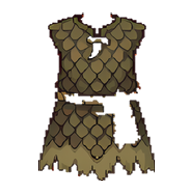
  • Johnny Apple Seed and Warden Knowledge's faster sapling growth now also count a sapling's Tend once per 12 hours, instead of on every tap.

  • Building interiors now fit above the bottom bar, so the Manor's Exit door is no longer hidden behind it.

Land & Water, Made Clear

The map now shows exactly where the game counts water — and every rule follows that same line.

  • Water is shaded light blue on the map and land is washed pale, like the old game — sea, lakes, ponds and rivers alike. You can turn it off in Settings (Land/water shading).
  • Everything uses that one map: walking without a Raft, building a Raft or Buoy, building Flags, and where monsters spawn. No more Build Raft buttons on dry land or Flags that turned into water.
  • Lakes, ponds, reservoirs and wide rivers now count as water everywhere, and so do rivers drawn as a single blue line on the map.
  • Without a Raft your character now stops at the water's edge instead of walking in and snapping back.
  • A place's land/water answer is saved the first time anyone visits, so it won't change on you later. Brand-new areas can take a minute to fill in lakes and rivers the first time.
  • Nothing you've built was moved or removed. If you're ever standing on water without a Raft, you can still walk back toward land (or Jump).

Community Fixes: Roc Nest, City Chat, Flag Types

A batch of fixes and changes from your Discord reports.

  • Roc Nest is now one path through all 4 rooms: Roost, Twig Warren, Scrap Heap, then the Giant Roc. Before, going right from the first room skipped a room you could never go back to.
  • Personal Flag and Buoy territories now show their type even when zoomed out: Private is shaded in, Normal is light, and Public is light with a dashed border.
  • City Chat works without a City. Players with no City House now share one City channel, like the old hobo chat, instead of their messages going to General.

  • Assigning a Worker Golem now sends it to the Oil Well, Crystal Hut or Research Lab closest to you (not to the Golem) that still has room. Stand by the one you want, then assign.
  • Visit Cave now also shows for a Cave inside your circle, so you can recenter on it.
  • The game reconnects on its own after your phone was in the background and catches up on anything you missed. Before, a Crystal Hut or Oil Well could look empty until you reloaded.
  • More error messages now tell you the real reason, instead of "Action failed — try again".

Introducing: the Lich

Dead Metal armor finally works — die wearing it and a Lich version of you rises to fight at your side.

  • Dead Metal can now be infused into Armor and Sub-weapons, not just Weapons.
  • When you die wearing it, a Lich version of you usually rises where you fell (now and then one doesn't come), carrying a copy of your weapon and armor at the same strength. It follows you and fights whatever you hunt.
  • The Lich has no special abilities, heals itself like eating a Mourning Berry when it's badly hurt, and crumbles after 1 day. Its gear is only a copy — nothing drops when it's destroyed.

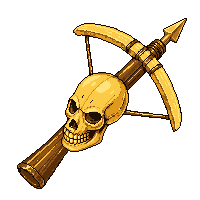
  • You can only have one Lich. Dying again destroys the old one and raises a new one. You can also Dismiss it from its menu.

A New Leveling Curve

The Pages needed for each level now follow a new, steeper table. Level 45 is a real achievement again.

  • Pages per level are now: 500 for level 2, 4,900 for level 10, 10,900 for 20, 16,900 for 30, 25,000 for 40, then 30,000 / 40,000 / 55,000 / 75,000 / 100,000 for levels 41 to 45.
  • At level 45, each Forge Gem now takes 50,000 Pages.
  • Nobody loses a level or any Pages. Your bar just has a new size.
  • The EXP bar now shows your exact Pages, like 1,772 / 9,100.

Live Action Timers and Activity Icons

Timed actions now count down second by second, and you can see what nearby players are doing.

  • Chopping, mining, building, upgrading and destroying show the seconds left inside the bar, with a pulse on every second.
  • While you heal with a Berry, a blinking Berry icon appears over your head. Chopping, mining and building get their own icons.
  • Nearby players see these icons too, so you can tell who is healing or busy.

Introducing: Roc Nests, Troll Lore and Summoned Trolls

A new dungeon near real-world airports, a new skill unlocked with its Roc Eggs, and Trolls that pick up and wear weapons and armor — including a Troll army you can summon.

  • Roc Nest: a rare dungeon that spawns near real airports. Level 10+, the usual Torch (20 Refined Oil + 1 Wood) and a 7-day cooldown per Nest. Four rooms of Giant Fleas and Giant Mice, then the Giant Roc at the top.
  • The Giant Roc always drops a pile of Roc Feathers and sometimes a Roc Egg.
  • Troll Lore: give 5 Roc Eggs to a Troll Hut to unlock it. Level 1 — see and Visit Troll Huts anywhere (1 Roc Feather), Troll purchases 5% cheaper. Level 2 — chop Mourning Trees without angering Trolls, 10% cheaper. Level 3 — a Troll Horn, and Make Peace on any Troll.
  • Troll Horn: summon a Troll from your Bag, one every 3 minutes, up to 3 at once. It follows you, fights whatever you hunt, and eats Mourning Tree berries to heal.
  • Trolls now wear real gear. Drop a weapon, shield or armor next to your Troll and it puts it on — better gear, stronger Troll. Wild Trolls do the same with anything lying nearby, and drop it all when they die.
  • Troll Huts now only show inside your active circle unless you have Troll Lore.
Roc Nest
Giant Roc
Roc Egg
Troll Horn
Troll Lore

Troodont Doctrine Now Works

The Troodont Doctrine skill now does what it says, and Caves are now hidden outside your active circle unless you have it.

  • Caves (Stone, Iron and Pearl) now only show inside your active circle. With Troodont Doctrine (any level) you see them anywhere on the map again.
  • Troodont Doctrine also lets you Visit a Cave outside your circle: free if you've claimed it with Take Control, otherwise 1 Roc Feather. Visiting a Pearl Cave needs an active Raft.
  • Mining a Cave has a 10% / 20% / 25% chance (Levels 1 / 2 / 3) of giving double Stone or Iron Ore.
  • Level 2: +1 Attack while you're near a Cave. Level 3: +1 Defense near a Cave, and a 1% chance of finding Lichen, Violet Heart or Dark Essence when mining.
  • To unlock the skill, give a Troodont King 5 Troodont Scales in a Cavern (before attacking it).
  • Reset Skills now costs 500 Food (250 Food for Platinum Members). It still refunds every spent point.
Troodont Doctrine

Pop-up Notifications

A short pop-up now appears at the top of the screen when something needs your attention.

  • New messages, requests (Friend, Right of Passage, Kingdom, visit invites) and rewards pop up while you play. Tap one to open it straight away, or ✕ to dismiss it.
  • If someone attacks or sets fire to one of your Flags or Buoys, or it burns down, you get a red warning so you know where to go.
  • Choose which pop-ups you want in Settings. Everything still arrives in Mail as usual.

Chopping Takes Longer

Chopping a Tree now takes 12 seconds instead of 2. Chopping Gloves still make it 1 second.

  • Wood is meant to take a little effort: at 2 seconds a chop, Chopping Gloves barely made a difference.
  • Being hit by a monster still interrupts a chop, so clear the area first.

Platinum Membership: One Tier, Easy Switching

Platinum Membership is now one tier at a time, and you can switch between tiers from the Shop. Higher tiers also get the lower tiers' monthly sets.

  • Upgrade any time: it starts straight away and you pay only the difference for the rest of the month.
  • Switch down any time: you keep your current tier until your next renewal, then pay the lower price from then on. You can change your mind and keep your tier before then.
  • Tier II also gets the Tier I set each month, and Tier III gets the Tier I and Tier II sets — Hats, Flag pennants and Profile themes. Current members get this month's lower-tier sets too.
  • The welcome bonus now pays the difference when you move up: going from Tier I to Tier III adds 400 Platinum, so everyone ends up with the same 500.
  • Upgrading mid-day also adds the rest of that day's higher-tier Platinum and Food.

Trade Post Rules, Badges and Fixes

The Trade Post rules have been reworked, Badges keep counting past their goal, and a batch of reported issues is fixed.

  • Trade Post: listings no longer show the seller's name, and you now set a price per unit (the form shows the total).
  • When your listing sells, the buyer's purchase note arrives in Mail as a conversation, so you can reply to them.
  • Anything still unsold after 14 days is returned to you automatically, with a Mail letting you know.
  • Weekly Trophy Hats, Platinum Membership rewards and Research Points can no longer be listed, dropped or put in a Kingdom Warehouse. Crystal can't be listed at a Trade Post, but you can still drop it for another player.
  • Badges keep counting past their goal (e.g. 80 / 40). The Parallel Played'm Badge now uses your best login streak, so missing a day no longer takes it away.
  • Trolls now tell you how long until they'll trade with you again, instead of a plain "Action failed".
  • City Foundations laid while the place lookup was down now get their real name when the walls are added or the City is finished, and the ones already affected have been named.
  • Estates: My Kingdom now sits right under your Estate.
  • World Chat: switching to the All or General tab sends to General again, and changing the send dropdown while a single channel's tab is open switches the view to that channel.

October's Platinum Set: Hollow Lantern

From October 1, Platinum Membership brings a new monthly set, Hollow Lantern: carved pumpkins, candlelight and violet spirit flames. Every month has its own set, and past sets are never sold again.

  • Tier I: a tattered witch's hat with a little pumpkin charm, glowing with candlelight. Tier II: a tall witch's hat with a glowing jack-o'-lantern and bats, flickering like a lantern. Tier III: a royal crown carved from a jack-o'-lantern, crowned with violet spirit flames that shed embers.
  • Each tier also unlocks a pumpkin Flag and Buoy pennant and a Hollow Lantern Profile theme.
  • Members get the set on their first payment in October. Your Darkmoon Arc set stays yours.
  • The Flag cosmetic and Profile theme pickers now list every set you own, so you can switch between Darkmoon Arc and Hollow Lantern any time.
Hat I
Hat II
Crown III
Pennant I
Pennant II
Pennant III

Trade Food and Platinum at the Trade Post

You can now sell your Food for Gold, and your Platinum for Gold or Food, at any Trade Post — so every player can get Platinum, member or not.

  • Open a Trade Post's Sell tab and use "Sell Food or Platinum": choose an amount and a price for the whole amount.
  • Food sells for Gold. Platinum sells for Gold or Food.
  • Buyers can take part of a listing at the same rate, just like item listings. The usual Trade Post tax applies, and you can cancel for free within 1 hour.
  • Food or Platinum bought with real money can't be sold for 24 hours after the purchase.
  • Trading them for real money outside the game is against the Terms of Service and can get accounts suspended.
Platinum

City Founding Improvements

Founding a City now works more like the original game: you can see which City you're building, founders can travel to their foundation, and players whose Flags a new City takes are compensated.

  • A City Foundation now shows the name of the City it will become, in its popup and its Info.
  • The founder (and later the wall-builder) can travel to an unfinished foundation for free from Menu → Estates → My City Foundations. Once the City is finished, all 3 founders get a City Key as before.
  • A foundation's Info now shows the next step and what it needs: "Next Step: Add Walls — 100 Stone", then "Next Step: Complete the City — 100 Wood".
  • When a foundation is laid, players with Flags nearby get a Mail warning them.
  • When the City is finished, each player whose Flags it annexes gets 1,000 Gold per Flag, as a claimable Mail.
Found
→
Add Walls
Finish

Introducing: Platinum Membership

An optional monthly membership, found in Menu → Shop → Platinum Membership. It pays you Platinum, a new currency, every day, adds bonus Food, and unlocks a new cosmetic set each month. Everything in the game stays free to play.

  • Three tiers, and you can hold any combination at once — every benefit adds up: Tier I $14.99/month (100 Platinum welcome bonus, +10 Platinum and +100 Food a day), Tier II $29.99 (250, +22, +200) and Tier III $49.99 (500, +40, +400).
  • Daily Platinum lands when you play. Days you miss are paid on your next login. The bonus Food arrives in your Mail on top of the normal daily gift.
  • Each month has its own set. This month is Darkmoon Arc: an exclusive Hat, a Flag and Buoy pennant, and a Profile theme — richer at each tier. Tier I's Hat glows with moonlight, Tier II's also shimmers violet, and Tier III's glows gold and sheds stardust.
  • Cosmetics are yours forever, even after the membership ends. Pick your Flag skin in Flag Settings and your Profile theme from your Profile's More menu.
  • Spend Platinum on Reforge at the Workshop: swap a Metal already infused into your gear (200 Platinum + 3 new bars, 2 of the old bars come back) or swap a Gem (100 Platinum).
  • Mining Gloves and Chopping Gloves make mining or chopping take just 1 second, for 100 uses. Members can craft them (3 Leather + 4 Silk + 3 or 10 Platinum), and anyone can use a pair. Mining with gloves gives no Pages.
  • Member perks: dungeon Torches need 10 Refined Oil instead of 20, and Monster Tokens from a Hunt kill are doubled.
  • Cancel any time from the Shop — you keep your benefits until the end of the month you paid for. Every payment sends a receipt to your Mail. Payments are handled by Stripe; the Terms of Service now include a Platinum Membership section.
Hat I
Hat II
Hat III
Pennant I
Pennant II
Pennant III
Platinum

New Look for Flags, Buoys, Cities and Kingdoms

Flags and Buoys now fly a pennant in your Flag color, and City and Kingdom Flags have become proper standards that stand out on the map.

  • Personal Flags, Hardened Flags and Buoys share the same pennant, tinted with your Flag color.
  • City Flags are a tall black banner with a white tower crest.
  • Kingdom Flags are the tallest: a gold-trimmed banner in your Kingdom's color with your Kingdom's own emblem shown large on it.
City
Kingdom

Bug Fixes

Fixes for problems you reported on Discord.

  • Monsters no longer get stuck at 0 HP after a Ricochet, Fatality or Cleave hit, then come back to life a few seconds later.
  • A splash hit landing on a monster someone else had just killed no longer counts as a second kill.
  • The daily Food gift can no longer arrive twice on the same day.
  • The Warden's "Give 25 Acorns" button now works on PC, not just on phones. The City Sewer's Exit Dungeon button got the same fix.
  • A Trade Post item window no longer pops open by itself when someone else lists that item while you're inside.

Shop: New Food Prices

Food packs in the Shop have new prices, which many of you asked for to keep the in-game economy healthy.

  • Six packs: 365 Food ($2.99), 860 ($6.99), 1,905 ($14.99), 4,725 ($34.99, most popular), 9,840 ($64.99) and 17,425 ($114.99). The bigger packs include bonus Food, shown on each card.
  • Food you already own is untouched.
  • The free daily Food gift in Mail is now 240 Food (was 300).
  • We now keep a record of Trade Post sales and track how much Food and Gold exists in the world, so future balance changes can be based on real numbers.

iPhone: Fewer Page Reloads

A follow-up for iPhone/Safari players whose game page kept reloading by itself while zoomed out and dragging the map.

  • That reload is iOS closing the page when it runs low on memory. Several large game images were using far more memory than needed — they're now about ten times lighter, with no visible difference.
  • The map background also keeps fewer off-screen tiles in memory while you drag.
  • Behind the scenes, a rare server hiccup when your Skeleton minions and other fights overlapped has been fixed too.

Smoother Map on iPhone

Zooming out and dragging the map should be much smoother on iPhone/Safari, after reports of heavy lag there.

  • The map was being drawn at a far higher internal resolution on iPhones than on most other phones. It's now capped at a level that looks the same on screen but is much lighter on your phone.
  • Flag and Buoy territory outlines are no longer recalculated on every frame while you drag, which helps most when many Flags are on screen.
  • Still lagging on your device? Please let us know your phone model — it really helps.

Combat: Back to the Classic Rules

Following the community vote, being attacked by a monster no longer makes you Aggressive, and your character no longer fights back on its own — just like the original game.

  • If a Wolf pack or another aggressive monster attacks you and you don't fight back, you stay out of the Aggressive state — you can run, Jump, or Enter a building right away without waiting for the timer.
  • You only turn Aggressive (red) when you attack something yourself.
  • Auto-retaliate has been removed: your character won't start hunting a monster just because it attacked you. Taunt still pulls monsters in and fights them automatically, exactly as before.
  • Monster attacks still cost HP and still interrupt Chopping, Mining and Building.

HUD Stays Visible in Every Menu

Your HP bar, EXP bar, Gold and bag weight now stay on screen while the Menu, Bag, Skills or any other page is open — so you can always see if something is happening to your character.

  • Previously, opening any page covered the bottom HUD completely, hiding your HP while a monster could still be attacking you.
  • Every page now stops just above the HUD instead, on both phone and desktop.
  • The Menu button in the HUD also works from inside any page — tap it to jump straight back to the Menu.
  • The Back button on a page you opened from the Menu (Bag, Skills, Craft, Rankings, Mail and more) now returns you to the Menu instead of closing everything. In the Wiki, Back first returns to the Wiki's main page.

Kingdom Succession: the Throne

Every Castle now has a Throne. A Ruler can finally hand their Kingdom over — name a Successor, then Step Down — and a Successor can Claim the Throne if the Ruler goes inactive.

  • Walk up to the new Throne inside your Castle to see who's Ruler and who's named as Successor.
  • The Ruler can name any member as their Successor, or clear it, at any time. The named player gets a Mail letting them know.
  • With a Successor named, the Ruler can Step Down: the Successor becomes Ruler on the spot, and the old Ruler stays in the Kingdom as an ordinary member — free to Leave afterward.
  • If a Ruler has been inactive for 1 month, their named Successor can Claim the Throne themselves.
  • Every member gets a Mail whenever the Kingdom's Ruler changes.
The Throne

Bug Fixes + Auto-Retaliate, Trade Hub Cap

A Ricochet kill no longer leaves a stuck 'zombie' monster behind, the Trade Post sell panel now shows the real tax rate, only one Trade Hub of each tier can exist at a time, and your character now fights back automatically when an aggressive monster attacks first.

  • Ricochet: fixed a rare bug where a monster killed by a Ricochet bounce could look stuck at 0 HP — unattackable, but not actually gone — before either healing back to life near a Mourning Tree or disappearing a few seconds later. Kills now clean up properly every time.
  • Trade Post: the "List for Sale" panel was showing a flat "5% tax" line no matter what, even at a Trade Post that had been promoted to Trade Hub or Largest Trade Hub status. It now always shows the real rate (5%/10%/15%) that will actually apply.
  • Trade Hub: only one Trade Post can hold Trade Hub status (10% tax) and one can hold Largest Trade Hub status (15% tax) at a time now, region-wide. Previously any number of well-stocked, active Trade Posts could all become Trade Hubs at once.
  • Auto-Retaliate: when an aggressive monster (like a Wolf pack) attacks you first, your character now automatically fights back — no need to manually click Attack anymore. This already worked for Taunted monsters; it now applies to ordinary proactive attackers too.

Bug Fixes: City Founding, Graphics Recovery, Popup Timing

Three fixes from recent player reports — a City founder/wall-builder no longer gets stuck without their free City Key, a graphics glitch on some phones now recovers instead of staying blank, and a Flag popup's Declare Enemy button no longer sneaks into place right as you tap something else.

  • City Founding: a founder or wall-builder who stayed logged in past the moment their City was Finished could see it missing from "My Cities" and get charged Feathers to travel there instead of it being free. Your City Key is now delivered live the instant the City is founded — no relog needed.
  • Graphics: on some phones, zooming out or panning the map could cause the game to go to a blank white screen with no way to recover except reloading. The game now detects this and automatically switches to the standard renderer instead, so you can keep playing.
  • Flag Popup: the "Declare Enemy" button on a City Flag's popup used to pop in about half a second after opening it, shifting every button below it down — which could make you accidentally tap it instead of the button you meant to. It now reserves its spot from the start, so nothing shifts.

Introducing: Buoy Combat, Burn, Repair, and Abandonment

Buoys can now be fought over just like Flags — Attack, Ignite, Repair, Take-Over, and Voluntary Destroy are all live. Until now a Buoy had no combat or destroy mechanic at all.

  • Attack an enemy's Buoy down to half HP with your weapon, then Ignite it (20 Crude Oil) to finish the job — it burns down over roughly 15 seconds unless the owner Repairs it in time.
  • Owners can Repair their own Buoy any time it's below full HP — healing is fast (4x the burn rate) and pauses the fire if it's currently lit.
  • A Buoy abandoned by an inactive owner for 2 months can be Taken Over by anyone for the same Wood + Crude Oil it costs to build one.
  • Don't need a Buoy anymore? Voluntary Destroy refunds half of what you spent building it.
  • Same numbers as an unhardened Flag (200 HP, ~15s burn) — Buoy has no hardened tier of its own.

Flag & Buoy Settings: Individual Types + a New Default Preference

Every Flag and Buoy's Normal/Public/Private setting is now fully independent — changing one no longer changes any of your others. A new "default" preference lets you choose what a Flag or Buoy you build from now on starts as.

  • Changing a Flag's (or Buoy's) Type in its Settings popup now only ever affects that one Flag/Buoy — the old behavior where setting one to Normal or Public also flipped every other open Flag you owned is gone.
  • New: a "New Flag Default" (and separately, "New Buoy Default") picker in the same Settings popup — set it once, and every Flag/Buoy you build from then on starts as that Type. Changing it never affects Flags/Buoys you already own.
  • Your Public toll (0/3/10 Gold) is unchanged — it still applies to all your Public Flags at once, and separately to all your Public Buoys.
  • Kingdom Flags are unaffected — their Right of Passage is still a single Kingdom-wide policy set by whoever holds the Surveying permission.

Introducing: the Kingdom Influence Crown + King Score Hat

The Kingdom with the highest Kingdom Influence Score each week now wears a real crown on its Emblem, and its Ruler earns the King Score Hat — plus every Weekly Trophy Hat can now show its own "tarnished" state.

  • Every Monday at reset, whichever Kingdom holds the #1 Kingdom Influence Score gets a small crown badge on its Emblem — shown everywhere that Emblem appears (Kingdom Profile, Rankings, in-world Castle banners). It disappears the moment a different Kingdom takes #1 the following week.
  • That same Kingdom's Ruler receives the King Score Hat via claimable Mail, exactly like every other Weekly Trophy Hat.
  • The winning Kingdom's own Brick and Refined Oil Stores are also credited 10,000 Bricks and 80 Refined Oil every week it holds the crown.
  • New this pass: a Weekly Trophy Hat you've won before, but no longer currently hold (someone else won it since), now renders grayed-out on your character and in your Bag — it's never taken away, just visibly tarnished until you win it back.
  • The underlying Kingdom Influence Score itself is unchanged — still a live, permanent tally of your Kingdom's Flags, Towers, and Obelisks, never reset.
Kingdom Score crown
King Score Hat

Bug Fixes: Taunt, Land/Water, Pickup All, and More

A round of fixes from recent player reports — Taunt engaging automatically again, a real-world land/water misclassification corrected, a ranged-combat lag bug closed, and a couple of smaller pickup/UI annoyances fixed.

  • Taunt: monsters that arrive after being Taunted now reliably fight back on their own again — no more standing there taking hits until you attack manually.
  • Land/Water: fixed a real-world location near Puerto Maldonado, Peru where an entire built-up area had started incorrectly requiring a Raft to walk on, despite being ordinary dry land. If you have a similar spot anywhere in the world, let us know.
  • Pickup All: picking a single item pile out of a selection menu (e.g. when it overlapped with a Flag or another player) now goes straight to its own Pickup All option, instead of an extra unnecessary step.
  • Combat: fixed a real lag bug where a trained Ricochet (and, more rarely, Cleave or Fatality) could make every ranged attack take several seconds to land, and made switching targets mid-fight feel unresponsive. Attacks should feel snappy again.
  • Warden Knowledge: the unlock button now correctly shows and requires 25 Acorns (it was still displaying an old number).

Introducing: 5 New Skills + the Philostratus Companion

Fatality, Heroism, Monster Bane, Ricochet, and a fully-finished Warden Knowledge — plus a brand new companion, the Philostratus, that a Warden Knowledge-trained player can summon from a Tree.

  • Fatality: your final blow on a monster splashes 3/6/10% of its own Max Health to everything nearby.
  • Heroism: extra Defense against Boss monsters and Legendaries, plus a temporary Attack buff against everything after you take down a Boss.
  • Monster Bane: defeating a monster gives you a short Attack buff against that same type — but a small Defense penalty against every other type while it lasts.
  • Ricochet: your ranged attacks (Sling, Longbow, Crossbow, Blowdart, Shuriken) now bounce to a second target behind the first one.
  • Warden Knowledge (unlock: give the Grove Warden 25 Acorns) is now a real 3-level skill: a Healing Aura for nearby allies, a chance at double resources from Mourning Berries/Great Fern Sap, faster Mourning Sapling growth, and the ability to summon a Philostratus.
  • Philostratus: select a Dusk Tree, Mourning Tree, or Great Fern Tree and choose Summon Philostratus to turn it into a loyal companion that follows you and fights alongside you — up to 1/2/3 at once depending on your Warden Knowledge level. It can't cross water, and you can Dismiss your own to make room for a different kind.
  • Each type has its own trick: Dusk Tree can poison what it hits, Great Fern can weaken whatever hits it, and Mourning Tree quietly heals your other Philostratus.
  • Every hit, heal, and HP change on a Philostratus is visible live to everyone nearby, not just its owner.
Fatality
Heroism
Monster Bane
Ricochet
Warden Knowledge
Dusk Tree Philostratus
Mourning Tree Philostratus
Great Fern Philostratus

Fix: Taunt + Skeleton Companion Reliability

A background server bug could occasionally make your Skeleton companion go quiet, or interrupt a Hunt with an error, right when Taunt pulled in a crowd of monsters. Fixed.

  • A rare database conflict could silently fail a Taunt-pulled monster's hit or your Skeleton's own independent attack — the most common symptom was a Skeleton that looked "stuck" or "lazy" with no error shown at all.
  • The same conflict could occasionally interrupt an in-progress Hunt with an "Action failed" message when several Taunted monsters arrived at once (Taunt's own auto-engage already picks the fight back up on its own, but this removes the interruption).
  • Verified with a repeated stress test — casting Taunt on 19 monsters at once with an active Skeleton companion, back to back — clean across every run after the fix.

Introducing: Proving Grounds — Safe PvP Duels

Horizon Era's first player-vs-player combat — a safe arena where fighting has zero real downside. Try your gear against another player with nothing to lose.

  • City Proving Grounds (Mayor-built) and Kingdom Proving Ground (Ruler/Constructing-permission-built, open to any player, not just Kingdom members) both work the same way inside.
  • Fighting here never adds an enemy, reduces your max HP, costs Gold or Backpack items, wears down your gear from dying, or gets you banished. Losing doesn't even cost you EXP — you just get back up instantly.
  • Click another player (or use their profile popup) to Attack — you'll walk over to them automatically, stopping right at your weapon's real attack range, so a Crossbow/Longbow keeps its usual range advantage instead of being forced into melee distance. Retaliation is manual — nobody auto-attacks back, so it's a real duel, not a brawl.
  • Your Skills and Metal-infused gear matter here too — Archery's attack bonus, Cleave, Hunter's Eye, and Honed/Poison/Ice/Fire Metal procs all apply against a player just like they do against a monster, with your Skeleton companion pitching in on your own hits.
  • Cleave can splash nearby bystanders in the same room too, not just your target — a chaotic bonus for a crowded Proving Grounds.
  • Every hit and every heal is visible live to EVERYONE in the room, not just the two people fighting — a real spectator experience, and a fairness check on the fight.
  • Click your own character for a self menu with Heal with Berry, same as outdoors — handy if a duel doesn't go your way and you want to patch up before the next one.
  • A Practice Dummy in the corner shows your own equipped Weapon/Armor's real attack/defense and Effective Spawn Level — a quick way to check your own strength.
  • This is deliberately the safe version first. Real outdoor PvP, with actual consequences, is the planned next step.
City Proving Grounds
Kingdom Proving Ground
Practice Dummy

Fix: HP Bar Not Updating During Ambient Attacks

Your HP bar could quietly stay stuck at an old, higher number during attacks from Guard/City Towers, Stone Golems, Cavern monsters, Dusk Trees, poison, or Taunt-pulled monsters — while your real HP kept dropping underneath it. Fixed.

  • The floating "-N HP" damage text was always showing correctly, but the actual HP bar/number sometimes wasn't following it down for these specific attack sources — a real gap that could make you think you were safer than you actually were.
  • This is likely what caused some reports of dying unexpectedly (e.g. right after casting Taunt) despite the HP bar looking healthy.
  • No Eyes Monster's poison also now shows the floating damage text it was missing.

Balance: More Leather From Stag, Wolf, and Boar

Stag, Wolf, and Boar are more common now, and monster-vs-monster kills have a much better chance of dropping Leather too — should ease the grind for anyone chasing Leather-heavy Weekly Hats.

  • Stag and Boar can now appear in slightly larger numbers per area, and Wolf packs are a bit bigger too.
  • When one monster kills another nearby (not your own kill), there's now a real chance it drops Leather instead of the loot just vanishing.

Limited Swag: Spider Sword Is Back — For a Limited Time

Horizon Era's very first swag item is reopened for one more purchase, even if you already own one — closes September 30, 2026.

  • Menu > Latest Event > Spider Sword — 400 Food, same cosmetic Sword reskin as before.
  • Already bought one the first time around? You can buy it again during this reopened window.
  • This is a limited-time reopening — the event closes and disappears from the Latest Event panel on September 30, 2026, 23:59 (Malaysia time).

Fix: "Safe" Landing Grace Not Always Protecting You

Right after jumping to a Flag, an ambient monster attack could still land during your "Safe" window if a monster was already close to your destination — now fixed.

  • This only ever showed up on certain jumps — mainly when a mob happened to be near the Flag you just landed on.
  • Your "Safe" countdown now actually blocks that first hit, every time.

Fix: Stuck After Leaving a Visit by Jumping Away

Jumping away from someone's Visit (instead of tapping Leave first) could leave you stuck — unable to accept a new invite, or even Jump again.

  • Any way of leaving a Visit — Jumping to a Flag, Visiting your own Estate/City House/Trade Post, or anything else that moves you — now correctly ends that Visit too.
  • Fixes "Leave your current visit before accepting another invite" showing up even after you'd already moved on.

Fix: Larva Going Haywire When Taunted Nearby

Casting Taunt near a Larva made it visibly whip around the screen instead of holding still — Larva is correctly Taunt-immune now, so it just wanders normally.

  • Larva was always meant to ignore Taunt entirely — it just wasn't animating that way on your screen.

Fix: Skeleton Kills Now Earn Full Rewards

A kill your Skeleton lands on its own now earns the same City Coins, Bricks, and Weekly Hat progress as one you land yourself.

  • Before this fix, a Skeleton kill only granted EXP, Gold, and item drops.
  • Now it also credits City Coins and Bricks, same as your own Hunt kills — as long as you're standing in range of a City Flag or your Kingdom's territory when it happens.
  • It also now counts toward Fudd's Hunter Hat's weekly 'most Monsters killed' race.

Introducing: Floor 2 Storage in Your Country Manor

Your Manor's upstairs floor now has its own real storage — a second, separate space from your ground floor.

  • Dropping an item while upstairs now stays upstairs, instead of only showing up when you go back down.
  • Both floors keep their own separate piles, even at the exact same spot in the room — nothing merges between floors.

Fix: Cavern/Grove Boss Runs Not Marking as Completed

Defeating a dungeon boss (Troodont King, Dark Monster Boss) and clearing the whole room could still leave your run stuck showing as unfinished.

  • If one of the boss's escorts happened to die a moment after the boss itself, the run could fail to register as complete — even though you'd beaten everything in the room.
  • Fixes the 'Leave now? You'll lose your progress' exit warning showing up even after there was nothing left to lose.
  • Also fixed a related co-op gap: a partner's still-in-progress run in the same shared room could hold your own run back from completing.

Fix: "Too Far From The Item" When Picking Up a Pile

Picking a specific item out of a pile with 'Pickup All' could reject with 'Too far from the item' even after your character walked over — now fixed.

  • This only ever affected picking from a pile of 2+ items in one spot — a single item always worked fine.
  • Your character now walks to the actual center of the pile instead of just the spot you clicked, so every item in it is reliably within reach on arrival.

Introducing: Kingdom Influence Ranking

A new Kingdoms tab in Menu > Rankings shows how every Kingdom stacks up — a live, permanent standing based on Flags, Towers, and Obelisks.

  • Unlike the Weekly Trophy Hats, this ranking never resets — it's a running total of your Kingdom's own territory.
  • Every Kingdom Flag is worth 2 points, and every Kingdom Tower or Obelisk is worth more the higher its level.
  • Tap any Kingdom in the list to open its full profile.

Fix: Skeletons No Longer Go Rogue

Skeletons were attacking way more monsters than intended, clearing fights faster than you could keep up. They now only fight whatever's actually in your own Hunt queue.

  • Your Skeleton now only attacks a monster that's in your own Hunt queue — normally just the one you're fighting, or up to 4 at once while Taunted.
  • Before this fix, a Skeleton could pick any nearby monster on its own, which meant it could end up fighting things you hadn't even engaged yet — most noticeable right after using Taunt.
  • As you clear a target from your queue, your Skeleton automatically moves on to whatever you queue up next — staying in sync with your own fight instead of running off on its own.

Fix: No More Players Stuck Looking Dead Forever

A player whose game crashed or closed right after dying could end up permanently frozen at 0 HP for everyone else to see — that's now fixed automatically.

  • Your character now heals back up from a respawn timer even if you never come back to trigger it yourself — a background check now catches it within seconds.
  • Fixes the case where another player's character looked stuck 'dead' for days even though they were actually just offline.

Fix: Stacked Storage Items Are All Reachable Now

Dropping a second item on top of an existing one in your Manor or the Kingdom Warehouse used to bury it — now you get the same pick-a-item list outdoor ground drops already have.

  • Clicking a spot with 2+ items now shows a Select list, same as outdoor — pick exactly which one you want, or use the new Take All button to grab everything in one go.
  • Previously, only the most-recently-dropped item at a spot could ever be clicked — anything underneath was stuck until it was cleared.
  • Applies to both your own Manor's storage room and the Kingdom Warehouse.

Introducing: Kingdom Warehouse Storage

Your Kingdom Warehouse can now hold items, not just Gold/Crystal/Refined Oil — a shared stash any member can drop items into.

  • Any Kingdom member can drop an item into the Warehouse while standing inside it — it stays safe there for the whole Kingdom, not just you.
  • Taking an item back out needs the Storekeeper permission (or the Ruler) — ask your Ruler to grant it if you need to withdraw.
  • Everyone currently inside the Warehouse sees deposits and withdrawals happen live, no reload needed.
  • Dropping an item while inside the Warehouse (or Castle/Trade Post/City Center) no longer risks losing it outside unseen — it's routed into the real storage room instead.

Fix: Kingdom Permissions Now Actually Work

A Ruler granting a member a Kingdom Permission (Constructing, Masonry, Treasury, and the rest) had no real effect — the action either stayed blocked or the button never even showed up.

  • Upgrading your own Hardened Flag into a Kingdom Flag always demanded you personally be the Ruler, no matter what you'd actually been granted — a member with Constructing can now do it too.
  • Withdraw Bricks/Gold/Crystal, Tax Bricks, Kick, Heraldry, and adjusting a Kingdom Flag's Right of Passage were all still hidden behind Ruler-only buttons even after the matching permission was granted.
  • A granted permission now also takes effect immediately for whoever's already online — no need to log out and back in.

Skeletons Now Fight On Their Own

Your Dead Metal Skeletons no longer just stand there — while you're in combat, they now hunt down and attack nearby monsters by themselves.

  • Whenever you're Aggressive (in combat) and outdoors, each of your Skeletons picks the nearest monster in your area and walks over to attack it — no clicks needed.
  • A Skeleton's killing blow now counts as yours: you get the EXP and Gold, and its drops land on the ground for you to pick up.
  • Skeletons hold their fire while you're safely inside a building, same as every other combat source.
  • A Skeleton kill will NOT summon or level up a new Skeleton — only your own killing blow with a Dead Metal weapon does that, exactly as before.
Skeleton

Introducing: Dungeon Co-op

City Sewer, Cavern, and Grove now feel like real multiplayer — you can see your party, and kills are shared fairly.

  • You'll now see any other player in the exact same dungeon room as you, moving around live — this was completely invisible before.
  • A room-mate's kills, hits, and item drops now show up on your screen instantly too, instead of only after you take an action of your own.
  • EXP and Gold from a kill now split based on how much damage each player actually contributed — no more all-or-nothing to whoever lands the final hit.
  • The Hunt queue also now flows onto the next nearby monster automatically once a slot frees up, inside dungeons too — no more re-clicking every single kill in a crowded room.
  • Item drops are still first-come-first-served on the ground, and a room only unlocks its next door once every monster in it — from every player — is dead.

Fix: Taunted Monsters Crawled In and Didn't Auto-Engage

Monsters you Taunted were being pulled toward you at full speed on the server, but drawn on your screen at a much slower walking pace — so they looked far away while already hitting you, and never auto-joined your attack queue.

  • Taunted monsters now move on screen at the same speed the game actually moves them, instead of a slower walking animation that fell further behind the longer they travelled.
  • Because of that lag, the promised "a taunted monster that reaches you automatically joins your attack queue" never triggered on time — you had to click each arrival by hand. It now engages as soon as they actually reach you.
  • Stags and Trolls were hit hardest: they never chase on their own, so while taunted they previously only shuffled toward wherever you were a couple of seconds ago.

Fix: Taunted Monsters Could Still Be Attacked By Others

A monster you Taunted and pulled into melee could still be killed by some other wandering monster while it was supposed to be exclusively fighting you.

  • Once a Taunted monster arrives and locks into melee with you, it's now also protected from being attacked by anything else — not just stopped from attacking anything else itself.
  • A Taunted monster can still fight back against others while it's still approaching you, exactly as before — this only protects it once it's actually arrived.

Introducing: Greasing Golems

An Oil Well Golem gets slower the longer it works — you can now pay to renew it back to full speed.

  • Tap an assigned Oil Well Golem and choose "Grease" to reset its harvest speed back to full, for 10 Refined Oil.
  • Golems still naturally slow down the longer they keep working, up to a 12-minute-per-Crude-Oil cap — Grease is the fix for when you need resources fast.
  • This only applies to Golems working an Oil Well — Crystal Hut and Research Lab Golems don't slow down at all.

Fix: Other Players' HP Bars Showing the Wrong Max HP

If a No Eyes Monster's poison ever permanently lowered your max HP, other players still saw you at the old, higher max.

  • Your own HP bar was always correct — this only affected how OTHER players saw you.
  • Everyone's HP bar (including inside Manors, Trade Posts, City Centers, Castles, and Kingdom Warehouses) now shows the real, current max HP for whoever it belongs to.

Zagharu and Phoenix Are Now Protected From Ambient Damage

Both ultra-rare monsters could occasionally die to wandering monsters or a nearby Dusk Tree before any player ever found them — no longer.

  • Zagharu and Phoenix can no longer be hurt or killed by another wild monster attacking them, or by standing near a Dusk Tree.
  • This only protects them from that kind of ambient, no-player-involved damage — a player who actually finds and fights one can still kill it normally.
  • Given how rare and slow to respawn both are, this should give every one that spawns a real chance to actually be found.

Introducing: Kingdom Permissions

A Kingdom's Ruler can now delegate specific powers to trusted members instead of doing everything alone.

  • From the Castle's bulletin board, tap "Permissions" next to any member to set them to Denied, Allowed, or Grant for each of 8 Kingdom powers: Constructing, Demolition, Expelling, Heraldry, Masonry, Treasury, Crystalogist, and Surveying.
  • "Grant" lets that member give or take away the same permission for other members too — but only the Ruler can ever hand out Grant itself, and a Grant-holder can't override another Grant-holder.
  • Every member can see anyone's current permissions from the same screen, so there's never any guessing about who can do what.
  • The full list of 19 Kingdom permissions is shown, including several marked "Coming Soon" — those are tied to systems (like Kingdom War and Titles) that don't exist yet, but the groundwork is already there for when they do.

Introducing: Kingdom Warehouse

A new Kingdom building, three new Kingdom-wide resource Stores, and Right of Passage tolls for Kingdom Flags.

  • Build a Kingdom Warehouse (Ruler-only, 12,000 Bricks + 150 Wood + 30,000 Gold, placed adjacent to your Castle or an existing Kingdom Flag) to unlock the Crystal Store inside it — any member can donate Crystal, and the Ruler (or a member with Crystalogist permission) can withdraw it.
  • Two new Stores inside the Castle itself: the Refined Oil Store (any member can donate; it can never be withdrawn, only spent — see below) and the Gold Store (filled automatically by Right of Passage tolls, withdrawable by the Ruler once a Kingdom Warehouse exists).
  • Kingdom Flags now support Right of Passage, just like personal Flags: set one to Public to charge a Kingdom-wide toll, or Normal to grant passage to specific players who request it. Members still Jump free, always.
  • Heraldry (changing your Kingdom's flag color, emblem, or background) now costs Bricks + Refined Oil from your Kingdom's own Store, instead of being free — and you can finally rename your Kingdom too, for a larger cost.

Same-Tier Backpacks Now Stack When Picking Up A Pile

Dropping a bunch of Backpacks for someone else used to force them to pick each one up separately.

  • A pile of same-tier Backpack drops now groups into one entry when you click it, with a total count shown.
  • Pick the whole group up in one go, the same way a mixed pile of different items already works with "Pickup All."

Fix: Gyront (and Other Water Monsters) Showing Up Too Rarely Near Buoys

Gyront could feel almost absent even after building several Buoys out at sea — this is now fixed at the source.

  • Water monsters were spawning somewhere within the same general area as a new Buoy, but often just outside the range where you'd actually see them.
  • A newly-built Buoy (or any freshly-explored water) now has a much better chance of a Gyront actually showing up within reach of it, not just "somewhere nearby."
  • This is the same underlying system every future water monster (and an upcoming water dungeon) will build on, so it's fixed once, for good.

Grove Acorns Are Now Much Easier To Find

Acorns were feeling far too rare in Grove — we've significantly increased how often they show up.

  • Each Grove room now has a much better chance of an Acorn waiting to be picked up.
  • Killing a Dark Monster now also has a chance to drop an Acorn, and killing the Dark Monster Boss has an even better chance.
  • Acorns are still Grove-exclusive and still the only thing the Warden accepts to unlock Warden Knowledge.

Fix: Chopping a Dusk Tree Kept Cancelling Itself

Trying to Chop a Dusk Tree could get repeatedly interrupted by the very tree you were chopping, with nothing else around.

  • A Dusk Tree's own passive damage aura was triggering the same "Interrupted — you're under attack!" message meant for real ambient threats — so standing next to it to Chop it away kept cancelling the Chop.
  • That damage still lands and still shows on your HP, it just no longer cancels what you're doing.

Fix: Stone Golems and Other Threats Could Still Hit You Inside a Castle

A Castle's interior was never actually excluded from ambient monster/structure damage — a Stone Golem chasing you could keep hitting you the entire time you were safely inside, even while offline.

  • Fixed for every ambient damage source: a chasing Stone Golem, a Taunted monster arriving, Guard/City Tower auto-attacks, and Dusk Tree's own damage aura.
  • An offline player sheltering inside a Castle will no longer show up as a ghost standing outside to other players either.
  • Manor, Trade Post, and City Center were never affected by this — only Castle.

Fix: Logging In Could Trigger A Surprise "Under Attack"

Logging in while already inside a Manor, Trade Post, City Center, or Castle could occasionally trigger a real hit and an Aggressive-state countdown out of nowhere, even though you were safely indoors.

  • This could happen during a brief moment right at login, before the game had fully caught up to the fact that you were indoors.
  • Fixed on both the client and the server — this kind of hit can no longer land while you're logging in from inside any of these buildings.

Fix: Dropping Items While Inside a Castle, Trade Post, or City Center

Dropping an item from your Bag while inside one of these buildings silently placed it outside, where you couldn't see it.

  • The item wasn't destroyed, but it landed at the building's real outdoor location instead of the room you were standing in — easy to lose track of, and any ground-dropped item is automatically removed after 7 days if nobody picks it up.
  • Drop is now disabled while inside a Castle, Trade Post, or City Center, the same way it already was while visiting someone else's Manor.
  • Dropping/Storing inside your OWN Manor was never affected — that already goes into your own private, permanent storage.

Introducing: Badges

A new Badges tab on every Player Profile — 22 permanent achievements to work toward, each with its own goal.

  • Earn Bricks, forge Gems, build Roc Shrines, upgrade gear to +26, plant trees, defeat Phoenixes and Zagharus, and more — each Badge tracks real lifetime progress, never resets.
  • Every Badge shows exactly what it needs (e.g. "200 Mines/Deposits Taken Over") right on the tile, along with your current progress.
  • A Badge shows dim and grayscale while it's still in progress, then lights up in full color once you complete it.
  • Visible on your own profile and anyone else's — sorted so your most-completed Badges show up first.
  • Check Player Profile > Badges.
Brick's Baker
Forgemaster
From Ashes
Tree Hugger
Towering Above
Spelunker

6 More Weekly Trophy Hats

The weekly Trophy Hat race just grew from 9 categories to 15 — new ways to compete for a cosmetic Hat every week.

  • Starr's Helm — awarded to whoever crafts the most Leatherworking items this week.
  • Super Size Hat — awarded to whoever earns the most Food selling at a Trade Post this week (buying your own listing doesn't count).
  • Slumlord Pimp Hat — awarded to whoever has the most uses of Right of Passage they've granted other players this week (Public passage doesn't count).
  • Towel of Dent — awarded to whoever spends the most Roc Feathers this week.
  • Urban Development Hat — awarded to the Mayor of whichever City spends the most City Coins this week.
  • Hilton Headdress — awarded to whoever spends the most Gold this week (Trade Post purchases don't count).
  • Same rules as every existing Hat: resets every Monday at midnight (Malaysia time), and the winner of each category gets 30,000 Gold + 1,000 Food alongside the Hat itself. Check Menu > Rankings > Hats.
Starr's Helm
Super Size Hat
Slumlord Pimp Hat
Towel of Dent
Urban Development Hat
Hilton Headdress

Guard Tower Now Visibly Changes as It Levels Up

A Guard Tower used to look exactly the same at Level 1 and Level 25 — it now visibly grows from a simple wooden watchtower into a fortified stone tower as you upgrade it.

  • 5 distinct looks, one every 5 levels (Lv 1-5, 6-10, 11-15, 16-20, 21-25).
  • Purely visual — HP, attack, and every other Guard Tower mechanic are unchanged.
  • A player suggestion — thanks for the idea!
Lv 1-5
Lv 6-10
Lv 11-15
Lv 16-20
Lv 21-25

Fix: Could Get Stuck Returning From Water to Land

Riding a Raft back to shore could sometimes leave you stuck in place, repeatedly told you needed a Raft even though you'd just landed.

  • This mostly happened near messy, uneven coastlines — the game could briefly disagree with itself about whether you'd actually reached solid ground yet.
  • Landing is now given a short buffer immediately after your Raft disappears, so a follow-up step in the same spot doesn't get second-guessed and lock you in place.

Fix: Limited Swag Could Be Accidentally Sold for Almost Nothing

Every Limited Swag item (Spider Sword, Kingdom/Zagharu/Stone Golem Armory) could be Dumped for the same tiny Gold value as its plain, ordinary version.

  • A Swag weapon or armor piece can no longer be Dumped for Gold at all — the Sell button simply won't show up for one anymore.
  • This closes a real accident: a Swag item is worth much more than what it used to sell for, since it costs real Food or tokens to get.
  • Hats were never affected by this — a Hat could never be Dumped in the first place.

Fix: Timed Actions (Chop/Mine/Build) Cancel Silently

Walking away or getting hit mid-Chop/Mine/Build used to cancel the action with zero warning — it just looked like nothing happened.

  • Moving away while Chopping, Mining, or converting/upgrading a structure (like a Roc Shrine) now shows a clear "Cancelled — you moved away" message instead of silently dropping your progress.
  • Getting hit by a nearby aggressive monster (a Guard Tower, a chasing Stone Golem, a Taunted monster arriving, etc.) while Chopping/Mining/Building now immediately stops the action with a "Interrupted — you're under attack!" message, instead of letting the progress bar run and only failing at the very end.

Fix: Golems Getting Stuck After a Full Oil Well or Crystal Hut

Golems that filled up their Oil Well or Crystal Hut could get permanently stuck doing nothing, even after the storage had room again.

  • Previously, a Golem would go fully Idle once its well or hut hit capacity — and unless YOU personally clicked Collect, it stayed idle forever, even if the storage was later emptied by a Raid, a Co-Harvest sale, or a capacity upgrade.
  • Golems now correctly pause when storage is full and resume collecting automatically the moment there's room again, no matter what freed up that space.
  • A Golem only becomes a true Idle Golem now when you explicitly Release it.
  • We also went through the database and fixed every Golem already caught by this — if yours was stuck, it should already be working again.

5 New Weekly Trophy Hats

The weekly Trophy Hat race just grew from 4 categories to 9 — new ways to compete for a cosmetic Hat every week.

  • Fudd's Hunter Hat — awarded to whoever kills the most Monsters this week.
  • Halliburton Hat — awarded to whoever produces or raids the most Crude Oil this week.
  • Hanzo Headband — awarded to whoever crafts the most Weapon Smithing items this week.
  • Indy's Fedora — awarded to whoever completes the most Dungeons this week.
  • Money Bags Top Hat — awarded to whoever earns the most Gold selling at a Trade Post this week (buying your own listing doesn't count).
  • Same rules as the existing 4 Hats: resets every Monday at midnight (Malaysia time), and the winner of each category gets 30,000 Gold + 1,000 Food alongside the Hat itself. Check Menu > Rankings > Hats.
Fudd's Hunter Hat
Halliburton Hat
Hanzo Headband
Indy's Fedora
Money Bags Top Hat

Fix: HP Not Updating Right After You Respawn

Some players reported their own HP bar still showing 0/100 after respawning, even though other players could already see them back at full health.

  • You were actually already healed on the server the moment your respawn timer ended — your own screen just wasn't refreshing to show it until some later action happened to reveal it.
  • Your HP bar now updates correctly the instant your respawn countdown finishes, every time.

Fix: Button Order in Flag, Castle, and Building Menus

Cleaned up the button order across several world menus so the most useful action is always easiest to reach, and dangerous actions are clearly separated.

  • A Flag's Attack/Ignite button now appears right before Profile, matching Travel → Attack → Profile → Info.
  • A City Building's Declare Enemy button now appears after its main action (like Refine Oil or Enter Dungeon), not before it.
  • Your own Estate now shows Enter before Visit, matching how Castle already worked.

Fix: Weekly Mayor Election and the Industrialist Hat

The Industrialist Hat could sometimes go to a City's brand-new Mayor instead of whoever actually led that City through the week being judged — fixed.

  • The Industrialist Hat now always rewards whoever was Mayor throughout the week that just ended, not whoever happens to be elected Mayor the moment the reset fires.
  • Mayor elections themselves are unaffected — a new top earner still becomes Mayor for the week ahead, exactly as before.
  • If you already received a Hat under the old timing, nothing is being taken back — this only changes how future weekly resets are judged.

Fix: Joining a Kingdom Now Shows Your Castle Right Away

Your Kingdom's Castle wasn't always appearing in Estates immediately after joining — you'd sometimes need to log back in to see it.

  • Accepting a Kingdom invite now instantly adds your Castle to Estates > My Kingdom, no reload needed.
  • Leaving a Kingdom already correctly removed it — that side was double-checked and confirmed working.

Fix: Storing Items in Your Manor Now Stacks Correctly

Storing a stackable item (like Refined Oil or a material) into your Manor when you already had some there used to create a brand-new separate pile instead of adding to it.

  • Storing an item now correctly merges into an existing nearby stack of the same type, matching how dropping an item on the ground already worked.
  • No more clutter of duplicate piles building up in your storage room.

Fix: Hard-to-Read Text in the Build Menu (and Beyond)

Some text — building names and costs in particular — could render almost invisible for players whose device wasn't set to dark mode.

  • Cost and status text in the Build menu is now brighter and easier to read.
  • Fixed the deeper cause too: this game was always meant to look the same for everyone (a fixed dark theme), but a leftover setting meant some unstyled text could still follow your device's own light/dark preference instead — now it's consistently dark-themed everywhere, regardless of your device settings.

Player Profile — Redesigned

A cleaner, more organized Player Profile — real tabs, a proper Stats box, one tidy Menu for every action, plus two brand-new ways to interact with other players.

  • Gold is now shown right alongside Flags and Level on every profile, not just your own.
  • Friends, Enemies, Hats, Trophies, and Badges each get their own tab instead of one long scrolling page.
  • The Hats tab shows your real, permanent history of every Weekly Trophy Hat you've ever won — date, hat, and score.
  • Trophies and Badges are shown as Coming Soon — a Country Manor Trophy Case (choose your own Bag items to show off here) is planned but not built yet.
  • Every action — Message, Send Gold, Invite, Friend/Enemy requests, and more — now lives in one clean "More" menu instead of scattered buttons.
  • New: Make Enemy — declare another player your personal enemy directly from their profile, with a confirmation step so it can't be tapped by accident.
  • New: a Kingdom's Ruler can now invite a specific player to join directly from that player's own profile, instead of only waiting for join requests.
  • On your own profile, Friends and Enemies each get their own quick action right in the list — Remove or Send Peace Request.

Fix: Worker Golems now fully removed when you leave a City

Leaving a City used to be able to leave one of your idle Worker Golems stranded behind forever — that's fixed.

  • Leaving a City (destroying your City House) now correctly removes every Worker Golem you own there, not just ones actively harvesting.
  • This also swept up a small number of Golems that had already been left stranded by this bug — if you spot one that shouldn't be there, it's already been handled.

Introducing: the Shop

A new way to support Horizon Era's development — buy a Food pack with real money, securely through Stripe, right from the Menu.

  • 4 packs to choose from: Starter (2,500 Food), Adventurer (5,000 Food, our best-rated pick), Hero (12,000 Food), and Legend (30,000 Food) — the bigger the pack, the better the rate.
  • Payments are handled entirely by Stripe on their own secure checkout page — Horizon Era never sees or stores your card details.
  • Food is added to your account automatically once payment goes through, along with a receipt in your Mail.
  • This is one way to support the game, alongside our existing Ko-fi tip jar — both are appreciated equally.
  • Purely optional and cosmetic-adjacent in effect: Food buys convenience and Backpack/swag purchases, never a shortcut around earning EXP or a competitive edge.

Crossbow, Longbow, and Sling Are Now Craftable

Silk has had a real gather source for a while (any outdoor Spider drops it every time) — which quietly means these three ranged weapons have been fully craftable all along. Consider this the official word.

  • Crossbow: 1 Wood + 1 Silk + 2 Iron, Blacksmithing Level 2 (Archery Level 1 to wield).
  • Longbow: 2 Wood + 3 Silk, Blacksmithing Level 1 (Archery Level 1 to wield).
  • Sling: 1 Great Fern Sap + 4 Silk + 3 Leather, Leatherworking Level 1 (Archery Level 1 to wield).
  • Silk itself comes from any ordinary outdoor Spider — a guaranteed drop, no dungeon needed.
  • Tunic, Shuriken, Blowdart, and Brass Knuckle are still waiting on Chi, which has no gather source yet.
Crossbow
Longbow
Sling

Every Skill Now Has Its Own Icon

The Skills panel just got a full visual upgrade — every skill in the game now shows a real, unique icon instead of the generic placeholder.

  • Blacksmithing, Archery, and Taunt already had theirs — now Leatherworking, Oiyoi Martial Arts, Dragon Master, Alchemy, Cleave, Scavenge, Hunter's Eye, Troodont Doctrine, Metallurgy, and Aquarian Inscriptions all do too.
  • Purely visual — no stat or gameplay changes, just an easier Skills panel to scan at a glance.
Leatherworking
Oiyoi Martial Arts
Dragon Master
Alchemy
Cleave
Scavenge
Hunter's Eye
Troodont Doctrine
Metallurgy
Aquarian Inscriptions

Introducing: Taunt

A brand-new active combat skill — call every monster in your active circle to attack you at once, without walking a single step toward them.

  • Train Taunt in the Skills panel just like any other skill (1 Skill Point per level, no unlock requirement) — Level 1-3.
  • Once trained, cast it from your own character's menu (tap yourself) or add it to your Quick Actions for one-tap access.
  • Every eligible Monster inside your active circle gets called and starts walking toward you on its own — you never have to approach them.
  • A Monster that reaches you won't attack anything else for 40 seconds, and you get a Defense bonus against it while that lasts (+1/+2/+3 by level).
  • Cooldown: 5 minutes at Level 1, down to 3 minutes at Level 3.
  • A couple of species react differently — Larva won't come running, and a Troll only answers the call if you've crossed it recently — matching how they already behave everywhere else in the game.
  • Pull in several monsters at once and each one still deals its own separate hit, shown clearly one after another — no confusing pile-up.
  • A monster that reaches you while taunted now automatically joins your attack queue (fight up to 4 at once) — no need to manually click each one to fight back.
  • Fixed a bug where taunting a large group could cause some of the incoming monsters to turn on each other and disappear before ever reaching you.
Taunt

Introducing: Buoy Right of Passage

Buoys now work exactly like a Flag, just for water — set them Private, Normal, or Public, request/grant passage, and charge a Gold toll, all the same way you already can with a personal Flag.

  • A Buoy can now be set Private (only you), Normal (others need your permission — request it from their Profile), or Public (anyone can Jump in, for a Gold toll you set).
  • Right of Passage is shared with your Flags — if someone already has your permission to enter your Flags, they can enter your Normal Buoys too, and vice versa, no separate request needed.
  • Your Buoy toll is its own separate setting from your Flag toll, so you can price water access differently from land access if you want.
  • Every Buoy you already own has been switched to Public with a 0 Gold toll, so nothing changes for anyone unless you go into a Buoy's own Settings and change it yourself.
  • Jumping to a Buoy still always needs an active Raft, on top of whatever passage rules apply — that part hasn't changed.

Fix: server lag & delay spikes

Spent today chasing down and closing several real causes of the recurring lag/delay spikes and "that took too long" errors, especially on Americas.

  • Several background world systems (monster spawning/wandering, Dragon and Mourning Tree respawning, tree healing near Mourning/Dusk Trees) were scanning far more of the world, or working through far more players/monsters at once, than they actually needed to as the world has grown — all now properly scoped and batched, closing off multiple real multi-second stalls.
  • A database connection limit on the server was capped lower than the hardware actually supports, which could cause real request failures under load — raised.
  • A client-side bug meant fighting a group of Wolves (or anything else that pack-attacks) could pile up repeated background requests if even one response came back slowly, making things worse instead of recovering — fixed.
  • The Americas server itself was also upgraded from 1 to 2 vCPUs for real extra headroom.
  • Altogether, this should feel noticeably snappier now, especially during combat and when a lot of players are active at once.

Fix: Water Travel — Raft & Buoy bugs

Several real Water Travel bugs are fixed — Rafts no longer disintegrate incorrectly, Buoy/Raft builds no longer reject for no visible reason, a Raft-bypass exploit is closed for good, and the Water Travel menu behaves better.

  • A Raft could sometimes disintegrate the instant you used it, even while you were still clearly out on the water — fixed.
  • Building a Raft or Buoy could sometimes fail with "inside another Flag's claim radius" even when no Flag was visible anywhere nearby — fixed.
  • Closed a way players could walk freely on open water without ever needing an active Raft — found and closed a second, more thoroughly-hidden version of this same issue today as well.
  • Once you have an active Raft, you can now move freely anywhere within your own active circle — no more surprise "too far from land" errors. A Buoy is still what you need to relocate your whole circle further out to sea.
  • The "Make a Raft / Build a Buoy" menu could sometimes pop up right after you'd already double-clicked to move somewhere else — fixed.
  • "Make a Raft" no longer stays offered (and can no longer waste your materials) once you already have an active Raft.

Fix: Oil Well & Crystal Patch placement

Fixed Oil Wells and Crystal Patches sometimes landing directly on top of each other inside a City's territory.

  • A few Cities had an Oil Well and a Crystal Patch (or two of the same type) overlapping almost exactly — fixed, and the game now actively keeps new ones spaced apart.

Introducing: Visited Cities

The first time you ever arrive at a City, it's now saved to your own travel list forever — so you can build a collection of Cities to visit anytime, just by asking other players to invite you places.

  • Jump to any of a City's Flags, walk into its City Center, or get invited there by another player — any of these now permanently adds that City to your own "Visited Cities" list, found in the Estates panel.
  • A previously-visited City can always be reached again for a flat 2 Feathers, no matter how far away it is.
  • This is separate from City Keys, which only go to a City's 3 founders and stay completely free — a City you helped found still shows up under "My Cities" instead.

Introducing: Trade Hub

A Trade Post that's well-stocked and busy can now earn real Trade Hub status — its own bigger building, and the single busiest one in the region becomes the largest Trade Hub.

  • Every week, each City's Trade Post is judged on how well-stocked and busy it's been. Qualify, and it's automatically promoted to Trade Hub status — a bigger, busier-looking building with 200,000 HP, taxed at 10% instead of the ordinary 5%.
  • The single busiest Trade Post in the region goes one step further and becomes the largest Trade Hub — the most prominent trading spot around, taxed at 15%.
  • A City's Mayor gets a Mail notice whenever their own Trade Post's status changes, promotion or demotion.
  • Activity resets every week, so a Trade Post has to stay busy to hold onto its status.
  • Each Trade Post still has its own separate marketplace — becoming a Trade Hub only changes its tax rate, building, and HP, never which listings you can see there.
Trade Hub

Fix: Weekly Mayor election & Industrialist Hat timing

Mayor elections and the Weekly Trophy Hats race now run on the same clock, so the right person gets credit.

  • Previously, if a City's Mayor changed hands right before the weekly Hats reset, the brand-new Mayor could end up with credit for a whole week of City Coin earning they had nothing to do with.
  • Mayor rotation now happens at the exact same moment the Weekly Trophy Hats race resets each week, so the Industrialist Hat always goes to the Mayor who actually led that week's earning.

Fix: City Coins no longer shrink when a member leaves

Your City's shared City Coin treasury is now fully protected from any one member leaving.

  • City Coins earned near your City's Flags — by members and non-members alike — now go straight into a real, shared City treasury.
  • Leaving a City House used to be able to visibly shrink the City's own total. That's fixed — the treasury stays exactly where it was, no matter who comes or goes.
  • The Mayor still spends from this same treasury for City Tower upgrades and other Mayor-built structures, exactly as before.

Fix: Skeleton assist damage & a rare combat error

Each Skeleton's own damage now shows separately, and a rare error with multiple Skeletons out is fixed.

  • Fixed a rare server error that could interrupt a Hunt when you had two or more Dead Metal Skeletons active at once.
  • Each Skeleton's own bonus damage on a hit now shows as its own floating number (in violet), instead of quietly blending into your own weapon's damage number.

New Player Welcome Gift

Every new account now gets a claimable Mail gift to help you get started.

  • Check your Mail after registering — you'll find 10,000 Food, 50 Wood, 50 Leather, 3 Dead Metal, and 3 Honed Metal waiting to be claimed.
  • On top of the starter Sword and Roc Feathers you already get, this should make your first few hours a lot smoother.

Americas Server — Officially Live

The Americas server is back online, running on brand-new infrastructure we fully control.

  • The previous run is now considered a beta/trial — this is the official launch going forward.
  • Backups now run nightly to two separate off-site locations, with automatic checks that catch a bad backup before it becomes a problem.
  • Our team gets a real-time alert the moment anything goes wrong — no more silent failures.
  • If you played on the Americas server before this outage, reach out to us on Discord and we'll make it right.

Mail overhaul: Chats, Claim All, Delete

Mail got a real redesign — conversations, filter tabs, one-click reward claiming, and delete.

  • Every message now shows a real icon for its type at a glance — a chat bubble, a Friend icon, a Gold/item icon for rewards, and more.
  • New filter tabs: All, Unread, Chats, Requests, and Rewards.
  • Text conversations with another player now group into a real Chat thread — tap it to see the full back-and-forth and reply right there, instead of hunting for scattered messages.
  • "Claim All Rewards" claims every pending reward in your Mail in one tap, instead of opening each one individually.
  • Mail can finally be deleted — tap the ✕ on any message or conversation. Deleting only clears it from your own Mail, and an unclaimed reward can't be deleted until you claim it first.

Fix: Raft & Buoy reliability

Building a Raft or Buoy right next to water should now actually work.

  • Fixed a bug where the ground menu would offer "Make a Raft"/"Build a Buoy" at a spot that then failed with "you can only build on water" once the timer finished, even standing right at the water's edge.
  • Fixed Build a Buoy failing while already sailing far out at sea on an active Raft — it now works correctly out in open water, not just right at the shore.

Fix: Infused gear glow on Sub-weapons

Infusing a Special Metal into an equipped Sub-weapon (like a Shield) now shows up immediately.

  • Previously, infusing Honed/Poison/Dead/Ice/Fire Metal into an already-equipped Sub-weapon updated your Bag instantly but left the glow on your character stuck on the old state until you refreshed the page.
  • Weapon and Armor slots were never affected — this only applied to Sub-weapons (Shield, Crossbow's sub-slot, etc.).

Introducing: Pearl Caves

A real, water-only source for Pearl — no more relying on a lucky Gyront drop alone.

  • Pearl Caves are a new kind of Cave, found only offshore.
  • Diving at one requires the new Aquarian Inscriptions skill — Level 0 can't dive at all.
  • Level 1 always yields 1 Pearl per dive. Level 2 adds a 30% chance of a 2nd. Level 3 always yields 2.
  • Each Pearl Cave can only be dived once every 6 hours — but that cooldown is tracked per player, so someone else can dive the very same cave right after you.
  • Pearl is still also a rare bonus drop from Gyront — this is an additional source, not a replacement.
Pearl Cave

Introducing: Fire Metal

A fifth Special Metal — sets whatever it hits ablaze, and the fire can spread.

  • Craft it from 1 Fire Feather + 2 Pearl + 1 Iron (requires Metallurgy Level 3).
  • Infuse 3 bars into a Weapon: 15% chance on a hit to set the target on fire — 2-4 damage every 3 seconds for 30 seconds.
  • Infuse 3 bars into Armor or a Sub-weapon: 10% chance when hit to set the attacker on fire.
  • A burning monster may spread its fire to a nearby enemy — each spread lasts only half as long as its source, so a chain naturally burns itself out.
  • Dragon and Phoenix are both immune to being set on fire.
  • Same Workshop Infuse flow every other Special Metal already uses — carries its own red/orange glow once infused, and a flame icon shows up under a burning monster's HP bar.
Fire Metal

New Monster: Phoenix

The rarest creature in the world — even harder to find than Zagharu.

  • Phoenix: a firebird so rarely sighted that most hunters will never encounter one — how many exist and how fast they respawn both scale with the server's own population, same as Zagharu.
  • Hits just as hard as Zagharu, and shares the same tough-to-wound tier as Stag/Wolf/Troll.
  • Always drops a Fire Feather — one of the two ingredients for the new Fire Metal (see the update above).
  • Oddly, a Phoenix is completely immune to being set on fire itself.
Phoenix
Fire Feather
Pearl

Safety Net for Equipped Items

Currently-equipped gear can no longer be accidentally Dropped or Listed for sale.

  • The Drop button in your Bag now disables itself (with an explanation) for whatever Weapon, Sub-weapon, Armor, or Hat you currently have equipped.
  • The Trade Post's "List an Item" screen now does the same — an equipped item can't be listed for sale by mistake.
  • Unequip it first (the button right next to Drop/List) and the option comes right back — this never blocks you from dropping or selling gear on purpose.

Kingdom Bulletin Board: Member Bricks Table

See exactly who's pulling their weight — every member's Bricks Donated and Bricks Earned, right on the Castle bulletin board.

  • The Members list in your Castle's bulletin board is now a real table showing every member's total Bricks Donated (voluntarily given to the Kingdom Store) and Bricks Earned (collected while playing on Kingdom land).
  • Sorted by total contribution, highest first, with the Ruler always pinned to the top — so a Ruler can spot their most active members at a glance.
  • These totals track your current Kingdom only — they reset if you ever leave or get kicked, so a fresh start always shows a fresh number.

Introducing: Ice Metal

A fourth Special Metal — slows down whatever it hits, or whatever hits you.

  • Craft it from 100 Gyront Shell + 1 Ice Feather + 1 Iron (requires Metallurgy Level 3).
  • Infuse 3 bars into a Weapon: 40% chance on a hit to slow the target's movement by half for 30 seconds.
  • Infuse 3 bars into Armor or a Sub-weapon: 30% chance when hit to slow the attacker's movement by half for 30 seconds.
  • Same Workshop Infuse flow every other Special Metal already uses — carries its own cyan/teal glow once infused, and a snowflake icon shows up under a slowed monster's HP bar.
Ice Metal

Introducing: Two New Swag Sets

The Zagharu Frost Armory and the Stone Golem Monster Swag — two full cosmetic reskin sets, each obtained a different way.

  • Zagharu Frost Armory: a frost-themed reskin of every Weapon/Sub-weapon/Armor plus a matching Hat — 18 items in total. Sold from a new Armory counter inside any Trade Post's own Buy/Sell/Armory panel, 400 Food each, no purchase limit.
  • Stone Golem Monster Swag: Horizon Era's first "Monster Swag" set — the same 17-item lineup plus a Hat, themed to Stone Golem. Exchanged with a Monk for 100 Stone Golem Monster Tokens per item, the same way the existing Stag/Mourning Sprite Hats work.
  • Stone Golem now always drops a Stone Golem Monster Token on kill, alongside its existing chance at Stone.
  • Every item in both sets is identical in every stat to its ordinary counterpart — purely a different look.
Zagharu Sword
Zagharu Dragon Shield
Zagharu Hat
Stone Golem Sword
Stone Golem Breastplate
Stone Golem Hat

New Monsters: Gyront & Zagharu

A water-dwelling pack hunter and an ultra-rare, hard-hitting rarity — both feeding into a brand-new Special Metal.

  • Gyront: lives in the water, usually found in small groups near the coast — you'll need a Raft or an accessible Buoy to reach one. Drops Gyront Shell.
  • Zagharu: genuinely ultra-rare — how many exist in the world and how fast they respawn both scale with how many players are active, so expect to go a long time without ever seeing one, even hunting for it on purpose. Hits harder than anything else in the game, so come prepared. Always drops an Ice Feather.
  • Gyront Shell + Ice Feather are the two ingredients for Ice Metal — both are now fully gatherable, and Ice Metal itself has since shipped too (see the update above).
Gyront
Zagharu
Gyront Shell
Ice Feather

Buoy: Real Territory Circle + Free Jump

Buoys now show a proper claim circle like a Flag, and you can Jump to any Buoy for free if you have an active Raft.

  • Buoy's territory circle is now the same solid, colored claim circle a Flag uses — replacing the old faint dotted outline.
  • New: Jump (Free) at any Buoy, your own or another player's, as long as you currently have an active Raft.
  • Entering water now always requires an active Raft — the old "walk onto water for free near an accessible Buoy" shortcut is gone. A Raft is still extended further offshore by a nearby Buoy, same as before.
  • Buoys can no longer be built overlapping another Buoy's or a Flag's own territory.
Buoy

Fixes: Kingdom Bricks in Dungeons + Grove Layout

Dungeon kills on your Kingdom's land now correctly earn Bricks, and a Grove layout bug that could block the Warden's room is fixed.

  • City Sewer, Cavern, and Grove kills now correctly earn Kingdom Bricks when that dungeon sits on your Kingdom's land — previously this silently never worked for any dungeon.
  • Fixed a Grove bug where taking the Shadowed Hollow branch could make the Warden's room completely unreachable for that run.
  • Thanks to the players who reported both of these!

Craft: Clearer Feedback During Lag

Crafting now shows "Crafting…" while it's working, and a stuck request now tells you instead of hanging forever.

  • The Craft button now shows "Crafting…" and disables itself while your request is being processed — no more wondering whether a tap under lag actually registered.
  • Any action that gets stuck on a bad connection for too long now shows a clear "That took too long — check your connection and try again" message instead of just hanging.
  • Your resources were never actually lost in the case that prompted this — this is purely about giving clearer feedback while a request is still in flight. Thanks for the report!

Kingdom Brick Store: Withdraw + Easier Kingdom Travel

Rulers can now take Bricks back out of the Kingdom Store, and your Kingdom shows up in the Estates panel for a free Jump home.

  • Estates panel now has a "My Kingdom" section — Jump straight to your Kingdom's Castle for free, from anywhere, same as the existing My Cities list.
  • Rulers can now Withdraw Bricks from the Kingdom's Brick Storage back into their own Bag (previously you could only Donate or Tax Bricks INTO the store, never take any back out).
  • The Brick Storage popup now also shows the Store's current Brick balance at a glance.
  • A newly-created Kingdom now starts with 500 Bricks instead of 0.
  • Non-members earning Bricks on your Kingdom's land now correctly feed the Kingdom Store instead of vanishing.
  • Leaving or being kicked from a Kingdom now correctly returns every Brick in your own Bag to that Kingdom's Store.
  • Thanks to the players who asked about this!

Customizable Quick Actions

The Quick Actions cluster now has 4 slots you can fill with whatever you want — including a brand-new Plant Berry action.

  • The Quick Actions cluster (bottom-right corner, below Recenter) now has 4 slots instead of a fixed Heal with Berry/Build Flag pair.
  • Tap the pencil icon to enter edit mode — tap any slot, filled or empty, to assign a new action or clear it.
  • New action available: Plant Berry, alongside Heal with Berry and Build Flag.
  • Your layout is saved and stays exactly how you left it next time you log in.

Player-Reported Fixes: Passage, Error Messages & Declare Enemy

Three small fixes straight from player reports.

  • Request Passage no longer shows on a Flag once the owner has already granted it — you'll see "You already have Right of Passage here" instead.
  • Action error messages now always show the real reason something failed, instead of a generic message meant for a different action (e.g. trying to Grow a Golem without enough Crude Oil no longer claims you need Wood).
  • Declare Enemy no longer appears on your own City's structures — it only ever made sense against a City you're not a member of, and now it's hidden there too, not just blocked.
  • Thanks to everyone who reported these!

Introducing: City & Kingdom Enemies

Declare war on a City or Kingdom, and its Tower will defend it — just like a personal Guard Tower.

  • Declare Enemy against any City (from a City Flag, City Tower, City Center, or any City Building) or any Kingdom (from a Kingdom Flag/Tower/Obelisk/Castle's "View Kingdom Profile" button).
  • A declared City Enemy can no longer Jump to any of that City's Flags until they make peace — every other City building stays open to everyone, same as always.
  • City Towers and Kingdom Towers will now automatically attack a real declared Enemy on sight — one target at a time, has to finish the fight before moving on to the next. Kingdom Obelisks never attack; they're a pure Brick-production bonus.
  • Make peace two ways: send a peace request that the Mayor/Ruler can Accept or Decline from their City Center/Castle bulletin board, or the Mayor/Ruler can make peace unilaterally with any enemy listed there.
  • Both bulletin boards now show a live list of everyone at war with that City/Kingdom, visible to the Mayor/Ruler and any member.

Guard Tower: Only Attacks Real Enemies Now

Fixed Guard Towers attacking any player who wasn't a Friend — now they only attack a real, declared Enemy.

  • A new player got attacked (and turned into an Enemy) just for wandering near someone else's Guard Tower, despite having zero history with that player — the old rule attacked anyone who wasn't on the owner's Friends list, Friend or total stranger alike.
  • Guard Towers now only attack a player who's already a real Enemy of the owner — a Friend or a stranger you've never crossed paths with is never touched.
  • Guard Towers also now only fight one target at a time, and have to finish that fight before moving on — no more hitting everyone nearby at once.
  • You'll now see a glowing shot fly from a Guard Tower to whoever it's attacking, and a floating "-N HP" number when it lands — this kind of hit (Guard Tower, a persistent monster chase, Cavern's ambient monsters, Dusk Tree) used to change your HP with no visual warning at all.
  • Thanks to the player who reported getting hit out of nowhere!

Safer Flag Menu — Attack Moved & Confirmed

Fixed a reported issue where players meaning to Jump on another player's Flag kept accidentally tapping Attack instead.

  • Attack (and Ignite) used to be the very first button on another player's Flag — right above Jump, with no visual warning — so an easy mis-tap could start a real fight instead of just traveling.
  • Attack/Ignite now sit at the very bottom of the menu, styled in red so they're unmistakable, well away from Jump/Request Passage/Profile.
  • Tapping Attack or Ignite now always opens a confirmation first — nothing actually happens until you confirm, so an accidental tap can no longer cost you anything.
  • Thanks to the player who reported this!

Trade Post Marketplace Redesign

The Buy tab now reads like a real Auction House — search, categories, sort, and real partial-quantity buying.

  • Same-item listings now aggregate into one card showing the total quantity for sale across every seller — click it to see each individual listing, cheapest first.
  • New: a search box, category tabs (matching your Bag's own categories), a sort control (Price or Name), and a "Latest Posted" strip showing the newest listings.
  • Buy Amount: you can now buy part of a listing instead of only the whole lot — grab exactly how many you need, and the rest stays up for sale.
  • The Sell tab's "Your Listed Items" got the same card-based visual refresh, and "List an Item" now has search and category tabs too.
  • Fixed: clicking a Trade Post used to sometimes show two overlapping options — that's a single, clean click now.

City Keys, Bulk Dump & Invite to Location

Four quality-of-life fixes straight from player feedback.

  • City Keys now actually do something when clicked — tap one in your Bag, or find it under a new "My Cities" section in the Estates panel, to travel there for free.
  • Bulk Dump: a stack of same-tier Backpacks in your Bag now shows a "Dump All" button, so you don't have to sell hundreds of them one at a time.
  • Trade Post can now list several same-tier Backpacks as one lot — pick exactly how many from a Backpack stack in the Sell tab.
  • Invite to Location: from any player's profile, "Invite Here" sends them to wherever you're standing right now — unlike Invite to Visit, they don't need to catch you online to accept it later. Pick how long the invite stays open first — 5 minutes, 1 hour, 6 hours, or 24 hours.

City Tower, Guard Tower & Drafting Room

Two new defensive towers, and a fourth Country Manor addition to unlock one of them.

  • City Tower: any City's current Mayor can upgrade one of the City's own Flags into a City Tower — 5 levels, growing HP from 10,000 up to 50,000, paid in City Coins and Crystal.
  • Guard Tower: upgrade one of your own Hardened Flags into a named, personal watchtower that automatically strikes down any nearby player who isn't on your Friends list — 25 levels, paid in Iron, growing both HP and attack power each level.
  • Building a Guard Tower needs a Drafting Room first — the 4th and final Country Manor addition, built through the same floor-2 door as Roc Chapel/Trophy Room/Workshop. Each upgrade grants one more Guard Tower slot, up to 10.
  • Guard Towers keep every combat mechanic an ordinary Hardened Flag already has (Attack, Ignite, Repair, Voluntary Destroy) at their own much bigger HP scale.
  • Both towers are said to reduce incoming dodge by 25% — flavor text for now, since dodge/miss chance isn't a mechanic in Horizon Era's combat yet.
City Tower (Lv1)
City Tower (Lv5)
Guard Tower

Research Lab: Buy Tech

Research Points finally have somewhere to go — spend them on permanent account-wide upgrades.

  • Research Lab has always let idle Golems earn Research Points and let you Collect them into your Bag — but there was nowhere to spend them. Now there is.
  • Golem Limit: raises how many Worker Golems you can own at once (10 → up to 50).
  • Oil Well / Crystal Hut Limit: raises how many of each you can personally own (1 → up to 5).
  • Each tier costs Crystal, Crude Oil, and Research Points, paid at an owned Research Lab — look for the new "Buy Tech" buttons.
  • Once both are fully maxed, any Golem still Researching returns to idle automatically — there's nothing left to spend Research Points on.
  • Destroying your City House to leave a City now also resets this progress to 0, account-wide — a real cost worth weighing before switching Cities. The Destroy confirmation now previews everything you'd lose (Oil Wells, Crystal Huts, Research Labs, Golems, and Buy Tech progress) before you commit.

Oil Well & Crystal Hut Capacity Upgrade

A new way to grow how much Crude Oil or Crystal your well/hut can hold before it's full.

  • Upgrading an Oil Well's tier (Small → Medium → Large → Extra Large) has always been about growing how many Worker Golems it can hold — it was never meant to raise storage capacity, and never did.
  • Storage capacity now has its own separate upgrade: invest Crystal directly at the Oil Well or Crystal Hut itself — 20 Crystal for 60 capacity, 50 more for 80, 100 more for 100.
  • Look for the new "Increase Capacity" button on any Oil Well or Crystal Hut you own.

World Chat Channel Fix

Fixed the City/Kingdom tabs not actually sending your message to that channel.

  • Clicking the City or Kingdom tab at the top of World Chat only changed what you could see — it didn't change where your next message actually went, which quietly stayed on General unless you separately picked City/Kingdom from the small dropdown next to the text box.
  • Now, clicking a tab also sets it as where you're sending to (as long as you're eligible — own a City House for City, or belong to a Kingdom for Kingdom), so your message actually lands in the channel you clicked.
  • Reported by a player whose City Chat messages kept showing up in General — thanks for flagging it!

Lichen

A rare new ground pickup — the last missing ingredient for crafting Dead Metal.

  • Lichen can now be found scattered across the land — a rare, stationary pickup out in the world.
  • Walk up to one and Gather it — instant, no tool or cooldown needed.
  • This finally unblocks Dead Metal's recipe (1 Lichen + 3 Dark Essence + 3 Iron, Metallurgy Level 3) — Dark Essence has been obtainable via the Grove dungeon since it shipped.

City House Build Fix

Fixed Build City House failing with "Action failed" in any city other than the very first one.

  • Building a City House anywhere except the original city (Kuala Lumpur) could fail right after the build timer finished, even after walking within reach of that city's own flags.
  • That's fixed now — Build City House works correctly in any city, wherever you actually are.

Batch Refining at the Oil Refinery

Refine a whole batch of Crude Oil into Refined Oil in one go — no more clicking one at a time.

  • The Oil Refinery now lets you pick an amount to refine at once, up to as much Crude Oil and Food as you actually have.
  • Still the same cost per unit — 5 Crude Oil + 1 Food for every Refined Oil produced.
  • Suggested by a player — thanks for the idea!

Monster Spawning Fixes

Fixed a bug that let too many monsters cluster in one spot, and monsters no longer respawn right in your face.

  • Troll Huts (and a couple of other monster/guard spots) used to be able to stack up way more guards than intended when a few of them were close together — that's fixed, so you shouldn't run into anything like 10 Trolls crowded into one small area anymore.
  • A freshly-respawning monster will now never appear inside a circle you're currently standing in — so killing something and camping the spot won't just have it (or a lookalike) pop right back in front of you.
  • Natural respawn timing was also slowed down a bit, so an area takes a little longer to fill back up — the game wants you exploring, not farming one tiny patch forever.

Skeleton Improvements

Your Dead Metal Skeleton now fights smarter and moves a lot smoother.

  • Skeletons now walk smoothly to keep up with you instead of hopping into place once a second.
  • They also move a little slower than you do, so they trail behind like a real companion instead of matching your pace exactly.
  • While you're brawling, your Skeleton actually walks over and fights alongside whatever you're hitting — unless you're using a ranged weapon, in which case it stays close to you instead.
  • Its level now shows as a small badge in the top-right corner of its sprite, so you can tell at a glance how strong it's gotten.
  • It also stops a short distance away when following you, instead of walking right on top of you and disappearing underneath your own character.
  • Jump somewhere far away and your Skeleton jumps with you — it'll be waiting right beside you instead of slowly walking the whole way there.
  • It now follows you indoors too — into your Manor, the Workshop, Trade Post, City Center, Castle, and every dungeon room.
  • Other players can see your Skeleton too when you're sharing a room with them — and you'll see theirs.
  • Your Skeleton now draws extra attention from monsters — it's more likely than you are to be the one who gets hit when something retaliates, both outdoors and in dungeons.
  • It genuinely takes that damage too, and can be worn down and lost in battle well before its usual 1-hour lifespan — watch for its own violet damage number popping up separately from yours.
  • It now has a real HP bar shown right under its sprite, so you can see how close it is to going down at a glance.
  • If you have more than one Skeleton, they now spread out properly instead of piling up on top of each other.
  • Fixed it looking glued directly to your character while indoors or in a dungeon instead of actually walking toward you.
  • Fixed it crawling in from the wrong spot for a moment after you moved into a new dungeon room.
  • Fixed a crash that could happen when clicking on your own Skeleton to see its info.

Introducing: the Grove

Horizon Era's third dungeon — a dark, corrupted forest guarding the last ingredient Dead Metal needed.

  • Level 15+, cost a Torch (20 Refined Oil + 1 Wood) to light your way in, same as City Sewer or Cavern. Five rooms to explore: the Threshold, two twisted paths through the Thicket and the Hollow, a hermit's safe hideaway, and the Heart of the Grove at the very bottom.
  • Dark Monsters guard the woods and support each other when attacked — hit one, and any others nearby will join in. Every hit you take from one leaves you unable to heal for a short while, so don't expect to just tank your way through.
  • The Dark Monster Boss waits alone in the Heart of the Grove — beat it, and both it and its regular guards finally drop Dark Essence, the last ingredient Dead Metal was missing.
  • A hermit named the Warden lives in his own safe hideaway partway through — bring him 18 Acorns (found scattered randomly around the Grove) and he'll teach you Warden Knowledge.
  • Attacking with a ranged weapon in ANY dungeon now looks and feels a lot better too — monsters actually walk toward you to close the distance instead of standing frozen in place.
Grove Entrance
Dark Monster
Dark Monster Boss
The Warden

Introducing: Dead Metal & Skeletons

Horizon Era's first Minion — infuse a Weapon with Dead Metal and start building your own undead army.

  • Dead Metal is a new Special Metal, crafted at Metallurgy Level 3 and Infused into a Weapon at your Manor's Workshop, same as Honed Metal or Poison Metal.
  • Your first killing blow with it summons a Skeleton that fights alongside you — every hit you land afterward, it lands one too.
  • Further killing blows level your Skeleton up (+1, up to +6, resetting its 1-hour clock each time) — once it's maxed, the next killing blow summons a second one, and so on up to 5 Skeletons at once.
  • Dead Metal's other ingredients — Lichen and Dark Essence — don't have a source in the world yet, so this one's a preview of what's coming rather than something you can craft today.

Introducing: the Wiki

A brand-new in-game player guide — everything from your first flag to founding a Kingdom, always one tap away from the Menu.

  • Open Menu > Wiki any time for a 10-topic guide: Getting Started, Leveling & Pages, Getting Around, Gold/Food/Resources, Flags & Structures, Combat & Monsters, Crafting & Skills, the City System, the Kingdom System, and Playing With Others.
  • Every topic links to related ones, and has Prev/Next buttons so you can just keep reading through the whole guide in order.
  • A Monster Bestiary is right there too — every monster in the game, A to Z, each with its own page: a picture, its Base Reward (EXP/Gold, in the same colors you see when you actually land the kill), its behavior, a real icon next to every item it drops, and the best gear to bring against it.
  • An Item Catalogue rounds it out — every item, grouped by category (Gear, Backpacks, Materials, Consumables) just like your own Bag, each with its own page showing where to get it, what it's used for, its weight, and its sell price.
  • The Crafting & Skills page also has the full Gear Upgrade Cost table now — every tier from +0 all the way to +27, in Gold, including the 25% Gem premium and exactly which tiers require an infused Gem at all.
  • The exact same guide is also on the website at horizoneragame.com/wiki, if you'd rather read it outside the game.

Introducing: Gems

A brand-new rarity system for players who've hit max level — forge a Gem, socket it into your gear, and show it off everywhere your gear is visible.

  • Once you're Level 45 and your Pages (EXP) bar fills up again, a Forge Gem button appears in the same spot Level Up used to be — 80 Food grants one random Gem. Topaz is the most common, working up through Amethyst, Emerald, and Ruby, to Diamond, the rarest.
  • Head to your Workshop to Infuse a Gem into an equipped Weapon, Sub-weapon, or Armor — a Gem is its own independent slot from a Special Metal infusion (Honed/Poison Metal), so a single item can carry both at once.
  • A socketed Gem shows as a small badge on the item's icon everywhere it appears — your Bag, ground drops, Trade Post listings, your character in the world, and Player Profile — and its tier is added to the item's full name, e.g. "Diamond Honed Kingdom Shuriken +25".
  • A Gem doesn't change combat stats directly, but a Gem-socketed item costs 25% more Gold per Upgrade tier — and a Gem is now REQUIRED to keep upgrading past +25 at all. Plain gear caps at +25; a Gem-infused item can keep going all the way to +27.
  • Don't want a Gem you forged? Crush it from your Bag (no Workshop needed) for 100 Gem Dust — a new material with more uses planned.
Topaz
Amethyst
Emerald
Ruby
Diamond

Kingdom Armory art refresh

All 17 Kingdom Armory items got a sharper redraw — same items, same stats, just a lot crisper up close.

  • If you already own any Kingdom Armory piece, it updates automatically — nothing to re-buy or re-claim.
  • No stat changes at all, purely visual — the earlier icons looked soft up close, especially on detailed pieces like the Shield and Breastplate; the new versions hold their detail much better.
Kingdom Sword
Kingdom Shield
Kingdom Axe
Kingdom Breastplate

Chat channels + an online count

World Chat now shows how many players are online, and you can post to City Chat or Kingdom Chat, not just Global.

  • The chat panel now shows how many players are online right now, visible even when it's minimized — so you always know you're not talking to an empty room.
  • Three tabs above the message box: Global (everyone, as before), City (if you own a City House), and Kingdom (if you've joined one) — pick which one your next message goes to.
  • City and Kingdom messages are tagged [City]/[Kingdom] in the shared log so you can tell them apart from Global at a glance, and only show up for players who actually belong to that City or Kingdom.

Introducing: Weekly Trophy Hats

The Players tile in your Menu is now Rankings — alongside the familiar Top Gold/Flags/Level lists, a new Hats section awards a unique cosmetic Hat every week to whoever leads a stat race.

  • Johnny Apple Seed Hat — most trees planted, tended, and chopped combined, this week.
  • Deerstalker Hat — most Pages (EXP) earned this week.
  • Hungry Man Hat — most Food spent this week (buying at a Trade Post doesn't count).
  • Industrialist Hat — the City that earns the most City Coins this week; awarded to that City's Mayor.
  • Every category resets every Monday at midnight (Malaysia time). If you're leading when it resets, the Hat lands in your Mail as a claimable reward, along with a bonus 30,000 Gold and 1,000 Food — keep the Hat forever, no stat effect, purely bragging rights.
  • Open Menu > Rankings > Hats any time to see the full top-100 standings for each race and how long until the next reset — whoever's currently #1 gets a small crown next to their name.
Johnny Apple Seed Hat
Deerstalker Hat
Hungry Man Hat
Industrialist Hat

Introducing: the Kingdom System

A brand-new top-tier territory system, separate from City — build a Castle, found a Kingdom, recruit members, and grow it with Bricks, Kingdom Flags, Towers, and Obelisks.

  • Build a Castle from the Build menu (level 4+, 1,000 Refined Oil + 500 Wood + 500 Stone + 500 Iron) — anywhere unclaimed and on land, at least 2km from any other Kingdom's territory.
  • Tap your freshly-built Castle to Create your Kingdom — give it a name, a short tag (shown in front of every member's name, everywhere, including World Chat), and a fully custom banner: a background color plus a two-layer emblem (a shape and a symbol, each its own color).
  • Other players can request to join your Kingdom from its Profile page; as Ruler, accept or decline from the bulletin board inside your Castle, or Kick a member out. Heraldry lets you change your Kingdom's whole identity — name, tag, banner, emblem — any time, for free.
  • Bricks are a new resource, earned automatically while hunting, chopping, tending a sapling, planting, or mining on your own Kingdom's land — members earn more than non-members, and it's boosted further near a Kingdom Obelisk (see below).
  • Convert an already-Hardened Flag into a Kingdom Flag (200 Bricks) once it's near your Castle or an existing Kingdom Flag — Kingdom Flags render with their own real art, tinted in your Kingdom's colors.
  • Upgrade a Kingdom Flag into a Kingdom Tower or a Kingdom Obelisk, each with 5 levels — an Obelisk multiplies how many Bricks nearby members earn (up to 7x at Level 5). Changed your mind? Downgrade back to a plain Kingdom Flag for half of everything spent back.
  • Step inside your Castle (members-only) for a bulletin board — Ruler, member list with online status, Brick totals, and join requests — plus two buildable structures: Brick Storage (donate Bricks, or as Ruler, Tax 10% from every member) and a Brick Furnace (any member can buy Bricks with Food once every 22 hours).
  • Jumping to your Kingdom's Castle or any Kingdom Flag is free for members.
  • This is the first slice of a much bigger system — permissions, rankings, wars, and more are still to come.
  • To celebrate, we're also introducing the "Kingdom Armory" — 17 cosmetic reskins (one for every Weapon, Sub-weapon, and Armor) themed to match. Head to Menu > Latest Event to see the full set and buy any of them with Food.
Build a Castle, then Create your Kingdom
Kingdom Flag
→
Kingdom Tower
Kingdom Obelisk
Brick Storage
Brick Furnace
Kingdom Sword
Kingdom Axe
Kingdom Dagger
Kingdom Spear
Kingdom Crossbow
Kingdom Longbow
Kingdom Shuriken
Kingdom Blowdart
Kingdom Brass Knuckle
Kingdom Staff
Kingdom Sling
Kingdom Shield
Kingdom Breastplate
Kingdom Leather Armor
Kingdom Tunic
Kingdom Dragon Shield
Kingdom Dragon Scalemail

New: see any player's Friends and Enemies list on their Player Profile

Every Player Profile now shows a real list of who that player is friends and enemies with, not just one at a time — useful for checking a Kingdom-recruit candidate's existing rivalries before inviting them.

  • Open your own Player Profile (Menu > Character) to see a My Friends list and a My Enemies list, each showing who's online.
  • Open ANY other player's profile to see their own Friends and Enemies list the same way — handy for spotting whether a potential recruit is already enemies with one of your own Kingdom members.
  • Tap a name to jump straight to that player's own profile.

Chopping trees is faster, and two new quick-action buttons

Wood now goes straight into your Bag when you chop a tree, same as mining a Cave — no more picking it up off the ground afterward. There's also a new Quick Actions shortcut in the top-right corner for Heal with Berry and Build Flag.

  • Chop a tree and its Wood is credited to your Bag immediately (still 2 per chop) — nothing is left on the ground to walk back for.
  • A new floating button next to the Recenter button (top-right) expands into one-tap Heal with Berry / Build Flag shortcuts — handy when your own character is hard to click in a crowded area.
  • Tap the toggle to minimize it if you'd rather not see it. It only shows up outdoors.
  • Both actions are still available the old way too, from tapping your own character.
  • On a touchscreen, hold down Recenter, Heal with Berry, or Build Flag for a moment to see what each one does — same info you'd get from hovering with a mouse.

New: a rotating gameplay tips banner

Since we don't have a full tutorial yet, you'll now see a small banner above your HUD showing a random gameplay tip every so often — movement basics, safety advice, monster warnings, and a few less obvious mechanics.

  • A new tip appears roughly every 18 seconds — click the × on the banner to skip to the next one early.
  • Don't want to see it? Turn it off anytime in Menu > Settings > "Show gameplay tips."
  • More tips will get added over time as new mechanics ship.

New monster: Stone Golem

A dark, hulking new monster has arrived — once it turns hostile, it will actually pursue you until it's dead, so you can't just step back to break off the fight. There's a real chance it drops Stone.

  • Attacks unprovoked if you wander too close, and then genuinely chases you — it keeps closing the distance instead of giving up once you're a few steps away.
  • It's a bit slower than you, though — if you keep running and avoid taking another hit, it'll eventually lose the trail and you'll get a real chance to Jump away.
  • Best Weapon Set: Sword or Sling, Breastplate.
  • Has a real chance to drop Stone when killed — an alternative to mining a Stone Cave.

New: a brief "Safe" period after Jumping/Visiting or respawning

You're now protected from ambient monster attacks for a few seconds right after teleporting somewhere new or respawning, so you have a moment to look around before anything can hit you.

  • Shows as a green "Safe" indicator with a countdown near your HP bar.
  • Protects you from a nearby monster's own proactive attack (Wolf/Boar/Troodont-style) and from a Troll's Mourning Tree taboo strike — but never from a fight you're already in.
  • Ends instantly the moment you attack anything — starting a fight is choosing to be vulnerable again, even to that very fight's own retaliation.
  • If you need to step away for a while, it's still safest to do it inside a Manor or other indoor space — the Safe period is only a few seconds, not an AFK shield.

Get a Mail notice when your Trade Post listing sells

You'll now get a message in your Mail whenever another player buys something you listed at a Trade Post, showing what sold and how much you earned.

  • Shows up as a message from "Horizon Era Team" in your Mail — same unread bold/red-dot treatment as any other message.
  • Says who bought it, what item and quantity, and how much Gold/Food you received after the Trade Post's tax.
  • Doesn't change how payment works — you already got paid instantly, this just makes sure you notice.

Fixed: mobile couldn't zoom out nearly as far as PC

On phones, zooming all the way out used to show much less of the world than on PC (making distant Flags hard to spot for Jumping) — mobile can now zoom out much further. PC is unaffected.

  • The zoom slider itself didn't change — what counted as "fully zoomed out" on a small screen has been fixed so it shows a proper amount of the surrounding area, just like PC always has.
  • Pinch-to-zoom out on a phone now goes noticeably further than before.

City Coins — City Sewer is now the best farm spot, and Mayors must be real members

City Sewer Dungeon kills, Cavern kills, and Oil Well/Crystal Hut harvesting all now earn City Coins for whichever City they're in — and only actual City House members can be elected Mayor.

  • Killing monsters inside a City Sewer Dungeon now earns City Coins for that City — at 3x the normal rate, making it the best place to farm City Coins.
  • Cavern kills now earn City Coins too, at the normal rate, whenever the Cavern happens to sit inside a City's territory.
  • Collecting, Raiding, or Co-Harvesting Crude Oil/Crystal from an Oil Well or Crystal Hut now also earns City Coins for that City.
  • Anyone can still earn City Coins for a City just by being active in its territory, member or not — that hasn't changed.
  • Fixed: only players who actually own a City House in that City (real members) can now be elected Mayor during the weekly rotation.

City Keys now show up in your Bag

If you helped found a City (as founder, wall-builder, or finisher), your free-travel-forever City Key is now visible in your Bag instead of being invisible bookkeeping.

  • Shows as "City Key - {city name}" in its own strip at the top of the Bag panel, right below your Gold/Food/Feather readout.
  • Doesn't change how it works — jumping to that City is still free forever for you, this just makes it visible.
  • If you were offline when your City finished founding, your key shows up the next time you log in.

Leaving a City now gives a refund

Destroying your City House — the only way to leave a City you've joined — now refunds half of what you spent building it, with a proper confirmation popup.

  • Destroy your City House from its world popup or the Estates panel to leave the City you joined.
  • Now refunds 1 Wood + 500 Gold (half of the build cost, rounded down) instead of nothing.
  • Replaced the old browser confirmation dialog with the game's own themed popup.

Destroy your own Flag or Estate — with a refund

Flags (at any tier — plain, Hardened, or Roc Shrine) and Estates (Log Cabin or Country Manor) can now be voluntarily destroyed, refunding half of what you spent building them.

  • New "Destroy" button on your own Flag or Estate — walks your character there first, then takes about 10 seconds with a progress bar reading "Destroying."
  • Refunds half of every resource you spent on it (Wood, Stone, Leather, Gold), rounded down — covers every tier/addition it had, not just the base cost.
  • A themed confirmation popup shows exactly what you'll get back before anything happens — nothing fires until you confirm.
  • Anything still sitting in your Country Manor's storage room is dropped on the ground right where you're standing, not destroyed — walk over and pick it back up.
  • Destroying your Manor resets its 4 addition rooms (Roc Chapel, Trophy Room, Workshop, Drafting Room) — build a new one from scratch and you'll need to unlock them again.

Pickup All — grab a whole pile in one click

When several different items are dropped together (like a monster kill's Wood and Leather), you can now grab everything in the pile at once instead of clicking each item separately.

  • Click a pile of 2 or more different items on the ground to see a "Pickup All" option above the usual item list.
  • Walks you there once, then picks up the full quantity of everything in the pile.

Roc Chapel and Roc Shrine — save your favorite spots

Country Manors can now build a Roc Chapel, letting you upgrade one of your own Hardened Flags into a named, permanent Roc Shrine you can Jump to for free from anywhere.

  • Build a Roc Chapel in your Country Manor (10 Stone) from the floor-2 door that used to say "Coming Soon."
  • Upgrade the Roc Chapel for more capacity (Stone + Food, cost rises each time) — up to 20 Roc Shrines.
  • Upgrade any of your own Hardened Flags into a Roc Shrine (10 Stone + 10 Wood) and give it a name of your choice — great for bookmarking a Cave, Dungeon, or Troll Hut you want to find again.
  • Shows up in your Estates panel as "Roc Shrine - {name}" with a free Jump button.
  • A Roc Shrine keeps the same territory, Right of Passage settings, and combat defenses it had as a Hardened Flag — it's just permanently upgraded, with its own name, its own world sprite, and its own place in your Estates list.

Fixed: Caverns and Monks were impossible to find

A math bug meant Caverns and Monks could never actually spawn in the world — fixed, and existing explored areas have been backfilled.

  • Caverns and Monks were never just rare — a bug in the spawn-density formula made them mathematically impossible to spawn at all, on both regions, since they were introduced.
  • Fixed the formula so they can genuinely spawn now (still meant to be rarer than a Troll Hut).
  • Already-explored areas have been backfilled with the Caverns/Monks they should have had all along — no need to find brand-new territory.

Attack multiple monsters at once

You can now Hunt a second (up to a fourth) monster without waiting for the first one to die — your character fights them one at a time while all of them can hit back.

  • Click Hunt on another monster while already fighting one — your character cycles through everyone queued, one attack at a time, up to 4 monsters at once.
  • Every monster you're currently fighting can retaliate each round, not just the one you're actively swinging at — watch for damage from multiple directions.
  • If a monster near you turns hostile because you attacked its packmate, you'll now automatically start fighting it back too — no extra clicking needed.
  • Killing one monster while others are still queued keeps the fight going automatically against the rest.

Water Travel improvements: Buoy art, build timers, and fixes

Buoy finally has real art and matches your Flag's color, Make a Raft/Build a Buoy now walk to the spot and take a few seconds to build, and a few real bugs are fixed.

  • Buoy now renders as a real flag-shaped marker tinted in your own Flag color — no longer invisible.
  • Buoy now shows its own access-radius circle, so you can see how far it lets you go without a Raft.
  • Make a Raft and Build a Buoy now walk you to the spot first (like every other build action) and take about 10 seconds, with a progress bar — no more needing to click right next to yourself.
  • Fixed: your Raft now correctly disintegrates when you Jump or Visit somewhere on land, not just when walking there.
  • Fixed a few land/water precision issues near real coastlines that could wrongly block movement or a Raft from disintegrating.

Water Travel: Rafts and Buoys

Water is no longer freely walkable — you now need a Raft or a Buoy to cross it.

  • Click an empty spot with no entity on it for a new menu — Make a Raft (3 Wood, 3 Crude Oil, 2 Silk) or Build a Buoy (5 Wood, 3 Crude Oil).
  • A Raft lets you cross onto nearby water immediately, but disintegrates the moment you step back onto land — it's a one-time crossing.
  • A Buoy is a permanent structure built on water — anyone within its reach can enter the water around it, no Raft needed. Keep it private, or open it to other players the same way you can with a Flag.
  • A Raft alone only reaches so far from shore — a nearby Buoy extends how far out you can go, so a chain of Buoys can reach much further into open water.
  • Watch your HUD for an "On a Raft" indicator while one is active — and look down, you'll see it floating right under your character while you're on the water.

Mourning Sprites scatter when their tree is chopped

Chopping down a Mourning Tree now scatters any Mourning Sprites living around it instead of leaving them at the now-empty spot.

  • Every Mourning Sprite in that tree's colony relocates to a new spot nearby the moment the tree comes down.

Quick Build Flag from your own character

Tap your own character for a faster way to build a Flag — no need to open Menu > Build first.

  • Stand where you want the Flag, tap your own character, and tap Build Flag right there.
  • Shows exactly what's missing if you can't afford it yet, or if the spot isn't valid.

Fixed monsters getting stuck at 0 HP without dying

Monsters that should have died from a hunt hit no longer occasionally get stuck alive at 0 HP — they now die reliably every time.

  • Under the right timing (e.g. hitting a monster right as something else also damaged it), a monster could end up at 0 HP but stay alive and visible instead of dying.
  • Fixed for both outdoor hunting and dungeon monsters.

See how long an offline player has been away

Players List and Player Profile now show "last online X ago" for offline players, not just an Offline dot.

  • Check another player's Players List row or their Profile — if they're offline, it now shows exactly how long ago they were last active (e.g. "48m ago", "3h 20m ago", "2d 5h ago").
  • Shown as real visible text, not just a hover tooltip, so it's readable on mobile too.

Fixed monsters teleporting during combat

Monsters attacked from range no longer teleport toward you in jumps — they walk over properly, and their retaliation timing now matches what you see on screen.

  • A monster closing the distance after a ranged attack (Shuriken, Crossbow, Longbow, Sling, Blowdart) now walks smoothly toward you instead of jumping in steps.
  • Fixed monsters — most noticeably Dragon — visually arriving right next to you but taking several extra seconds to actually deal retaliation damage.
  • Fixed Larva (and other monsters) occasionally relocating right as you were about to land your first hit on it.

Bag panel: category tabs and a currency strip

The Bag panel now has category tabs (Gear, Backpacks, Materials, Consumables) and shows your Gold/Food/Roc Feathers right at the top — easier to find what you're looking for once your bag fills up.

  • New tabs above your item list — All, Gear, Backpacks, Materials, Consumables — each showing how many items you have in it.
  • Search and sort still work within whichever tab you've picked.
  • A small strip at the top of the Bag now shows your Gold, Food, and Roc Feathers at a glance, alongside your bag weight.

Poison Metal and the No Eyes Monster

A second Special Metal — Poison Metal — is craftable at the Workshop, and its raw material comes from a new Cavern monster: the No Eyes Monster. Watch out for its bite.

  • Poison Metal (10 Refined Oil + 1 Violet Heart + 2 Iron, Metallurgy Level 2) infuses into a Weapon, Sub-weapon, or Armor for a real poison effect: a landed hit has a chance to poison the target, dealing damage over time instead of a one-off hit.
  • Violet Heart, Poison Metal's own ingredient, always drops from a No Eyes Monster — a tough, mostly-stationary monster found in small groups inside Caverns.
  • The No Eyes Monster attacks if you get too close, and its own bite poisons YOU right back — real damage that keeps ticking for a minute, even after you've killed it. If that poison alone finishes you off, it permanently lowers your max HP by 5, so don't let it linger.
  • Best weapon set against it: Axe and Breastplate.
  • A poisoned monster now shows a real status icon above its HP bar in both renderers, including the new default WebGL one.

Smoother rendering is now on by default

The faster WebGL renderer for the outdoor world is now on by default — no more toggling it on yourself. Turn it off in Menu > Settings if your device has trouble with it.

  • The outdoor world now renders via WebGL by default instead of the old renderer — noticeably smoother, especially on mobile.
  • Every feature that renderer was missing (HP bars, status icons, your character's full equipped gear, chop/mine progress bars, and more) is now there too.
  • Menu > Settings still has the toggle — switch it off if you'd rather use the older renderer on your device.

Menu panels are more consistent, and close when you Visit

Every menu panel now looks and behaves the same way, closes properly after you Visit/Relocate/Accept a Visit invite, and gets a bigger, nicer layout on desktop.

  • Visiting anywhere from the Estates panel (including a City Ticket destination), relocating to your real-world position, and accepting a Visit invite from Mail now all close the panel immediately, so you can see where you ended up.
  • Settings, Community, Latest Update, and Latest Event now match every other menu panel's look — and can now be closed by clicking outside them, not just by re-opening the menu.
  • On a PC browser, every menu panel now opens as a properly sized, bordered window instead of taking over the whole screen — mobile is unchanged.

Jumping to any Flag is now free

Roc Feathers no longer get spent on Flag jumps at all — your own Flag or anyone else's, it's free.

  • Jump now costs 0 Roc Feathers, whether it's your own Flag or another player's.
  • Feathers are still spent on Visiting an actual structure — Estate, City House, Trade Post, and City Center all keep their existing Feather cost.
  • Right of Passage tolls (Gold, set by a Flag's owner) are unaffected — those still apply exactly as before.

Manor storage Take now matches outdoor Pickup

Clicking a stored item in your Manor now opens a menu with a Pickup option, and your character walks over to it automatically — just like picking something up outdoors.

  • Tapping an item in your Manor's storage room now opens a small popup with a Pickup option, instead of taking it instantly.
  • Choosing Pickup walks your character over to the item first if you're not already standing next to it, then picks it up — the exact same click-then-walk-then-pickup flow outdoor ground drops already have.
  • Also fixed the broken item icons in the Info popup for Spider Sword, the Monster Tokens, and the Hats — they now show their real pixel-art image instead of a missing-image placeholder.

Meet Monk — a rare wanderer with Hats to trade

Horizon Era's first NPC: a rare, powerful wanderer who trades Monster Tokens for cosmetic Hats — plus Horizon Era's first real Hat equip slot.

  • Monk is a new, rare world entity (about as rare as a Cavern) — generally peaceful, but genuinely difficult to fight: attacking it lands a real hit, but it strikes back hard and immediately relocates far away, so it's never truly defeated.
  • Hunting a Stag or a Mourning Sprite now also drops a Monster Token for that species, every time.
  • Walk up to a Monk and Trade 100 Monster Tokens for a themed Hat — a Stag Hat or a Mourning Sprite Hat.
  • Horizon Era's first real Hat equip slot — equip one from your Bag and it shows on your character (and every other player's view of you) right away.
  • Your own Character panel and other players' profiles now show whatever Hat is equipped, alongside Weapon/Sub-weapon/Armor.

Item names now show upgrade tier and infusion

A Sword you've upgraded and infused now reads as something like "Honed Sword +15" everywhere it appears — and you can now see another player's full equipped gear from their profile.

  • An upgraded and/or infused Weapon, Sub-weapon, or Armor now shows its full name (metal + tier) in your Bag, on the ground, in Manor storage, and at a Trade Post — not just as separate numbers next to a plain item name.
  • That name follows the item wherever it goes, including into another player's Bag if they pick it up.
  • Another player's profile now shows their real equipped Weapon/Sub-weapon/Armor — including upgrade tier and infusion — not just an icon.

Dungeons come alive, and indoors are truly safe again

Dungeon monsters now wander and Cavern's Troodont attacks on approach, you can Exit a dungeon mid-run, and a couple of real bugs that let outdoor combat leak into safe indoor spaces are fixed.

  • Dungeon monsters (City Sewer and Cavern) now wander around their room instead of standing completely still.
  • In Cavern, ordinary Troodont will now attack you if you get too close — the same behavior it has outdoors — while Troodont King and every City Sewer monster stay non-aggressive unless you strike first.
  • You can now Exit a dungeon at any point mid-run by tapping your own character, not just after fully clearing it.
  • Fixed the Workshop room: double-click to walk around now works correctly, and exiting always lands you right at the Workshop door on floor 2.
  • The Workshop now remembers your exact position — if you disconnect while inside, you'll reappear right where you left off.
  • Fixed a real bug where your HP could change from outdoor monster combat while you were safely inside a Manor, Workshop, Trade Post, or City Center.
  • Fixed the floating "+HP" heal text not appearing (or appearing in the wrong place) while indoors or inside a dungeon.

Infused gear — Shields, and a real color fix

Honed Metal's glow now reads correctly (silver-steel, not red), follows your gear everywhere it goes, and Shields can be infused too.

  • Fixed Honed Metal's color — it's a polished silver-steel ingot, not the red/maroon it originally shipped as.
  • Infused gear now shows a colored glow outline instead of recoloring the whole item, so the item's own look stays intact.
  • That infused look now follows your gear everywhere: your Bag, dropped on the ground, stored in your Manor, listed and sold at a Trade Post, and on every other player who sees you wearing it.
  • Fixed a real bug along the way: an upgraded Weapon/Armor that got dropped or stored and picked back up was silently losing its +tier combat bonus (even though the UI still showed the tier) — it now survives the round trip correctly.
  • Sub-weapons (Shield) can now be Infused too — Shield counts as Armor-type gear, so it gets the same defensive effect an infused Armor piece does.

Workshop and Honed Metal — infuse your gear with Special Metals

Country Manors can now build a Workshop, where you can infuse Honed Metal into a Weapon or Armor for a real combat effect.

  • Craft Honed Metal (25 Refined Oil + 10 Stone + 3 Iron, requires Metallurgy Level 2) — the first of Horizon Era's Special Metals.
  • Build a Workshop in your Country Manor (20 Stone + 20 Wood) from the floor-2 door that used to say "Coming Soon."
  • Walk up to the Workbench inside a built Workshop and Infuse 3 Honed Metal bars into an owned Weapon or Armor.
  • An infused Weapon gets a chance on a hit to weaken the target's defense; an infused Armor gets a chance when you're hit to weaken the attacker's attack — both wear off after a short while.
  • An infused item's sprite now shows a subtle color tint on your own character.
  • More Special Metals are coming as they get added.

New skill: Metallurgy

A new Metallurgy skill is now trainable in the Skills panel — smelting Iron Ore has a chance of yielding double Iron, and dumping a +0 Weapon, Sub-weapon, or Armor has a chance of giving you Iron Ore back.

  • Metallurgy is a new 3-level skill (1 Skill Point per level) in the Skills panel.
  • Smelting Iron Ore now has a 20%/40%/60% chance (by level) of yielding double Iron instead of the usual 1.
  • Dumping a +0 (never upgraded) Weapon, Sub-weapon, or Armor now has a 1%/2%/3% chance (by level) of also giving you back 1 Iron Ore.
  • This is the first step toward introducing new Metal crafting materials — the actual Metals themselves are coming in a future update.

Logout now asks for confirmation, and a back-button display bug is fixed

Logout now shows a proper confirmation before signing you out, and the mobile back button no longer looks like it logged you out.

  • Tapping Logout in the Menu now asks you to confirm before actually signing you out — no more accidental logouts from a stray tap.
  • Fixed a display bug where pressing your browser's back button could show an empty login page even though you were still fully logged in — it now correctly takes you straight back into the game instead.

Attack, burn, and repair other players' Flags — plus a new Enemy system

Flags now have real HP — attack, ignite, and burn down another player's Flag, or repair your own. Enemies are now automatic when you fight, and Make Peace lets you call a truce.

  • Attack another player's personal Flag with your equipped weapon — Hardened Flags can only be attacked once every 22 hours, but unhardened Flags can be attacked as often as you like.
  • Once a Flag's HP drops to half, it can no longer be hacked directly — ignite it instead (20 Crude Oil) to start it burning down. Unhardened Flags burn in seconds; Hardened Flags take a full day.
  • As the owner, Repair your own Flag to heal it — repairing is faster than burning, but your Flag takes double damage from attacks while under repair.
  • Attacking someone (or their Flag) now automatically makes you Enemies — this also breaks any existing Friendship between you. Visit their Profile and tap Make Peace to call a truce.
  • A Flag whose owner hasn't logged in for a month shows as Abandoned; after two months, anyone can Take Over it for the same cost as building a new one.
  • Friend and Enemy actions have moved onto the Player Profile page — tap a player's name anywhere to view their profile and manage the relationship from there.

Oil Well and Crystal Hut: Raiding and Co-Harvesting

Other players can now Raid your Oil Well or Crystal Hut for a share of its stored resource, or buy from it directly if you set a price.

  • Raid another player's claimed Oil Well or Crystal Hut to instantly steal about half of whatever's currently stored — no fight needed, just walk up and tap Raid.
  • Each Oil Well/Crystal Hut can only be raided by the same attacker once every 24 hours.
  • As the owner, set a Gold-per-unit price on your own Oil Well or Crystal Hut to let other players buy Crude Oil or Crystal directly from it — each buyer is capped at up to half of what's currently stored. Clear the price to stop offering it.

Cavern now costs a Torch to enter, needs level 3+, and is bigger in the world

Entering a Cavern now costs 20 Refined Oil + 1 Wood (a Torch) and requires level 3+, matching every other dungeon — and its world sprite is noticeably bigger, no longer looking like a small pebble.

  • This was a bug, not a change of heart — Cavern shipped without the entry cost/lockout/level requirement other dungeons already had, and it's now been corrected to match.
  • Entering costs 20 Refined Oil + 1 Wood, the same as the City Sewer Dungeon.
  • Once you've cleared or entered a specific Cavern, you'll need to wait a week before entering that same one again.
  • Entering any dungeon (City Sewer or Cavern) now requires level 3+.
  • The Cavern's own sprite in the world was too small for what it actually leads to — resized to match the City Sewer's scale.

New dungeon: Cavern, home of the Troodont King

A rare cave entrance now spawns out in the world, leading to a 5-room dungeon guarded by Troodonts and their King.

  • Caverns are rare — rarer than a Troll Hut — and only show up once one is within your active Flag's reach.
  • Inside: an Entrance room guarded by Troodonts, branching left and right into two more rooms, then up into two final chambers. One path leads to an ordinary room; the other hides the Troodont King and his personal guard.
  • Clear every Troodont in a room before its doors open — including the door back the way you came.
  • The Troodont King won't attack unless you strike first. Defeat him for a chance at a Troodont Scale.
  • Collect 5 Troodont Scales and give them to a Troodont King you haven't yet attacked to unlock the Troodont Doctrine skill (its full bonuses are coming in a future update — for now it can be trained, and levels are banked for when the effects arrive).

Oil Well, Crystal Hut, and Worker Golem popups now show their owner

Clicking a claimed Oil Well, a Crystal Hut, or a Worker Golem now shows whose it is.

  • Reads "Your X" for your own, or "{name}'s X" for someone else's — same style Flags already use.
  • Shown to any player, not just the owner, so it's easier to tell whose structure or Golem you're looking at in a shared City.

Monster difficulty dots — some areas are now tougher than others

Some monsters now show a small colored dot marking how tough the area was when it was first explored.

  • Gray means a low-gear area, yellow means average, red means a high-gear area was scaled tougher.
  • A monster with no dot is unaffected — this is purely informational, anyone can still fight any monster regardless of its dot.
  • If a differently-geared player explores an already-discovered area, a second (smaller) batch of monsters at their own difficulty can appear alongside the existing ones, so a shared area can show more than one dot color over time.

New skill: Hunter's Eye

A new skill — a chance to expose a monster's weakness, making it take extra damage from everyone until it dies.

  • Level 1: 3% chance on a hit to apply Exposed Weakness, a 1.5x damage debuff that lasts until the monster dies.
  • Level 2: 6% chance, same 1.5x debuff. Level 3: 9% chance, upgrading the debuff to 2x.
  • Once applied, the debuff benefits any player fighting that monster, not just whoever landed the hit that exposed it.
  • Doesn't work on Bosses.
  • Works with any weapon, outdoors or in the City Sewer Dungeon.
  • Spend Skill Points on it from Menu > Skills, same as any other skill.

New skill: Scavenge

A new gathering skill — a chance to find a bonus material whenever a monster you kill drops something.

  • Level 1: 5% chance of also finding 1 Wood or Great Fern Sap whenever a monster you kill drops an item.
  • Level 2: 10% chance, and the bonus pool grows to also include Leather and Iron Ore.
  • Level 3: 15% chance, and the bonus pool grows to also include Sulfur and Stone — the first way to get Sulfur at all.
  • Only triggers on a kill that already drops something, and only for a kill you land yourself (not Cleave splash kills).
  • Spend Skill Points on it from Menu > Skills, same as any other skill.

Trade Post and City Center now remember where you were

Both interiors now stay persistent across logout, and you can see other players browsing them with you.

  • If you log out while inside a Trade Post or City Center, you'll be right back where you were the next time you log in — no more popping back outside.
  • While inside, you're now fully hidden from the outside world, the same way your own Manor already protects you.
  • You can now see other players who are also inside the same Trade Post or City Center, moving around live — not just their own listings/board activity.

Fixed: real-world locations wrongly detected as water

Relocating to your real-world position, and building near a coastline, should now correctly recognize dry land far more often.

  • Fixed a coordinate bug that could make a real-world location register as water even though it was clearly on land — this mainly affected players in the Americas.
  • Relocate, Build Flag, Build Estate, Build City House, Found a City, Build a City Building, and Plant Sapling now also double-check against real map data before rejecting a spot as water.

New skill: Cleave

A new melee skill — a chance for your hit to also splash damage onto other nearby monsters.

  • Works with Sword, Axe, Dagger, Brass Knuckle, Spear, or Staff — ranged weapons get no benefit from it at all.
  • Level 1: 5% chance to also hit up to 3 other nearby monsters for 50% damage. Level 2: 10% chance, up to 4 monsters. Level 3: 15% chance, up to 5 monsters.
  • If a splashed monster dies, you get full EXP, Gold, and loot for it, same as killing it directly.
  • A splashed monster that survives can still fight back if it's an aggressive species.
  • Works the same way outdoors and inside the City Sewer Dungeon.
  • Spend Skill Points on it from Menu > Skills, same as any other skill.

Jumping to your own Flag is now free

Jump no longer costs Roc Feathers when you're teleporting to a Flag you own.

  • Jumping to any of your own Flags is now completely free — 0 Roc Feathers.
  • Everything else stays the same: jumping to someone else's Flag, or visiting your own Estate/City House/Trade Hub, still costs Feathers as before.

Floating +item icons for picking up, mining, and harvesting

Gaining an item now shows a small floating icon and quantity, the same way EXP and Gold already do.

  • Picking up a ground item, mining a Cave, harvesting a Berry/Sap, crafting, smelting, and claiming an item reward from Mail all now show a small floating icon + quantity above your character.
  • If several rewards happen at once (like a kill granting EXP and Gold together), they now appear one at a time instead of stacking on top of each other, so the numbers are always readable.

Spiders now roam the outdoors, not just the City Sewer

Spiders can now be found out in the open world in small groups, not only inside the City Sewer Dungeon.

  • Spiders won't attack unless provoked — wandering near one is safe, but hunting it makes it fight back.
  • They're usually found in small groups, same as Crawlers.
  • Drops Silk. Dagger and Shield are the best gear to use against them.

First-ever swag: the Spider Sword, in Menu > Latest Event

Horizon Era's first limited swag item is here — a one-of-a-kind cosmetic Sword, buyable once per account for 400 Food.

  • Open Menu > Latest Event and expand "Limited Swag: Spider Sword" to see it and buy it.
  • It's a purely cosmetic reskin of the ordinary Sword — same attack, weight, and upgrade behavior, just a different look.
  • Costs 400 Food, one per account. Once bought, it's sent straight to your Mail — open it and claim the reward to add it to your Bag.

Choose your character's appearance — Male or Female

New players can now pick a Male or Female character at registration, with a live preview so you see exactly what you're choosing.

  • The Create Account page now has a Character section showing both options side by side, each with a real preview of what your character will actually look like in-game.
  • This is a one-time choice made at registration — there's no way to change it afterward yet.
  • Every existing character keeps their current (Male) appearance — nothing changes for accounts that already exist.

Reset Skills — freely redistribute your Skill Points

A new Reset Skills button lets you refund every spent Skill Point and start your skill build over, free of charge.

  • Open Menu > Skills and look for the Reset Skills button — it only appears once you've actually spent at least one Skill Point.
  • Resetting refunds every spent point and brings all your skills back to Level 0, so you can freely try a different build.
  • Any equipped Weapon/Sub-weapon/Armor that needed one of those skills to wield (like a Crossbow needing Archery) gets automatically unequipped, since the skill's back to Level 0.
  • Gear that only needed a skill to CRAFT (like a Sword needing Blacksmithing) stays equipped either way — only wielding requirements are affected.

World Chat now opens straight to the newest message

Opening World Chat now jumps straight to the latest message instead of leaving you at the top, needing to scroll down.

  • Tapping World Chat to open it now automatically scrolls to the newest message, just like it already does when a new message arrives while it's open.

New Flags now match your existing Right of Passage settings

Building a new Flag now automatically starts as Normal or Public (with the same toll) to match your other Flags, instead of always resetting to Normal.

  • If your other Flags are already set to Public with a toll, a brand-new Flag now starts Public with that same toll too — no need to change it by hand every time.
  • The same goes for Normal — a new Flag matches whichever of Normal/Public your other Flags currently use.
  • Private Flags are unaffected either way — they're still set one at a time and never copied to (or from) a new Flag.
  • The Flag Settings popup (tap your Flag → Settings) now also explains the full Right of Passage mechanic — Private, Normal, and Public — in one place, and the Build menu's Flag info button mentions the new inheritance behavior too.

City Ticket — visit any of the 3 biggest Cities for a flat 2 Feathers

Your Estates panel now lists the 3 biggest Cities, visitable for a flat 2 Roc Feathers no matter the distance, even if you're not a member.

  • A new "City Ticket" section in the Estates panel always shows up to the 3 Cities with the most members.
  • Visiting any of them costs a flat 2 Roc Feathers, no matter how far away it is — and you don't need to be a member of that City to visit.
  • This ranking updates automatically as Cities gain or lose members, and only counts Cities on your own server region.

Menu icons fixed, and City bulletin boards show a Mayor election countdown

Every Menu tile now shows its own correct icon, and a City's bulletin board now tells you exactly when the next Mayor election happens.

  • The Menu grid's 9 category icons (Character, Inventory, Build, Craft, Skills, Estates, Players, Mail, Community) now each show their own distinct icon instead of a tiny jumbled thumbnail of all 9 at once.
  • A City's bulletin board now shows a live countdown to the next Mayor election, so you know how much time you have left to earn City Coins and try to become the next Mayor.
  • The bulletin board also now shows the City's total City Coins earned by everyone, right above the leaderboard.

Less item clutter on the ground

Monsters fighting each other in the wild now drop items much less often, and any item left on the ground now lasts a full week before disappearing.

  • When monsters fight each other in the wild (not you), they now drop materials like Wood or Leather only 1% of the time, and weapons/armor/backpacks only 2% of the time — down sharply from before.
  • Fighting a monster yourself is unaffected — your own kills still drop loot exactly as before.
  • Items left on the ground now stick around for 7 days before disappearing, up from 3 — since the world is far less cluttered now, there's less need to clear things out quickly.
  • As a one-time cleanup, existing Leather and Mourning Berry piles that had already built up on the ground were cleared out.

Leatherworking now grants real combat bonuses vs. Stag, Wolf, and Boar

Leatherworking's defense, attack, and double-Leather bonuses vs. Leather-dropping monsters are now live, plus Sling and Leather Armor are confirmed unlocked.

  • Level 1 now grants +1 defense against Stag, Wolf, and Boar (the monsters that drop Leather).
  • Level 2 now grants +1 Attack against the same monsters.
  • Level 3 now gives a 20% chance of getting double Leather when one of these monsters drops any.
  • Sling and Leather Armor were already fully craftable but still listed as "coming soon" in the Skills panel — that's now corrected.

Skill benefits are now easier to read as a bullet list

Each skill level's benefits now show as separate bullet points instead of one dense paragraph.

  • Opening a skill's Details now shows each level's benefits as its own line instead of one run-on sentence — much easier to scan at a glance.

Blacksmithing now actually makes your gear last longer

Blacksmithing Levels 1/2/3 now really do slow down gear wear 1.5x/2x/3x, not just repair costs.

  • Training Blacksmithing now slows down how fast your equipped Weapon, Sub-weapon, and Armor lose condition from combat — 1.5x slower at Level 1, 2x at Level 2, 3x at Level 3.
  • This was previously listed as "coming soon" even though gear durability itself was already live — it's now fully wired up.

Skills panel redesigned: grid layout, level dots, and full benefit details

Skills are now shown as a grid of cards with glowing dots for unlocked levels, plus a Details button for every level's benefits.

  • Each skill now shows as a card with a row of dots — gray by default, lighting up gold as you spend skill points on it.
  • A new Details button on every skill opens a full breakdown of what each level grants, including levels you've already unlocked — no more losing track of what an earlier level actually gave you.

Tap a name in World Chat to view their profile or report them

World Chat names are now tappable, opening a small menu with View Profile and Report Message.

  • Tap any sender's name in World Chat to open a menu with View Profile and Report Message options.
  • This replaces the old inline "report" text link — reporting is now reached through the same menu as viewing a profile.

City Center is now walk-in, with a bulletin board

Enter your City Center and check the bulletin board for the Mayor, founding history, and City Coin standings.

  • City Centers can now be entered and walked around, not just visited from outside.
  • A bulletin board on the left wall shows who's currently Mayor (or if the position is vacant), the City's 3 founders, and every player's City Coin standing.

Flags now show their type, and colors are easier to tell apart

Flag labels now say Public, Normal, or Private, and each type renders in a distinct shade.

  • A Flag's popup now reads "Your Public Flag", "Your Normal Flag", or "Your Private Flag" (and the same for other players' Flags) instead of just "Your Flag".
  • Flag colors now have 4 clearly distinct shades from darkest to lightest: City Flags (darkest), Private Flags, Normal Flags, and Public Flags (lightest).
  • Black is no longer a color you can choose for your own Flags — it's reserved for City Flags. If your Flag color was already set to black, it's been reset to the default.

Slower monster respawns, less ambient loot clutter

Monsters take longer to respawn after being killed, and monster-vs-monster kills drop items less often.

  • Monsters (Wolf, Troodont, Stag, and everyone else) now take 10-15 minutes to respawn after being killed, up from 5-10.
  • Dragon respawns even slower — 15-20 minutes — since it's the toughest, most rewarding monster in the game.
  • When monsters fight each other in the wild, they now drop items less often: 15% chance for a Weapon or Armor, 15% for a Backpack, and 10% for materials like Leather or Berries.

Sell your weapons and armor

Every Weapon, Sub-weapon, and Armor item can now be sold for Gold from the Bag panel, not just resources.

  • A new Sell button appears next to Condition/Repair on every Weapon, Sub-weapon, and Armor item in your Bag.
  • Sell price scales with that item's own upgrade tier and current condition — a well-upgraded, well-maintained piece is worth more than a worn, unupgraded one.
  • Selling your currently-equipped item unequips it automatically.

Flag access: Public/Normal now apply to all your Flags at once

Setting one Flag to Public or Normal now updates all your other open Flags too, and the Jump button is honest about whether you can actually get there.

  • Setting any Flag to Public now makes all your other Normal Flags Public too — one action instead of toggling each one by hand.
  • Same the other way: setting a Flag back to Normal makes your other Public Flags Normal too.
  • Private Flags are untouched by this — they're still opted out individually, and setting a Flag to Private only ever affects that one Flag.
  • Fixed the Jump button showing up on other players' Private Flags (which could never actually work) and on Flags you don't have passage to — it's clearer now about when a jump will actually succeed.

Fixed: invisible world for players far from Malaysia

Players outside Southeast Asia (especially the US) could lose sight of their character and the whole world after relocating.

  • Fixed a rendering bug where relocating to your real-world position far from Kuala Lumpur (most of the US, and other distant regions) could make your character, monsters, trees, and everything else stop rendering.
  • This was a display-only bug — your position was always saved correctly, so nobody actually lost progress or got stuck; a fresh Relocate now displays properly too.
  • Thanks to the player who reported this — if you ran into it, try Relocate to Real-World Position again from the Estates panel.

Trade Post — real player marketplace

Walk into a Trade Post and Buy or Sell with other players for the first time.

  • Enter any Trade Post and walk to the Cash Register to open Buy or Sell.
  • Sell an item for Gold or Food — a 5% tax is taken from your proceeds when it sells, and you can cancel for free within 1 hour of listing.
  • Buy anything listed at that Trade Post, browsable by category (Weapons, Armor, Backpacks, Resources, and more).
  • Also fixed: monster-vs-monster kills now only have a 25% chance to drop loot (down from guaranteed), and every ground item despawns after 3 days — both aimed at cutting down on item clutter piling up in busy areas.
  • Wood from chopping any tree is now 2 per chop, up from 1.

Menu panels go full-screen

Fixed a flicker when opening items from the Menu, and made every panel consistent.

  • Inventory, Character, Build, Craft, Skills, Estates, Players, and Mail now open as full-screen pages, matching the Menu itself.
  • This also fixes a flicker some players saw when tapping a Menu item — caused by the old small popup replacing the full-screen Menu in one jarring jump.
  • Fixed a follow-up bug where opening a Mail message's detail (or a player's profile from the Players List) appeared to do nothing — it was opening behind the panel, not in front of it.

Community Discord

Horizon Era now has a Discord — join to give feedback and suggestions.

  • New Menu > Community button, replacing the separate Support Us and Credits buttons with one combined panel.
  • Join the official Discord straight from that panel to report bugs, share feedback, or suggest new features.
  • Support Us (Ko-fi) and Credits & Attribution are still there too, just one tap further in.

Mail redesign

Inbox is now Mail, with a clearer look at what's new and what's waiting to be claimed.

  • Renamed Inbox to Mail. Starting a new conversation with another player now happens from their profile, not from a Compose button in Mail.
  • Unread mail stays bright and bold with a red dot; mail you've already opened dims out so you can spot what's new at a glance.
  • Mail carrying an unclaimed reward now shows a small Gold icon right in the list, before you even open it.

Gravestones

Fallen adventurers now leave something behind.

  • Dying in the world leaves a gravestone at the spot where you fell, with an epitaph naming what killed you.
  • Your gravestone stays for 24 hours — a new death replaces your old one instead of piling up.
  • Click a gravestone to read its epitaph, just like any other landmark.

Gear Wear & Repair, plus the Larva

Weapons and armor don't last forever anymore — but you can fix them.

  • Equipped Weapons, Sub-weapons, and Armor slowly wear down with combat use and break permanently at 0% condition.
  • Repair with Halvar's Resin (now craftable) or, with Blacksmithing, pay Gold for a full repair.
  • The Larva is a new slow-wandering, hard-skinned monster — the only source of Larva Meat, one of Halvar's Resin's ingredients.

Mourning Tree Saplings

Grow your own Mourning Tree from a single Berry.

  • Plant a Mourning Berry to start a Sapling, then Tend it regularly to keep it healthy.
  • A neglected Sapling gets sick, and eventually dies if it's ignored for too long.
  • Five cumulative days of healthy tending matures it into a full Mourning Tree with its own Berry.

The Dusk Tree

A new, more dangerous tree has appeared in the wild.

  • The Dusk Tree slowly damages any player or monster who lingers too close to it.
  • It still drops Wood like any other tree when chopped.
  • Watch your HP if you're gathering near one.

Chat Moderation Tools

You can now report bad behavior in World Chat.

  • Report an inappropriate World Chat message, or another player's status message, directly from Chat or their Profile.
  • Reports are reviewed by the team, who can mute repeat offenders from World Chat.
  • A mute only blocks chat sending — muted players can still play normally.

Easier Start for New Players

New adventurers now get a head start.

  • Every new player starts with a free Sword — no crafting required.
  • A daily Food gift arrives in your Inbox once per day, resetting at midnight Malaysia time.

Troll Hut

A new landmark has appeared across the kingdom.

  • Visit a Troll Hut to fully heal, buy Roc Feathers in bulk at a discount, or purchase a Mourning Elixir to boost your HP regen for 24 hours.
  • Troll Huts are rarer than Caves and guarded by a small band of Trolls.

Flag Access & Right of Passage

More control over who can travel through your territory.

  • Normal, Public, and Private Flags are now available.
  • Public Flags can use an owner-wide travel toll, while Normal Flags support player-specific passage grants.
  • Players can request, accept, decline, and revoke Right of Passage from the Inbox.

City Founding & Territory

Cities now have a fuller founding and territory flow.

  • City Foundations now have three stages: Found City, Add Walls, and Finish City Center.
  • A City ends up with exactly 10 ownerless City Flags, including generated filler territory when needed.
  • City Info now records the founder, wall builder, and finisher.

City Sewer Dungeon

The first multiplayer dungeon is now playable.

  • Shared rooms support additive monster spawns, combat, traps, and room progression.
  • Spider Queen, dungeon loot drops, pickup, weekly lockouts, and run persistence are included.
  • Dungeon runs resume after refresh and support completed-run exits.

Oil Wells & Worker Golems

Resource automation and relocation tools are ready for testing.

  • Oil Wells, Crystal Huts, Research Labs, and Worker Golem harvesting are available.
  • Golems retain their Crude Oil harvesting progression across restart and reassignment.
  • Players can relocate to their real-world position without automatically spawning a Flag.
Play Free — No Download